Walmart WFS Reimbursement Audit: Lost, Damaged, and Return Adjustments
Walmart Fulfillment Services can feel familiar to Amazon FBA sellers: send inventory to the fulfillment network, let the marketplace handle fulfillment, and reconcile the money after orders and returns. The trap is assuming the reimbursement workflow is the same as FBA. It is not.
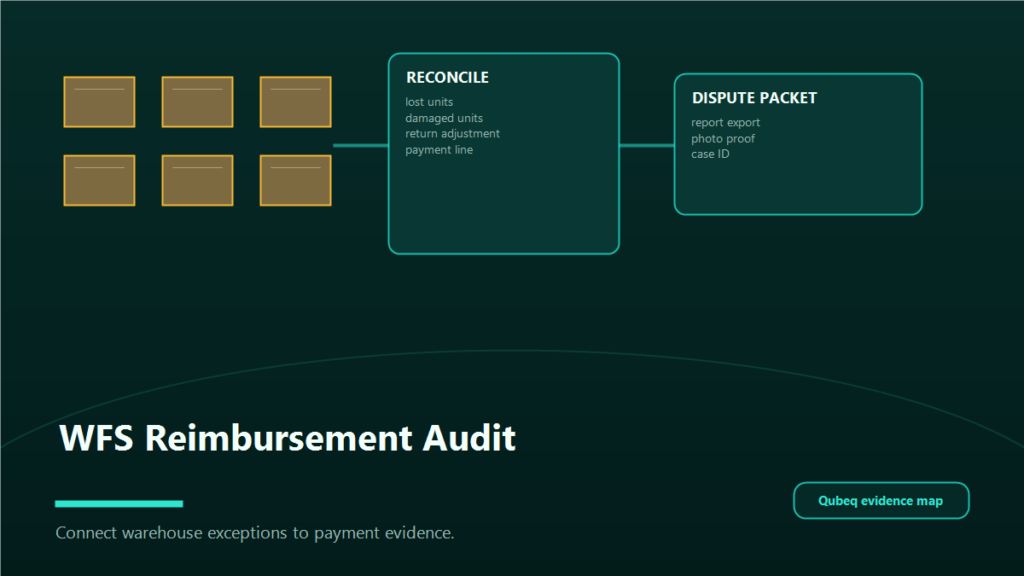
Walmart documents separate workflows for WFS receiving issues, payment report transactions, and customer return reimbursement or dispute processes [S1, S2, S3]. If you want to recover lost inventory value, damaged inventory credits, or return-related adjustments, you need to reconcile those areas together.
Key Takeaways
- WFS reimbursements and disputes can show up through receiving investigations, return processes, and payment report adjustments.
- Walmart's payment report includes transaction types such as Dispute Settlement and Adjustment, including lost inventory, found inventory, warehouse damage, and receiving error chargebacks [S2].
- Receiving disputes and return reimbursement disputes are different workflows with different evidence.
- Amazon-first sellers often miss WFS recoveries because they look only at orders, not payment adjustments and return reports.
- Qubeq can adapt FBA reimbursement discipline to WFS without pretending the platforms are identical.
Where WFS Reimbursement Issues Appear
Start with three places:
- Receiving issues: inbound inventory sent to WFS was not received as expected. Walmart's WFS receiving issue guide says sellers with inbound discrepancies can open an investigation with Seller Support and should review policy and requirements before doing so [S1]. Review Walmart's current receiving dispute window before opening an investigation; Walmart guidance currently frames receiving issue investigations around a post-delivery window, including the 10-to-50-day timing referenced in WFS receiving-dispute guidance [S1].
- Payment reports: Walmart's payment report overview lists transaction types including Refund, Dispute Settlement, Adjustment, and Service Fee. It specifically describes Adjustment as including items such as receiving error chargeback, damage in warehouse, lost inventory, and found inventory [S2].
- Customer returns: Walmart's WFS customer returns guide explains reimbursement exceptions and dispute process details for returned items [S3].
If your audit only checks one of these, you can miss the recovery path or double-count an issue.
Receiving Dispute vs Return Reimbursement Dispute
Treat receiving and returns as separate lanes.
Receiving dispute
Use this lane when the problem started before inventory became sellable:
- Shipment delivered to WFS but units were short.
- Cartons or pallets show receiving discrepancies.
- Inventory appears rejected, misplaced, or not live after intake.
- Walmart's received count does not match your shipped count.
Evidence usually includes shipment ID, tracking, carrier proof, box contents, purchase records, and your internal packing documentation.
Check the current WFS receiving dispute window before filing; do not wait until monthly accounting close if the inbound shipment is already in the eligible investigation window.
Return reimbursement dispute
Use this lane when the problem started after a customer order or return:
- Customer return was lost on the way back.
- Returned item was damaged, missing, unsafe, locked, incorrect, or not returned as expected.
- Walmart refunded the customer and the seller believes reimbursement or adjustment should apply.
- The return report and payment report do not reconcile.
Walmart's return guidance also lists scenarios where sellers are not reimbursed, including some damaged and unsellable items, unsafe items, seller-initiated returns and refunds, keep-it rules, and other exceptions [S3]. That means your audit must classify the return before filing a dispute.
Return reimbursement disputes and appeals have their own timing windows: Walmart's current guidance says dispute requests must be submitted within 45 days of the dispute window opening, and appeals of an initial denial or decision must be submitted within 30 days of receiving that decision [S3]. Recheck the exact wording during staging.
Evidence Sellers Should Collect
For receiving issues:
- Shipment ID.
- Purchase order or shipment plan.
- Carrier tracking and delivery confirmation.
- Box contents or carton-level packing list.
- Supplier invoice or purchase record.
- Photos if boxes were damaged before shipment.
- Walmart receiving status screenshots.
For lost or damaged inventory:
- Item ID, SKU, and quantity.
- Inventory activity report or WFS report line.
- Payment report adjustment line.
- Any Walmart support case ID.
- Product cost or average sale price documentation if needed.
For returns:
- Order number and return ID.
- Return reason.
- Return status and tracking.
- Return report row.
- Payment report refund and adjustment lines.
- Photos or documentation if the item was returned to you.
- Return rule settings if relevant.
How to Reconcile Walmart Payment Reports
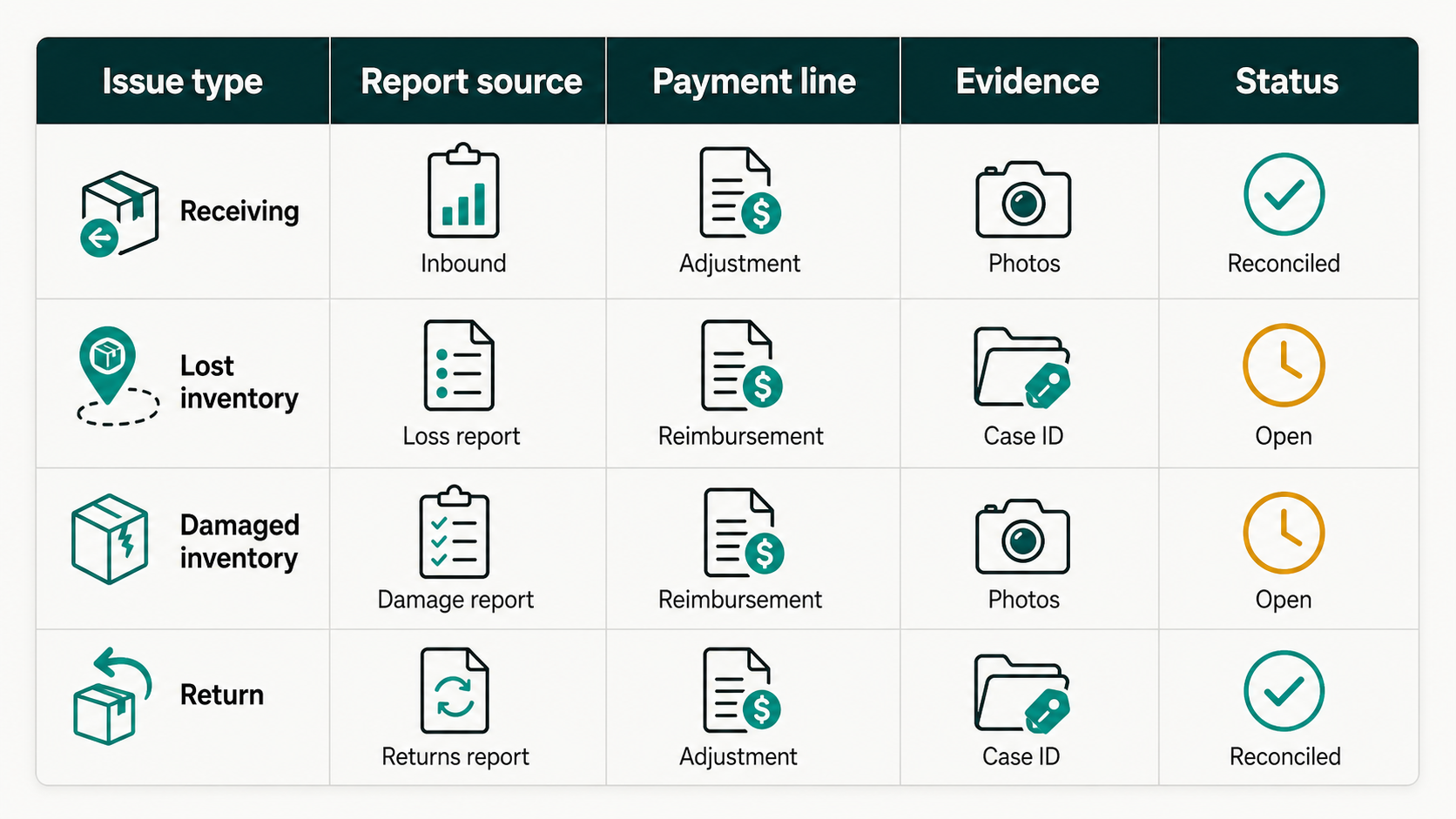
Build a monthly reconciliation sheet with one row per issue. The goal is to connect operational evidence to money movement.
Columns:
- Issue type: receiving, lost inventory, damaged inventory, return, refund, dispute settlement, adjustment.
- SKU and item ID.
- Quantity.
- Order ID, return ID, or shipment ID.
- Event date.
- Report source.
- Payment report transaction type.
- Amount debited.
- Amount credited.
- Support case ID.
- Status: needs evidence, file dispute, waiting, reimbursed, denied, park.
Then review the payment report transaction types. Walmart's documentation calls out Dispute Settlement and Adjustment as payment report categories [S2]. Those are the lines sellers often miss when they look only for sales and refunds.
What Amazon-First Sellers Often Miss
Amazon-first operators usually bring strong FBA instincts, but WFS has its own report language and dispute paths.
Common misses:
- Looking for an "FBA reimbursement" equivalent instead of Walmart's adjustment and dispute settlement lines.
- Treating every return loss as reimbursable even when Walmart's return exceptions say otherwise [S3].
- Filing a receiving dispute with return evidence, or a return dispute with inbound evidence.
- Not saving the payment report row before opening a case.
- Waiting until the accounting close to inspect return issues.
- Forgetting that WFS setup and expansion need ongoing reconciliation, not just launch work.
Weekly and Monthly Audit Rhythm
Weekly:
- Review new return refunds.
- Check return statuses and exceptions.
- Log any WFS support cases.
- Flag WFS receiving and return issues approaching dispute or appeal deadlines.
- Tag urgent dispute candidates.
Monthly:
- Reconcile payment report adjustments.
- Match dispute settlements to open cases.
- Review lost, found, warehouse damage, and receiving error lines.
- Close reimbursed rows and reopen unexplained denials.
- Feed recurring patterns back into inventory prep, return settings, and catalog decisions.
Deadline notes: Walmart timing rules can change. Treat dispute windows as operational deadlines and verify the current Marketplace Learn page before filing.
FAQ
Does Walmart reimburse every lost or damaged WFS issue?
No. Walmart's return documentation lists reimbursement exceptions [S3]. Receiving and fulfillment-center issues also depend on investigation and policy requirements [S1].
Where do WFS reimbursement credits show up?
Walmart's payment report overview includes transaction types such as Dispute Settlement and Adjustment. Adjustment can include lost inventory, found inventory, damage in warehouse, and receiving error chargeback [S2].
Is a receiving dispute the same as a return dispute?
No. Receiving disputes concern inbound inventory discrepancies. Return reimbursement disputes concern customer return and refund outcomes.
Can Qubeq audit WFS reimbursements?
Yes. Qubeq can adapt the same reconciliation discipline used in FBA reimbursement recovery to WFS: collect reports, map issues, file evidence-backed disputes, and track recoveries.
Closing CTA
WFS reimbursement recovery is not a single report. It is a reconciliation system across receiving, returns, and payments. If your Walmart channel is growing but your team is not auditing lost, damaged, and return adjustments yet, Qubeq can build the workflow and work the backlog.