SAFE-T Claim Denied After the 30-Day Window Change? A Triage Guide for FBM Sellers
Amazon announced that, effective February 16, 2026, the SAFE-T claim filing window for US seller-fulfilled orders changed from 60 days to 30 days [S1]. Amazon forum guidance also framed this as part of a broader seller-fulfilled returns update, with the 30-day clock tied to the return delivery scan at the seller's warehouse or the refund date, whichever comes later, and to the last scan event for lost shipments [S4].
For FBM sellers, that changes the operating rhythm. SAFE-T can no longer be a once-a-month cleanup chore. If refunds, return scans, customer messages, and carrier evidence are not reviewed every week, eligible claims can age out before anyone notices.
Key Takeaways
- The US SAFE-T claim filing window changed to 30 days on February 16, 2026 [S1].
- Timing is now part of eligibility. A strong claim filed late can still be denied.
- Build evidence by return scenario: wrong item, damaged item, empty box, non-return, carrier issue, or disputed refund.
- Denial triage starts with the reason code and the timeline, not with a generic appeal.
- A recurring refund-audit workflow is the best defense against missed claims.
What Changed
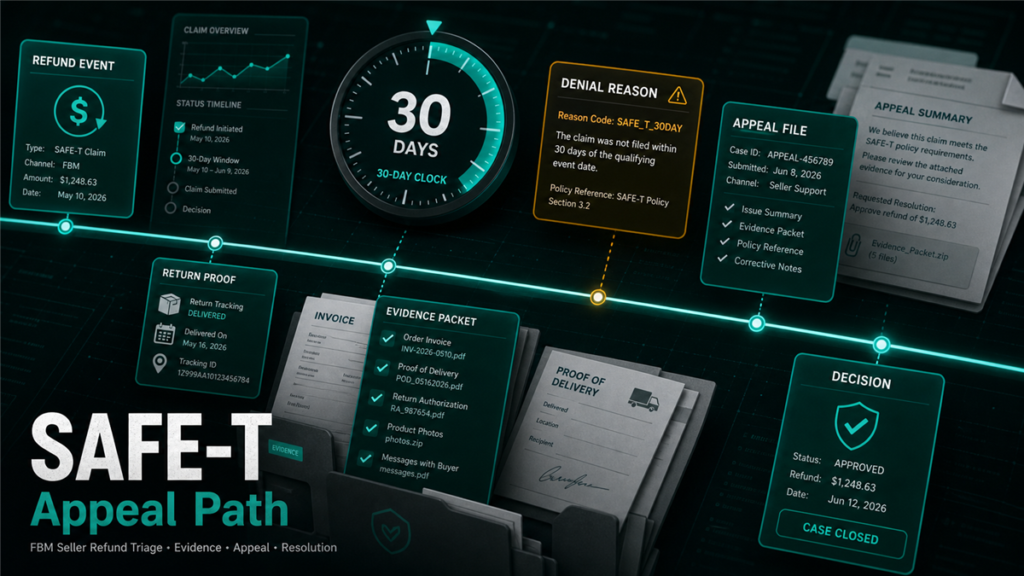
The core change is the filing window. Amazon's January 2026 forum announcement stated that the SAFE-T claim filing window for US seller-fulfilled orders would change from 60 days to 30 days effective February 16, 2026 [S1]. A related Amazon forum post said the 30-day window starts from the return delivery scan at the seller's warehouse or the refund date, whichever comes later, and for lost shipments from the last scan event [S4].
That means your claim review has to be tied to events:
- Refund issued.
- Return delivered.
- Return not delivered.
- Carrier last scan.
- Customer message or A-to-z activity.
The seller who waits for a monthly bookkeeper export may already be late.
Eligible vs Ineligible: Start With the Scenario
Before appealing a denial, identify what scenario you are claiming. SAFE-T is designed for seller-fulfilled order situations where Amazon refunded the buyer and the seller believes reimbursement is owed under the program rules [S2].
Common triage buckets:
- Wrong item returned: buyer returned a different item than the one shipped.
- Empty box returned: return package arrived with no sellable product.
- Damaged return: item came back damaged, incomplete, or materially different from shipped condition.
- Lost return: return tracking does not show delivery back to the seller.
- Refund without return: buyer was refunded but the expected return did not arrive.
- Carrier dispute: tracking or delivery evidence conflicts with the refund outcome.
Potentially weak or ineligible buckets:
- Seller missed the filing window.
- Seller lacks photos or inspection notes.
- The refund was seller-initiated.
- The item was returned in a condition Amazon's rules do not reimburse.
- The evidence does not connect the package, order ID, and returned item.
The draft should not promise reimbursement for any bucket. It should help sellers decide whether a claim is worth filing and what evidence is missing.
Evidence Checklist by Return Problem
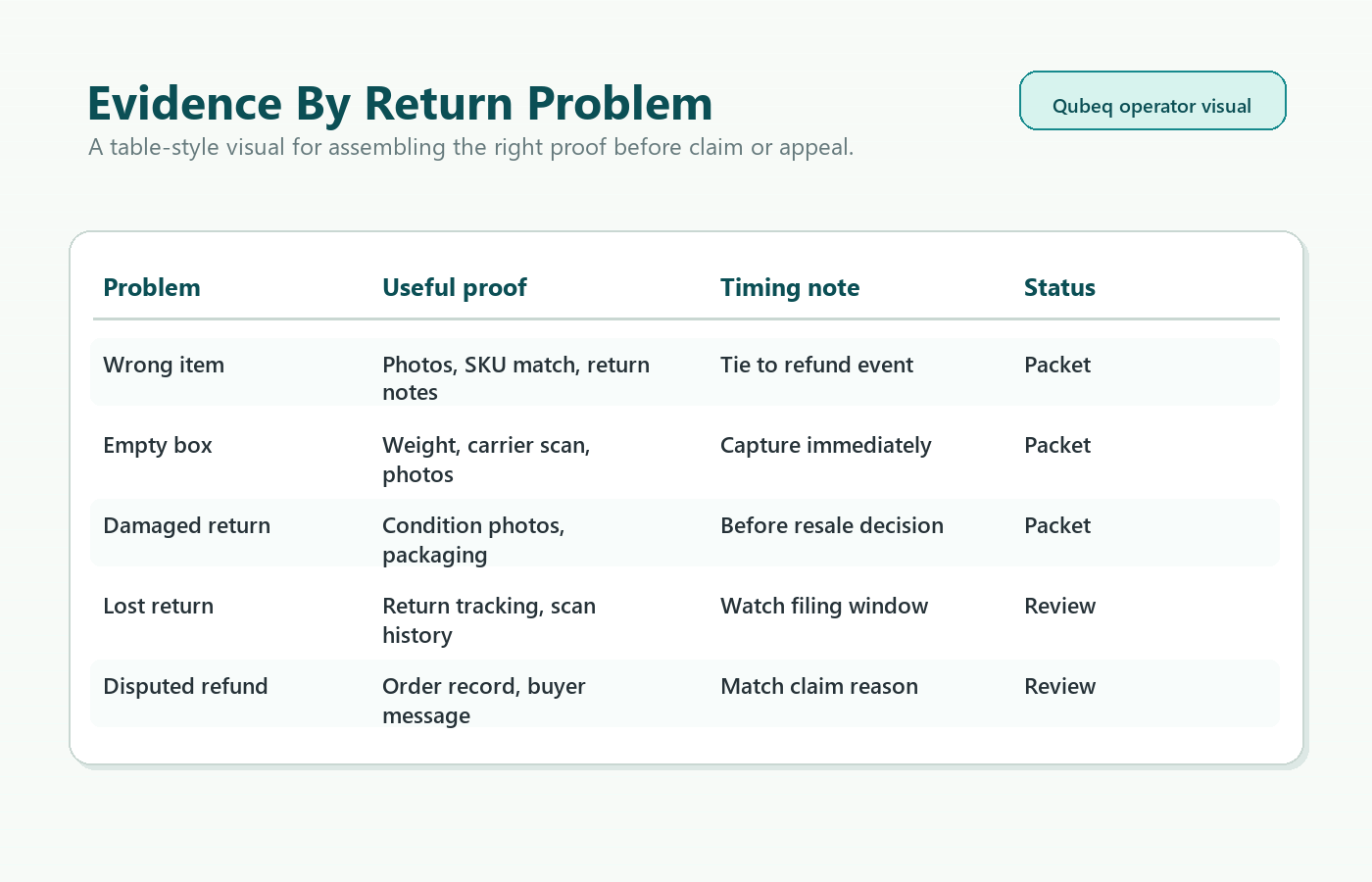
Wrong item returned
Save:
- Order ID and return ID.
- Photo of the item received.
- Photo of the shipping label or return package.
- Photo of serial number, UPC, model, or other identifier if relevant.
- Original shipment record showing what was sent.
- Customer messages if the buyer described the issue.
Empty box returned
Save:
- Photos of the empty package from multiple angles.
- Weight information if available from carrier or warehouse receiving.
- Packing slip or return label.
- Inspection note with date and employee name or initials.
- Any video or receiving log if your warehouse uses one.
Damaged or incomplete return
Save:
- Photos of damage and packaging.
- Before-shipment condition evidence if available.
- Serial number or product identifier.
- Return reason selected by buyer.
- Warehouse inspection note.
Lost return or no return
Save:
- Return tracking page.
- Last carrier scan.
- Refund date.
- Return authorization details.
- Any Amazon message showing the refund event.
Disputed refund
Save:
- Refund notification.
- Customer communication.
- Order page.
- Return status.
- Carrier scans.
- Any internal notes showing why the refund outcome is disputed.
Denial Triage: What to Check Before Appealing
When a SAFE-T claim is denied, do not immediately paste a longer version of the same argument. Check five things first:
- Was the claim filed within the applicable 30-day window?
- Did the claim scenario match the evidence?
- Did the evidence prove the order, return package, and item identity?
- Did Amazon request a specific missing document?
- Is the denial about timing, eligibility, insufficient evidence, or policy interpretation?
If the denial is timing-based and the claim is outside the window, there may be no practical appeal. If the denial is evidence-based, you may have a path if you can add new, specific documentation.
Appeal Structure
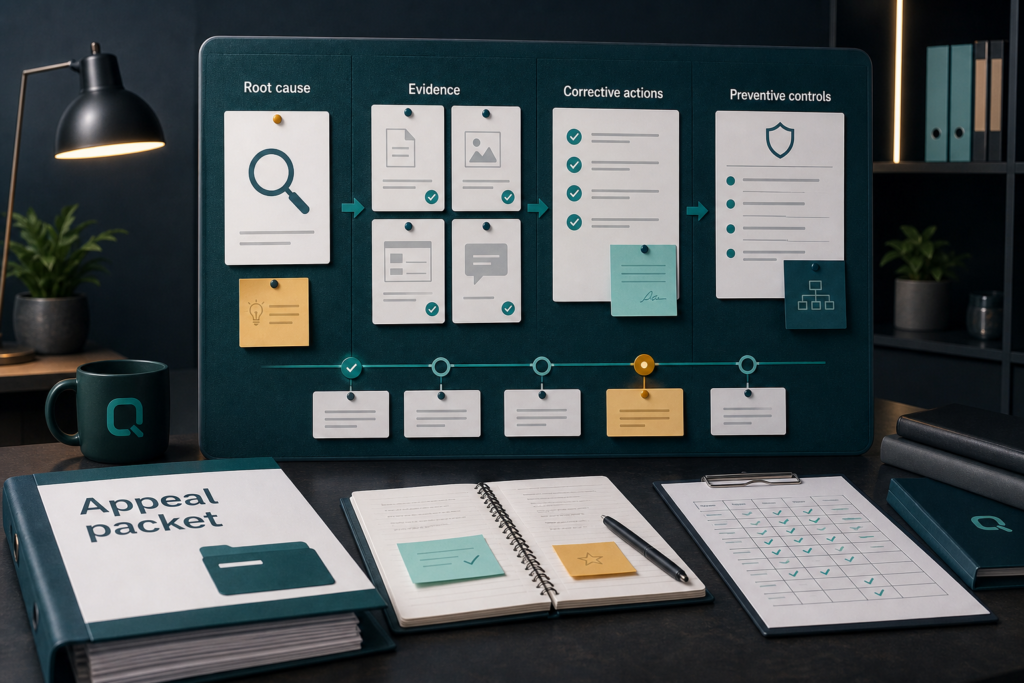
Use a simple appeal format:
- Order ID:
- Return ID:
- Refund date:
- Return delivery scan date or last scan:
- Claim filing date:
- Denial reason:
- Scenario:
- Evidence attached:
- Requested action:
Then write one short paragraph:
"This claim concerns a seller-fulfilled order where the buyer was refunded and the returned package contained [specific issue]. The claim was filed within the applicable SAFE-T filing window. Attached are photos of the returned package, the return label, the product received, and the original shipment record connecting the evidence to Order ID [ID]. Please review the claim with the attached evidence."
Keep it factual. Do not allege buyer fraud unless your evidence directly supports that language.
Build a Weekly SAFE-T Audit
The 30-day window makes a weekly audit the safer baseline.
Each week, pull:
- Seller-fulfilled refunds.
- Return requests.
- Return tracking delivered or not delivered.
- Customer messages tied to returns.
- SAFE-T claims filed, pending, denied, and approved.
- A-to-z claims that may overlap with refunds.
Then tag each refund:
- No claim needed.
- Evidence needed.
- File SAFE-T now.
- Appeal denial.
- Park, outside window or not eligible.
This is where Qubeq's reimbursement recovery and account management work can help. The value is not just writing claims. It is catching recoverable events before the window closes.
FAQ
What is the current US SAFE-T filing window?
Amazon announced the US seller-fulfilled SAFE-T claim filing window changed from 60 days to 30 days effective February 16, 2026 [S1].
What starts the 30-day clock?
Amazon forum guidance says the 30-day window starts from the return delivery scan at the seller's warehouse or the refund date, whichever comes later. For lost shipments, it starts from the last scan event [S4]. Verify current help text before filing.
Can I appeal a denied SAFE-T claim?
You can respond or appeal when Amazon's workflow allows it, but the appeal should address the denial reason with new or clearer evidence. Repeating the original claim rarely helps.
Should I file every refund as SAFE-T?
No. File only when the scenario appears eligible and evidence supports it. A disciplined audit should also mark "no claim needed" and "park" rows.
Closing CTA
SAFE-T recovery now rewards speed and documentation. If your FBM returns are piling up faster than your team can inspect them, Qubeq can build the weekly refund audit, package eligible claims, and triage denials before the 30-day window closes.