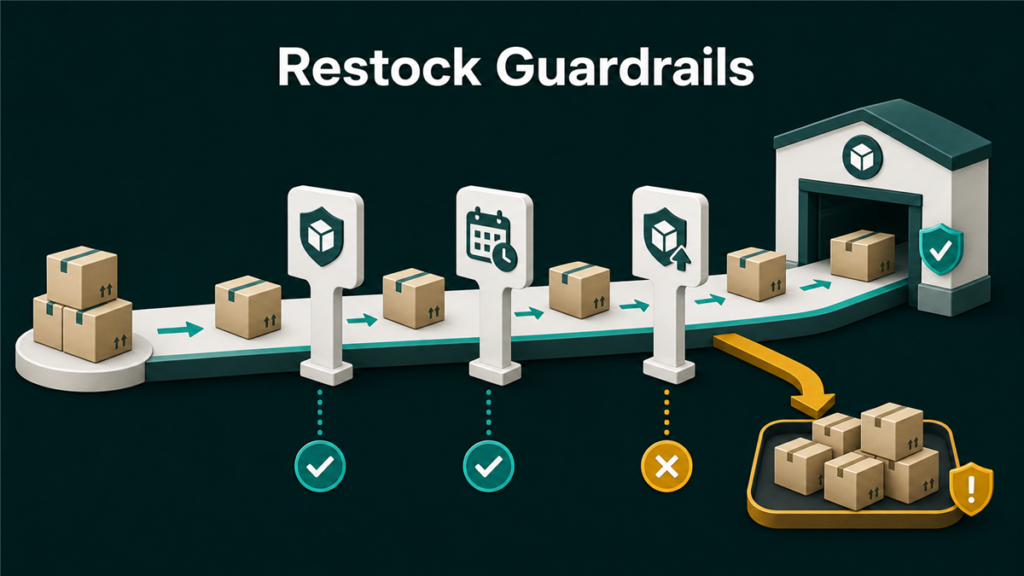
FBA restock limits, as a separate weekly constraint on how much you could send in, were folded into Amazon's broader capacity limit system: a single volume-based limit per storage type that governs how much inventory your account can hold and ship inbound. Sellers still search for "restock limits" because the pain is the same, wanting to send more stock than Amazon will take. This guide explains the current system as it operates, how to monitor your numbers, and how to run replenishment inside a limit you do not control.
Terminology and mechanics in this area have changed more than once, and details vary by account and marketplace. Verify the current rules and your own numbers in Seller Central's capacity tools before planning a season around anything written here or anywhere else.
Key Takeaways
- The old restock-limit and storage-limit split was consolidated into capacity limits, generally set per storage type and measured by volume.
- Your limit reflects Amazon's assessment of your sales performance and forecast, plus network capacity. Strong sell-through is the main lever you own.
- Limits are published in Seller Central's capacity tools, with estimates for upcoming periods, so replenishment can be planned rather than improvised.
- Operating inside a limit is an allocation problem: your fastest, most profitable SKUs get the space first.
- An upstream buffer (3PL or your own warehouse) converts a hard limit into a replenishment schedule instead of a crisis.
From Restock Limits to Capacity Limits
Under the older system, sellers juggled separate constraints: storage limits on what could sit in fulfillment centers and restock limits on what could be shipped in. Amazon later consolidated these into a single capacity limit per storage type, expressed in volume terms, with mechanisms for sellers to see estimated limits for upcoming periods and, in some versions of the program, to request additional capacity.
The operational meaning for sellers: there is one number per storage type to manage against, and that number moves with your performance and Amazon's network conditions. The exact program features, names, and request mechanisms are the kind of details that change; treat the current Seller Central capacity page as the source of truth.
What Drives Your Limit
Amazon does not publish a formula, but the visible inputs are consistent:
- Sell-through performance. Inventory that turns earns space; inventory that sits argues against you. Your inventory performance metrics are the closest proxy you can manage.
- Sales forecast. New and growing accounts are limited by shorter history; established accounts with steady velocity see more room.
- Network conditions. Peak seasons tighten everyone's space, independent of your performance.
- Storage type. Standard, oversize, and special categories carry separate limits, so a constraint in one does not always mean a constraint in all.
The practical takeaway: the strongest lever you own is sell-through. Excess aging inventory does not just cost storage fees; it costs future capacity.
How to Check and Plan Against Your Limits
- Open the capacity monitor in Seller Central and record your current limit and usage per storage type.
- Note the estimated limits for upcoming periods where shown; these estimates are what make seasonal planning possible.
- Translate the available headroom into units per SKU using your case dimensions.
- Plan replenishments inside the headroom, prioritized by velocity and margin rather than by which purchase order happens to arrive next.
- Recheck on a fixed rhythm, since limits adjust period to period.
Operating Inside a Tight Limit
When the limit is smaller than your ambitions, the discipline is allocation:
- Rank SKUs by contribution: velocity times margin, per cubic foot. Capacity math is volume math, and a slow bulky SKU is expensive twice.
- Feed FBA in smaller, more frequent replenishments instead of quarterly bulk sends. The limit constrains what sits there, so keep what sits there sold.
- Hold bulk inventory upstream, in a 3PL or your own space, and treat FBA as the fast lane rather than the warehouse.
- Clear dead weight deliberately: price action, removal orders, or disposal on stock that is consuming capacity without earning it.
- Watch your inventory performance metrics, since the path to a bigger limit runs through demonstrated sell-through.
- Where a capacity request mechanism is available in your account, weigh the cost against the expected return on the additional space; verify current terms in Seller Central.
Mini-Scenario
A toy seller heading into Q4 found the account's standard-size capacity well below the season's plan. The old approach, shipping the full seasonal buy into FBA in September, was simply unavailable. The replacement plan: bulk inventory landed at a 3PL, FBA received weekly slices sized to the capacity headroom and weighted toward the three fastest SKUs, and two slow movers were put on removal to stop them consuming volume. The account's sell-through improved through October, the next period's estimate rose, and the season closed with the catalog's top sellers in stock throughout. The limit never lifted to match the original plan; the operation adapted to the limit.
FAQ
Are FBA restock limits still a thing?
Not as the separate weekly constraint older guides describe. Amazon consolidated its limits into a capacity system per storage type. Check Seller Central's capacity tools for what currently applies to your account.
How do I see my current FBA capacity limit?
Through the capacity monitor in Seller Central, which shows limits, usage, and estimates for upcoming periods. Exact page names evolve; look under inventory or shipping dashboards.
How do I get a bigger limit?
Sell through what you hold: strong, consistent velocity with healthy inventory metrics is the input you control. Where available, capacity request mechanisms can supplement that; verify current availability and cost in your account.
What happens if my inventory exceeds the limit?
Exceeding capacity can block new inbound shipments and can carry overage costs under some program versions. Verify current consequences in Seller Central rather than assuming.
Should I keep inventory outside FBA because of limits?
For most growing catalogs, yes: an upstream buffer turns limit changes into scheduling problems instead of stockouts. A hybrid FBA-plus-3PL setup is the standard architecture for this.
Make the Limit a Schedule, Not a Ceiling
Capacity limits punish warehouse thinking and reward flow thinking: small frequent replenishments, ruthless allocation, and a buffer upstream. If your account keeps colliding with its limits, Qubeq's operations team can rebuild the replenishment model and the upstream architecture so the limit stops deciding your season for you.