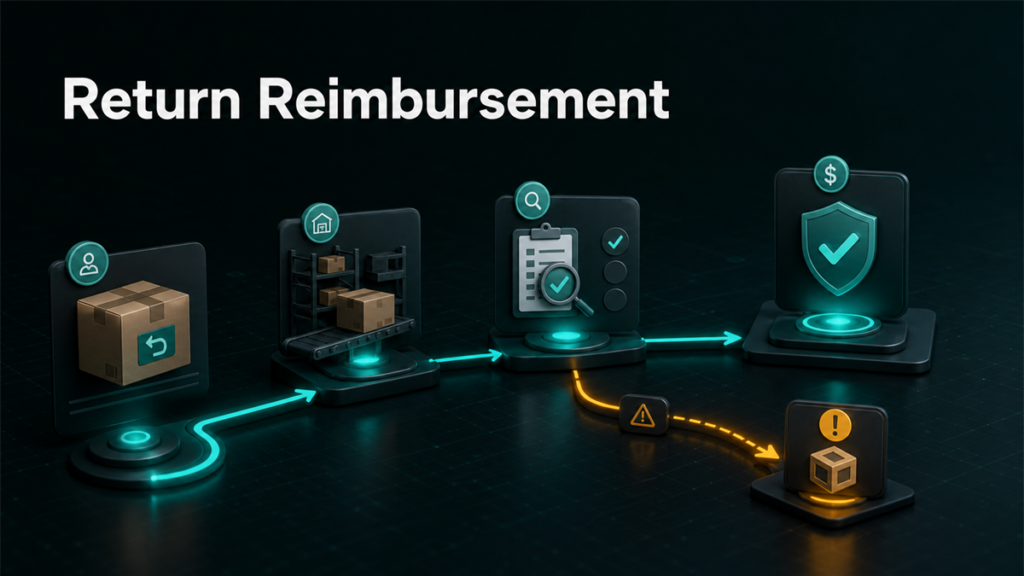
FBA customer return reimbursement issues usually start after Amazon refunds or replaces an FBA order. The seller's job is to trace the order, return status, inventory condition, and reimbursement history before deciding whether a manual claim is appropriate.
Key Takeaways
- A refunded FBA order is not automatically a reimbursement claim.
- Sellers should check whether the unit returned, whether the returned unit is sellable or unsellable, and whether Amazon already reimbursed the account.
- Missing returns, damaged returns, and replacement orders need different evidence.
- Current claim windows and filing labels should be verified in Seller Central before filing.
- A return reimbursement workflow should connect order ID, return report, inventory disposition, and reimbursement report.
When can an FBA customer return reimbursement issue exist?
An FBA customer return reimbursement issue can exist when Amazon refunds or replaces an FBA order and the inventory or money trail does not reconcile correctly. Common triggers include a refunded item that does not return, a returned item that arrives damaged, or a return event that creates an inventory adjustment without a matching reimbursement.
The starting point is not "Amazon owes me." The starting point is "what happened to the refunded unit?" That question keeps the review grounded in evidence instead of frustration.
How FBA customer returns create reimbursement gaps
FBA customer returns create reimbursement gaps when the refund, physical return, inventory condition, and reimbursement record do not match. A seller may lose money if Amazon refunds the buyer, the unit is not returned or is returned in a damaged state, and the account does not receive the appropriate credit under the current policy.
Review these four records together:
| Record | Why it matters | What to look for |
| Order/refund record | Confirms the customer-facing event | Refund date, order ID, replacement status |
| Return record | Shows whether a unit came back | Return received status, return reason, SKU |
| Inventory disposition | Shows sellable or unsellable outcome | Sellable, defective, damaged, carrier/customer-related labels |
| Reimbursement report | Shows whether Amazon already credited the seller | Reimbursement ID, amount, SKU, order link |
The exact report names and labels can change, so packaging should verify the current Seller Central wording before publication.
What return states should sellers understand?
Sellers should understand whether the item was refunded, replaced, returned, not returned, sellable, unsellable, damaged, or defective. These return states decide whether the seller should wait, investigate, or prepare evidence.
Refunded or replaced order
A customer-return reimbursement review usually starts after Amazon refunds or replaces an FBA order. The refund or replacement creates the event to track, but it does not prove eligibility by itself.
Check the order ID, refund date, replacement status, and transaction record. Then match that event to return activity.
Return received
If the returned unit was received back into FBA, check the returned condition. A sellable return may go back into inventory. An unsellable return may require more review, especially if the seller believes the damage happened in Amazon-controlled handling.
Return not received
If the customer received a refund but the unit does not appear to return within the current policy window, the seller may need to investigate a missing return reimbursement path. Do not publish or file exact timing without verifying the current Seller Central policy.
Sellable vs unsellable disposition
The sellable or unsellable disposition tells the seller what happened after Amazon processed the return. Unsellable inventory can reflect several causes, including customer damage, carrier damage, warehouse damage, defective product, or packaging condition.
Damaged or defective return
A damaged or defective return requires careful language. Some damage states may not qualify for reimbursement, and Amazon may classify the return in a way that affects the claim path. Sellers should review the return reason, disposition, and inventory adjustment history before opening a case.
FBA customer return reimbursement workflow
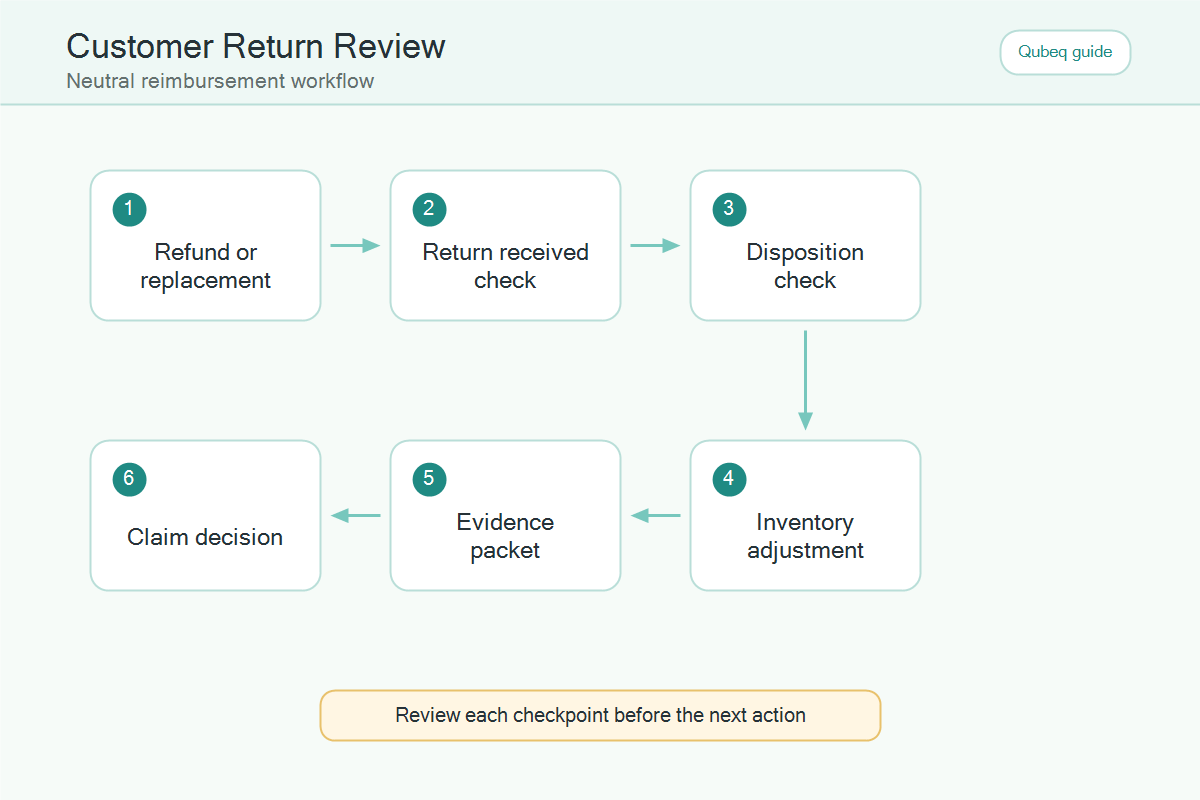
The safest FBA customer return reimbursement workflow is to reconcile the order before filing a claim. A clean sequence helps the seller avoid duplicate cases, premature filing, and weak evidence.
- Start with the refunded or replaced FBA order.
- Match the order ID to the return record.
- Check whether the returned unit was received.
- Review the returned condition and inventory disposition.
- Check the reimbursement report for automatic credit.
- Confirm the current claim window and eligibility language.
- Gather evidence tied to one order or SKU event.
- File a focused case only if the evidence supports manual review.
This workflow is intentionally conservative. It protects the seller from filing a case before Amazon's return process has enough time to complete.
When should sellers wait before filing?
Sellers should wait before filing when the return process is still in progress, the current claim window has not opened, the unit condition is unclear, or Amazon already appears to be processing an automatic reimbursement. Filing early can create support loops.
Wait if:
- The customer return has not reached a final status.
- The seller has not checked the reimbursement report.
- The order ID does not match a return or inventory event.
- The claim depends on a current policy window that has not been verified.
- The evidence only says "we lost money" without showing the inventory trail.
When should sellers investigate immediately?
Sellers should investigate immediately when refunded units repeatedly fail to return, unsellable return rates spike, high-value SKUs show unexplained return losses, or automatic reimbursements do not appear where the evidence suggests a review is needed.
Investigate:
- Repeated refunds without matching returns.
- Returned units marked unsellable in unusual volume.
- High-value units with unclear disposition.
- Customer return events that also show inventory adjustments.
- Return-related case denials that cite missing evidence.
The goal is not to file more cases. The goal is to understand whether the account is leaking margin through return handling.
Mini-scenario: refunded unit, no clean inventory trail
A seller sees a $90 FBA order refunded. Two weeks later, the finance team cannot find the unit in available inventory. The operations lead checks the order record, return report, inventory disposition, and reimbursement report.
The review shows that the return was received but moved to unsellable status. There is no matching reimbursement, and the disposition label needs current policy interpretation. Instead of filing a broad complaint, the seller prepares a focused case with the order ID, return event, SKU, disposition record, and reimbursement check.
FAQ
What is FBA customer return reimbursement?
FBA customer return reimbursement is a reimbursement path that may apply when Amazon refunds or replaces an FBA order and the related return creates an eligible inventory or account loss.
Does every refunded FBA order qualify for reimbursement?
No. A refund starts the review, but eligibility depends on the return status, condition, timing, reimbursement history, and current Amazon policy.
What should sellers check if a refunded item is not returned?
Sellers should check the order ID, return status, current policy window, reimbursement report, and any case history before filing a missing-return claim.
What if the returned item is unsellable?
The seller should review the disposition and reason for the unsellable status. Some unsellable states may not qualify, so current policy wording should be verified before filing.
Can Qubeq audit customer return reimbursement gaps?
Yes. Qubeq can review refund, return, disposition, and reimbursement records to identify which return events deserve a focused claim.
Reconcile the return before filing the claim
FBA customer return reimbursement work is a reconciliation process. If your team is finding refunded orders, missing returns, damaged returns, or confusing unsellable dispositions, Qubeq can audit the return trail and identify which claims are worth pursuing.