eBay Seller Hub is most useful when sellers treat it like an operating routine, not just a dashboard they check after problems appear. Real ebay seller hub listing optimization means reviewing listings, orders, costs, and traffic signals together so improvements happen in context instead of in isolation.
Key Takeaways
- Seller Hub centralizes listing, order, cost, and performance tools in one place.
- Listing optimization works better when sellers review traffic and operational signals together.
- A strong listing on eBay still depends on clear titles, complete details, pricing logic, and service reliability.
- Seller Hub recommendations are useful inputs, not automatic answers.
- The most effective sellers build a repeatable review routine instead of making random listing edits.
What Seller Hub Actually Helps You Control
Seller Hub is eBay's central workspace for managing listings, orders, performance, payouts, and related selling tools. That matters because many listing problems are not just listing problems. A weak listing might really be a pricing issue, a shipping promise issue, or a traffic-quality issue.
When sellers use Seller Hub well, they are not only asking, "How do I improve this listing?" They are also asking:
That broader view is where optimization gets better.
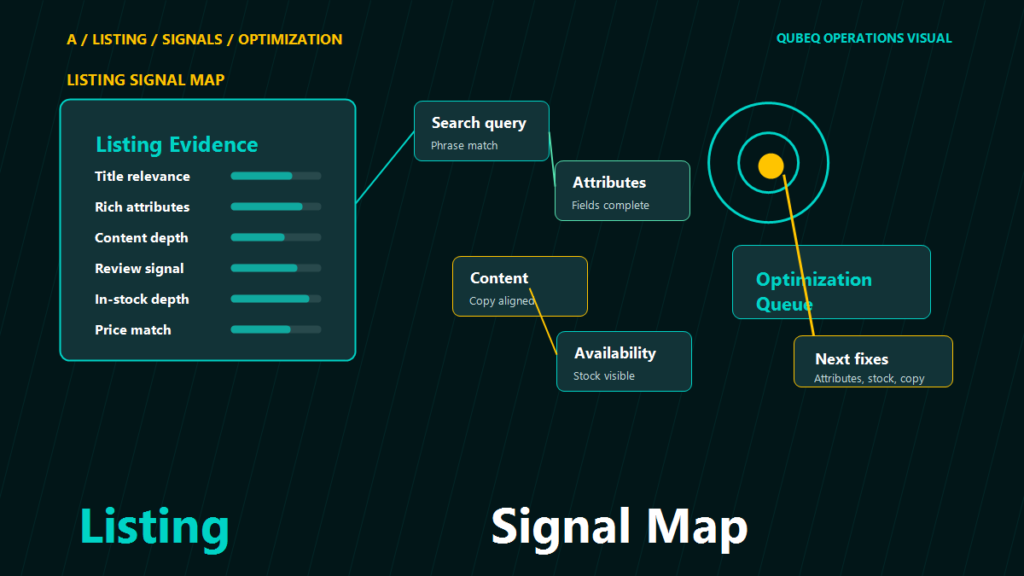
The Signals Worth Reviewing Together
Listings
The listing itself is still the starting point. Clear titles, complete item specifics, strong images, and a believable offer still matter.
Orders and fulfillment
If order handling is weak, listing quality alone will not carry the account. Seller Hub keeps order visibility close to listing management for a reason.
Traffic and performance
Traffic signals can help reveal whether the listing is invisible, unattractive, or simply mismatched to what buyers expect.
Costs and payouts
eBay's own Seller Hub framing makes it clear that costs belong in the same operating conversation. A listing that wins attention but loses margin is not optimized in a useful way.
What Optimization Usually Looks Like In Practice
Review patterns, not one-off noise
A single listing may have an issue, but repeated patterns tell you more. If a category of listings has weak click-through or poor conversion, the problem is often structural.
Improve the offer, not just the wording
Sellers sometimes rewrite titles over and over while leaving pricing, shipping, or return expectations untouched. Optimization is broader than copy alone.
Keep category context in mind
A strong listing in one category may be weak in another. Seller Hub helps centralize tools, but category judgment still matters.
A Weekly Seller Hub Review Routine
- Review the active listings that need attention most.
- Check traffic and sales patterns for recurring weak spots.
- Compare listing changes against order and cost realities.
- Make a small set of intentional edits, then watch the result.
Scenario: The Listing Team Was Editing Without A Feedback Loop
A seller had one person managing eBay listings and another person handling orders and support. The listing manager kept rewriting titles and adjusting item details, but the work rarely seemed to hold. The missing piece was context. No one was reviewing the listing changes alongside shipping friction, order patterns, and cost pressure.
Once the team used Seller Hub as a shared review point instead of a single-person editing tool, the work got sharper. Fewer changes were made, but they were more informed.
FAQ
Is Seller Hub only for large eBay sellers?
No. Smaller sellers can benefit too because it centralizes the main operating signals.
Does Seller Hub automatically optimize my listings?
No. It provides tools and recommendations, but the seller still has to make the decisions.
Should listing optimization focus only on titles and item specifics?
No. Shipping, costs, and order-handling patterns can affect listing performance too.
Can Seller Hub replace category judgment?
No. It helps organize signals, but sellers still need to interpret them in context.
What is the biggest optimization mistake?
Making repeated listing edits without reviewing the broader performance and service signals around them.
Better eBay Listings Come From Better Operating Discipline
Seller Hub works best when it becomes part of a repeatable eBay operating routine rather than a rescue tool you open after a dip. If your team is managing eBay alongside other channels, Qubeq can help you think through those other marketplace operations. If you want help tightening the workflow, contact us here.