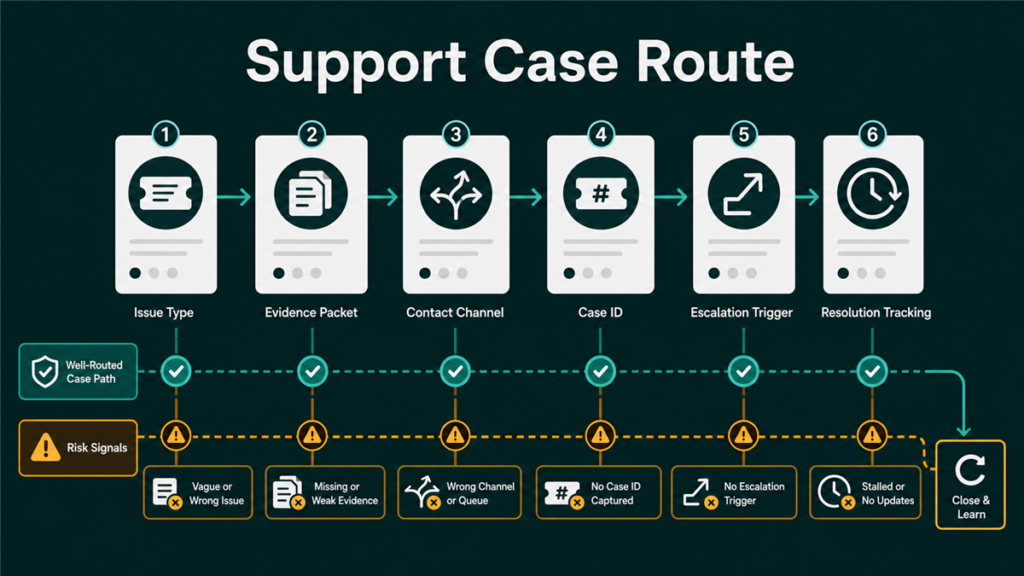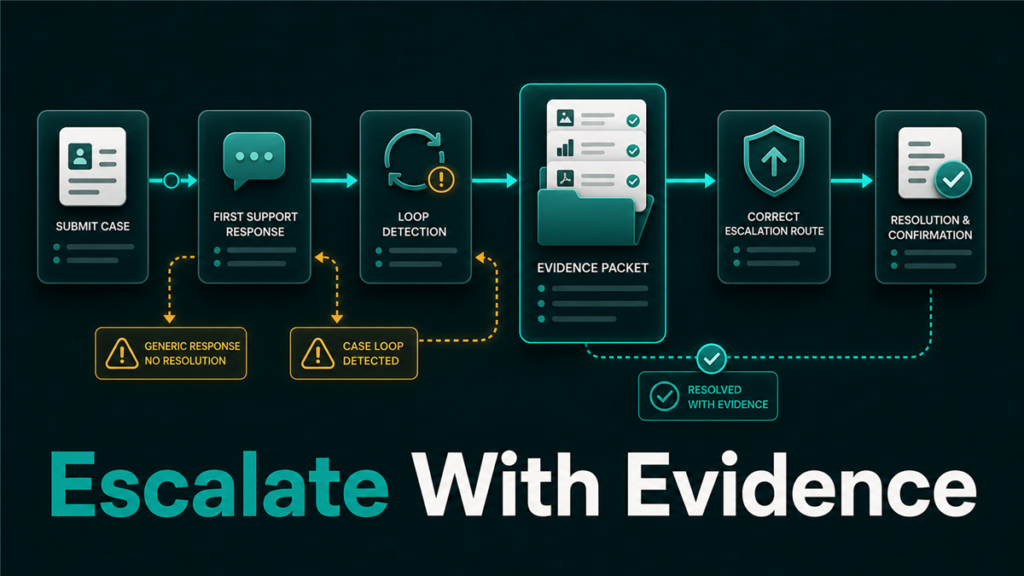
Seller Central case escalation should happen only after the seller has a clear issue, complete evidence, and a reason the first support path did not resolve the problem. A rushed escalation can make the case harder to review, while a clean escalation helps Amazon understand the exact blocker.
Key Takeaways
- Escalation is not the first step. It is the next step after a case is stuck, misrouted, or incorrectly closed.
- The best escalation includes a short summary, exact ASIN or SKU, case IDs, dates, and evidence.
- Sellers should avoid opening duplicate cases unless the original case is unusable or misclassified.
- Different issue types need different evidence: catalog, reimbursement, policy, shipment, or account-health.
- Qubeq manages escalation as part of a case-control system, not as random follow-up messages.
What Is Seller Central Case Escalation?
Seller Central case escalation is the process of asking Amazon to re-review an unresolved support issue at a higher or more appropriate support path. Sellers usually escalate when a case receives an incorrect template response, closes without addressing the evidence, or remains stuck after reasonable follow-up.
Escalation does not mean writing a longer complaint. It means making the issue easier to understand and harder to misroute.
When Should Sellers Escalate a Seller Central Case?
Sellers should escalate a Seller Central case when the original case cannot reasonably solve the issue anymore. The strongest escalation triggers are specific and documented.
| Escalation Trigger | What It Means | What to Prepare |
| Wrong answer | Support addressed a different issue | One-sentence correction and evidence |
| Repeated template response | The case is looping | Timeline and exact unanswered question |
| Incorrect closure | The case closed before review | Case ID and unresolved blocker |
| Misrouted queue | The wrong team received the issue | Correct issue type and supporting facts |
| Urgent business risk | Listing, account, or reimbursement risk is time-sensitive | Impact summary and documentation |
What to Do Before Escalating
Sellers should clean the case file before escalating. A support team cannot fix what it cannot understand quickly.
Before escalation, confirm:
- The issue is stated in one sentence.
- The ASIN, SKU, FNSKU, shipment ID, order ID, or case ID is included.
- The timeline is clear.
- The requested action is specific.
- Evidence files are named clearly.
- The prior response is quoted or summarized without emotional language.
- The case has not been duplicated across several open threads.
How to Write the Escalation Message
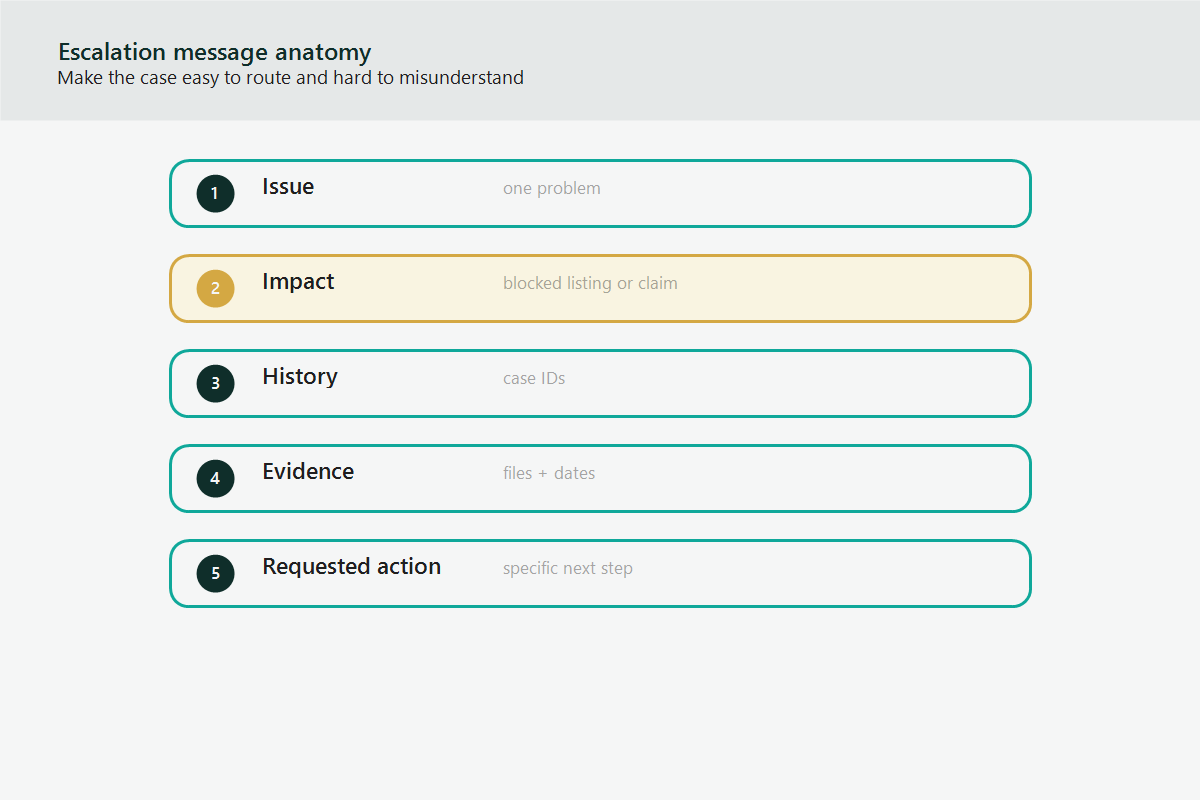
A Seller Central case escalation message should be short, factual, and structured. The goal is to reduce review friction.
Use this format:
- Issue: One sentence explaining the problem.
- Account impact: One sentence explaining why it matters.
- Prior case history: Case ID and what was not resolved.
- Evidence: Short list of attached or referenced documents.
- Requested action: The exact review or correction needed.
Example structure:
| Field | Example |
| Issue | ASIN B0XXXX is incorrectly blocked from variation creation. |
| Impact | The parent-child family cannot be repaired, and customers see duplicate listings. |
| Prior case | Case 123456789 closed with a title-policy response, but the issue is variation eligibility. |
| Evidence | Current child ASINs, proposed parent structure, flat file excerpt, error message. |
| Request | Please route this to catalog variation support for eligibility review. |
What Not to Do During Escalation
Sellers should not escalate by adding noise. More words can make a case worse if the core request is unclear.
Avoid:
- Opening five duplicate cases for the same issue.
- Attaching unrelated screenshots.
- Arguing about Amazon policy instead of explaining the exact mismatch.
- Writing long emotional messages.
- Changing the requested action in every reply.
- Mixing catalog, reimbursement, and account-health issues in one thread.
Mini-Scenario: The Case Was Right, But the Queue Was Wrong
A brand tries to fix a broken variation family. Seller Support replies with generic title-policy guidance and closes the case. The team opens three new cases with longer messages, but each one gets routed the same way.
The better escalation is a short correction: this is not a title-policy request, this is a variation eligibility issue. The seller should include the parent-child structure, affected ASINs, flat file error, and exact requested action.
FAQ
Should sellers open a new case or reply to the old case?
If the original case is still active and correctly categorized, reply in the same case. If the case is closed, misrouted, or unusable, a new case may be necessary, but reference the old case ID.
How long should sellers wait before escalating?
There is no universal public timeline for every issue type. Sellers should escalate when the case is stuck, incorrectly closed, or the response does not address the evidence.
Does escalation guarantee a better outcome?
No. Escalation improves review quality only when the issue, evidence, and requested action are clear.
What evidence should be included in a case escalation?
Include identifiers, screenshots only when useful, report exports, previous case IDs, dates, and a concise explanation of the requested correction.
Can Qubeq manage Seller Central case escalation?
Yes. Qubeq can organize the case history, rewrite unclear requests, prepare evidence, and keep the escalation focused on the operational fix.
Escalate With Evidence, Not Frustration
Seller Central case escalation works best when the seller removes confusion. If your support cases are looping, closing incorrectly, or getting routed to the wrong team, Qubeq can help turn scattered messages into a clear case-control process.