
Walmart Fulfillment Services and Amazon FBA both outsource pick, pack, ship, and returns to the marketplace network, but the inbound workflows, returns exposure, seller support paths, and fee structures are different enough that an Amazon-first operator needs to understand the gap before committing inventory. This guide covers the fulfillment operations differences that matter to sellers already running FBA and now evaluating WFS.
Key Takeaways
- WFS and FBA are both outsourced fulfillment programs, but they run on separate networks with different inbound requirements, prep standards, and returns processes.
- The Walmart Seller Center support system operates differently from the Seller Central case system; escalation paths and response patterns are not equivalent.
- Sellers running FBA cannot automatically route FBA inventory to Walmart WFS. The two programs require separate inbound shipments, separate catalog setup, and separate replenishment planning.
- Amazon Multi-Channel Fulfillment (MCF) can ship non-Amazon orders from FBA inventory, but whether Walmart.com is a supported sales channel through MCF should be verified before relying on it as a hybrid solution.
- Fee structures for both programs change periodically; any cost comparison requires verification against current published schedules before making inventory or pricing decisions.
How Does WFS Inbound Inventory Handling Compare to FBA?
WFS inbound logistics follow a different workflow from FBA, and sellers who assume the two programs are interchangeable will encounter prep, labeling, and routing surprises.
With Amazon FBA, the inbound path is managed through the Send to Amazon workflow in Seller Central. Sellers create a shipment plan, apply FNSKU labels, prepare products to FBA packaging standards, select a carrier and route type, and send inventory to Amazon-designated fulfillment centers. Amazon distributes inventory across its fulfillment network. The workflow is detailed, has multiple steps where errors occur (box content information, label placement, carton weight), but most experienced FBA sellers have built prep processes around it.
With WFS, sellers create an inbound order in Walmart Seller Center. Items must be confirmed as WFS-eligible before an inbound order can be created. WFS has its own prep and labeling standards, and the routing directs inventory to Walmart's fulfillment network, which is separate from Amazon's. Exact WFS inbound prep requirements, including label specifications, carton requirements, and routing rules, should be verified in current Walmart Seller Center help documentation or with Walmart Marketplace support before building a prep workflow.
The operational implication for an FBA seller is that running WFS requires a parallel prep process. The same physical units that go to FBA and WFS may need different labeling, different box configurations, and different inbound documentation. Sellers who run both programs from a single 3PL or prep center need to build those two workflows explicitly and not assume that FBA prep is sufficient for WFS.
Inventory Eligibility and What Gets Rejected
FBA has well-documented size and weight tiers, restricted product categories, and hazmat review processes that most experienced sellers have navigated. WFS has its own eligibility criteria. Items outside WFS size or weight limits, or in restricted categories for Walmart's fulfillment network, will not be accepted into WFS. Sellers should verify current WFS item eligibility requirements against their product catalog before planning inbound shipments.
How Does Returns Processing Differ Between WFS and FBA?
Returns handling is one of the clearest operational differences between the two programs, and it affects both cost exposure and the seller's control over the returned unit.
Under Amazon FBA, Amazon handles customer service and returns for FBA orders. When a customer returns a product, Amazon processes the return, grades the unit (sellable, damaged, customer-damaged), and either restocks the unit or categorizes it for removal. FBA sellers receive return reports and reimbursement claims for specific categories of loss. The FBA returns process is complex, has known gaps in how Amazon grades and disposes of returned units, and is a known source of inventory leakage that requires regular auditing.
Under WFS, Walmart handles returns for Walmart-fulfilled orders, consistent with Walmart's marketplace return policy. The seller's cost exposure on a WFS return, how the returned unit is dispositioned, and the process for recovering losses from damaged or unsellable returns should be verified against current WFS and Walmart Marketplace return policy documentation. Sellers should not assume that the WFS returns process mirrors FBA exactly. The programs run on different networks, with different return routing, different grading processes, and different resolution paths.
The practical concern for an FBA seller adding WFS is that returns management becomes a two-track operation. FBA returns are monitored through Seller Central reports and FBA reimbursement claims. WFS returns need to be tracked through Walmart Seller Center. Sellers who do not set up monitoring on both sides will miss inventory losses on the WFS side.
What Are the Seller Support Paths on Each Platform?
Seller support is a significant operational difference that Amazon-first sellers consistently underestimate when they move to Walmart.
Amazon Seller Central has a case management system. Sellers open cases by topic, receive case IDs, can attach evidence, and can escalate through case reopening or account health escalation routes. The system has well-documented failure modes (repeated wrong answers, generic responses, cases closed without resolution), but most experienced FBA operators have learned how to write cases effectively, track case IDs, and escalate when needed.
Walmart Seller Center has its own support system. The ticket and escalation structure, response patterns, and resolution paths are different from Seller Central. Sellers who expect the Seller Central experience when contacting Walmart Marketplace support will encounter a different workflow. Specific details about current Walmart Seller Center support options, escalation contacts, and response timelines should be verified through current Walmart Marketplace help documentation and with other active Walmart sellers before forming expectations.
The operational implication: sellers who add WFS cannot rely on FBA problem-solving experience to navigate Walmart support issues. WFS inbound discrepancies, item status errors, and returns issues require learning a separate support process. Building that process before it is needed under pressure is more effective than learning it during an active inventory problem.
What Is the Service-Level Risk on Each Platform?
Both programs expose sellers to fulfillment failures outside their direct control, but the nature and consequences of those failures differ.
On Amazon FBA, service-level risks include inventory receiving delays, lost inbound shipments, stranded inventory, storage limit reductions, and FBA disruptions during peak seasons. The seller's response options include Seller Central cases, reimbursement claims, and adjustment of replenishment strategy. These risks are well-documented and most established FBA sellers have encountered them.
On WFS, service-level risk categories exist across inbound receiving, inventory availability, and fulfillment performance for Walmart-fulfilled orders. The consequences of WFS inventory failures include items going out of stock on Walmart.com, potential effects on the seller's performance metrics in Walmart Seller Center, and the need to resolve issues through Walmart's support channels. Sellers should not assume that WFS is lower-risk than FBA simply because Walmart's fulfillment network is smaller or less loaded. Different scale means different failure patterns, and the seller's tools for monitoring and resolving WFS issues are different from FBA tools.
For sellers who are expanding to Walmart as a secondary channel, the WFS service-level risk is proportional to how much Walmart revenue the seller is generating. Early in the expansion, the risk is manageable because volume is low. As Walmart sales grow, WFS inventory management and discrepancy monitoring need to scale with it.
How Do the Fee Structures Compare?
Both programs charge referral fees, fulfillment fees, and storage fees, but the specific rates, tiers, and structures differ and change over time.
Amazon FBA fees include a referral fee (a percentage of the sale price, category-dependent), a fulfillment fee (based on unit size and weight), and storage fees (monthly and long-term). Sellers familiar with FBA have typically built the fee structure into their margin calculations and know which product categories and size tiers are most cost-effective under FBA.
WFS fees follow a similar structure: Walmart charges a referral fee and WFS includes fulfillment and storage fees. The specific rates, tiers, and any promotional or reduced-fee structures available to WFS sellers should be verified against the current WFS fee schedule before making any margin calculations or pricing decisions. Fee structures for both programs change periodically, and relying on outdated published fee comparisons is a common source of margin calculation errors.
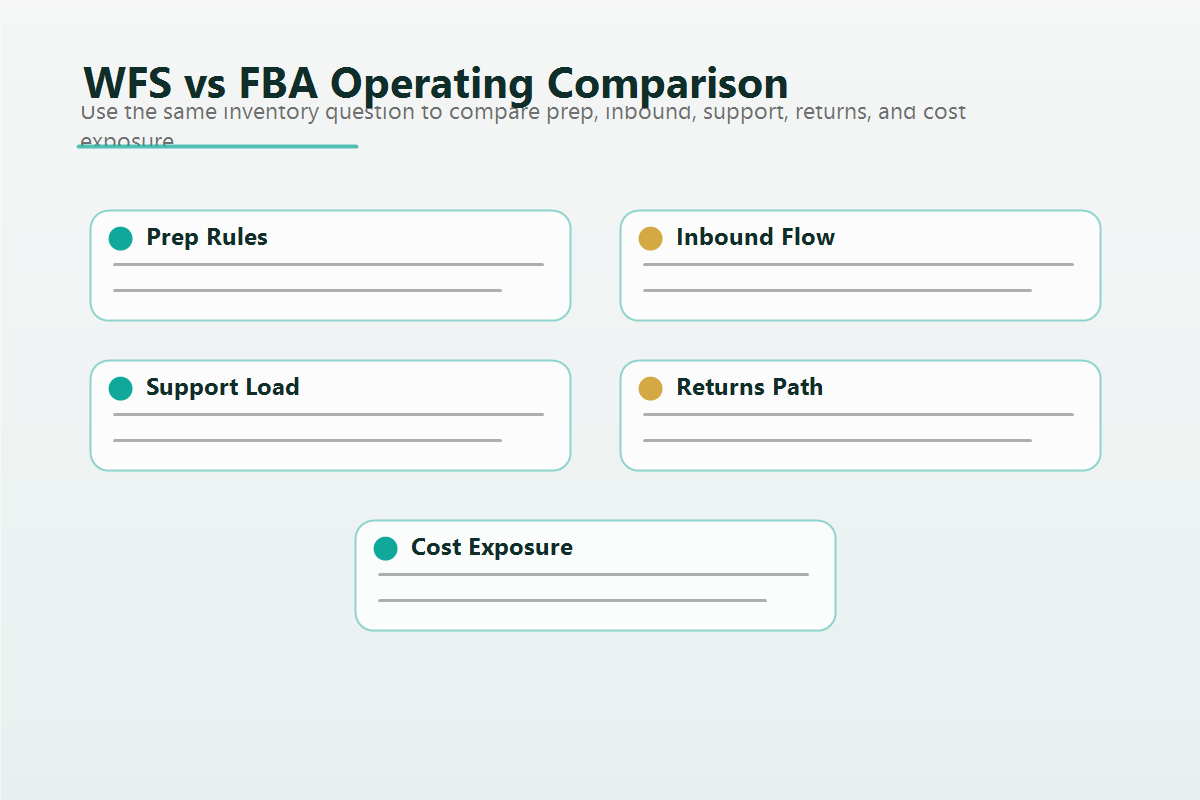
The comparison table below outlines the structural dimensions. Any row containing fee amounts in a published version of this article should be verified against current official schedules at the time of publication.
WFS vs FBA Operational Comparison
| Dimension | Amazon FBA | Walmart WFS |
| Inbound workflow tool | Send to Amazon (Seller Central) | Inbound order creation (Seller Center) |
| Labeling standard | FNSKU label per unit | WFS label standard; verify current spec |
| Item eligibility check | FBA product restrictions and hazmat review | WFS item eligibility; verify current criteria |
| Inventory distribution | Amazon distributes across FC network | Walmart routes to WFS network |
| Returns handling | Amazon processes; seller monitors via reports and reimbursement claims | Walmart processes under marketplace return policy; verify current seller exposure |
| Seller support system | Seller Central case management with case IDs and escalation paths | Walmart Seller Center ticket system; different escalation structure |
| Storage fee structure | Monthly and long-term storage fees by size tier | WFS storage fees; verify current schedule |
| Fulfillment fee basis | Unit size and weight tiers | Unit size and weight; verify current WFS tiers |
| Referral fee | Category-dependent percentage | Category-dependent percentage; verify current Walmart rates |
| Multi-channel use of inventory | Amazon MCF can ship non-Amazon orders from FBA stock | WFS inventory serves Walmart.com orders only |
| Inventory monitoring tools | FBA inventory reports, ledger, reimbursement reports in Seller Central | Seller Center reports; verify current WFS reporting tools |
| Inbound discrepancy resolution | FBA shipment reconciliation and reimbursement claim process | Walmart inbound resolution process; verify current path |
Decision Framework: Should an Amazon-First Seller Add WFS?
The decision to add WFS is an operational expansion decision, not just a sales channel decision. This framework gives Amazon-first sellers a structured way to evaluate the move.
- Confirm catalog readiness for Walmart. Before evaluating WFS, verify that the product catalog is set up correctly in Walmart Seller Center, items are live and passing Listing Quality Score requirements, and there are no unresolved item setup errors. WFS does not fix catalog problems. It adds a fulfillment layer on top of them.
- Verify WFS item eligibility for your specific SKUs. Not all items that sell on FBA will qualify for WFS. Check current WFS eligibility criteria against your product catalog and exclude ineligible SKUs from WFS planning before creating inbound orders.
- Calculate WFS margins with current fee data. Obtain the current WFS fulfillment, storage, and referral fee schedule directly from Walmart Seller Center or official Walmart Marketplace documentation. Recalculate margins for each SKU you plan to enroll in WFS using current rates. Do not rely on third-party fee comparison articles that may use outdated figures.
- Build a separate WFS prep workflow. Do not assume FBA prep is sufficient for WFS. Document the WFS-specific labeling, packaging, and inbound requirements for your product types and build a separate prep checklist or 3PL instruction set before sending the first WFS shipment.
- Set up returns monitoring before going live. Before the first WFS order ships, know how to access WFS returns data in Seller Center and establish a process for reviewing returned units and identifying potential loss. Do not wait until you notice inventory discrepancies to build this process.
- Establish a Walmart Seller Center support contact before you need it. Identify the correct support path in Walmart Seller Center for WFS inbound issues, item status errors, and returns problems. Having that path documented in advance reduces response time when a real issue occurs.
- Start with a controlled SKU set. For an Amazon-first seller, the safest WFS launch is a small set of proven, high-velocity SKUs with manageable size and weight profiles. Expand the WFS catalog as you validate the inbound and returns workflows, not before.
What Running Both Programs Looks Like in Practice
A health and personal care seller with an established FBA operation decided to expand to Walmart and enroll their top ten SKUs in WFS. The seller's 3PL had built an efficient FBA prep workflow. The initial assumption was that the same prep process would work for WFS with minor label changes.
The inbound prep gap appeared on the first shipment. The 3PL applied labels using the FBA spec. WFS has different label placement and carton content documentation requirements. The first WFS inbound order was received with discrepancies that required a support ticket in Seller Center. Resolving the discrepancy took longer than a comparable FBA case would have taken, because the seller did not yet know the correct escalation path in Walmart Seller Center.
The returns gap appeared in the following month. The seller was monitoring FBA returns through Seller Central reports and had a reimbursement review process in place. WFS returns were not being monitored separately. When the seller reviewed WFS inventory levels after six weeks of sales, the unit count was lower than expected. Building the WFS returns review process after the fact meant some of that inventory gap could not be traced.
The seller now runs both programs with separate prep documentation, separate returns monitoring cadences, and a Walmart-specific support escalation path documented in the operations playbook. The additional operational overhead is manageable. The early losses from the assumption gap were not.
FAQ
Can Amazon FBA inventory be used to fulfill Walmart.com orders?
Amazon Multi-Channel Fulfillment (MCF) allows FBA inventory to fulfill orders from sales channels other than Amazon. Whether Walmart.com is a currently supported sales channel through MCF should be verified directly with Amazon before relying on this as a fulfillment path. MCF also places Amazon-branded packaging on shipments, which may not align with the Walmart customer experience. WFS requires inventory to be sent specifically to the WFS network and does not use FBA stock.
Does WFS offer the same delivery speed as Amazon Prime?
WFS provides Walmart-fulfilled delivery for Walmart.com orders, which can qualify for Walmart's free two-day delivery for customers. The specific delivery SLA, eligibility requirements, and how delivery speed affects item visibility in Walmart search should be verified against current Walmart Marketplace documentation. The delivery infrastructure and customer expectations differ from Amazon Prime.
What happens to WFS inventory that is unsellable or damaged?
WFS handles the disposition of returned and damaged inventory according to Walmart's fulfillment policies. The exact disposition options (restock, removal, disposal), any associated fees, and how sellers can request removal of WFS inventory should be verified in current WFS program documentation. Sellers should not assume that the FBA removal and disposal order process applies to WFS.
Is WFS available for all product categories?
WFS has its own eligibility requirements by product category, size, and weight. Some products that sell on FBA will not qualify for WFS due to category restrictions, size limits, or preparation complexity. Sellers should verify current WFS item eligibility criteria before building an enrollment plan.
Can a seller run WFS and seller-fulfilled Walmart orders at the same time?
Yes. Walmart Marketplace sellers can choose seller-fulfilled or WFS on a per-item basis. Running a mix is an option, and some sellers use seller-fulfilled as a fallback when WFS inventory runs out or while WFS enrollment is pending on certain items. Managing both fulfillment modes in Seller Center requires attention to which items are assigned to which fulfillment path.
How does WFS handle inbound discrepancies?
WFS inbound discrepancies, where units shipped do not match units received by Walmart's fulfillment network, require resolution through Walmart Seller Center. The process for filing and tracking inbound discrepancy claims, what evidence is required, and the resolution timeline should be verified through current Walmart Marketplace support documentation. Sellers should maintain accurate inbound shipment records and track unit counts carefully for every WFS shipment, the same discipline FBA sellers apply to Amazon inbound reconciliation.
Ready to Expand to Walmart Without Losing Operational Control?
Adding WFS to an existing FBA operation is manageable when the operational differences are understood before the first inbound order ships. The prep workflows, returns monitoring, and support escalation paths each require separate documentation, not just a copy of your FBA playbook.
If you're running Amazon FBA and evaluating Walmart expansion, or already operating on Walmart and running into catalog or fulfillment issues, Qubeq works with established brands on multi-marketplace operations without letting Walmart complexity erode the Amazon discipline they've already built. See how we support other marketplace operations at https://qubeq.com/other-marketplaces/ or reach out for a conversation.