
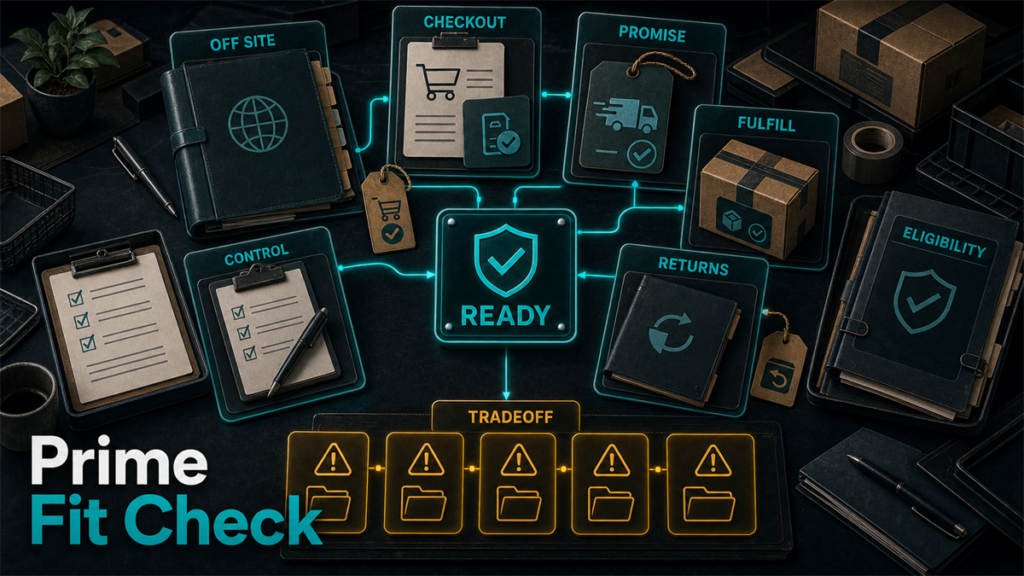
Amazon Buy with Prime lets shoppers check out on a brand's own DTC website using their Amazon account, Prime shipping benefits, and Amazon's returns process. For brands already using FBA, the inventory infrastructure is already in place  the question is whether activating Buy with Prime is the right operational and commercial decision for your specific store.
Key Takeaways
- Buy with Prime puts the Prime checkout experience (fast shipping, familiar payment, easy returns) on a brand's own website, powered by existing FBA inventory.
- Eligibility generally requires active FBA participation; confirm current requirements on the official Buy with Prime site before proceeding.
- Fees for Buy with Prime may include a fulfillment component, a referral component, and service fees  verify current rates before calculating margin impact.
- The program pulls from the same FBA inventory pool used for Amazon.com orders, so inventory planning affects both channels at once.
- Buy with Prime is a strong fit for brands with healthy FBA inventory levels, Prime-familiar customers, and checkout conversion gaps on their DTC site.
- It is a poor fit for brands with thin FBA stock, tight margins, or DTC data strategies that depend on owning the full customer relationship.
What Is Amazon Buy with Prime?
Buy with Prime is a program that allows shoppers on a participating brand's DTC website to check out using their Amazon account. The order is fulfilled through the brand's existing FBA inventory. The shopper sees the Prime badge, Prime-speed delivery estimates, and Amazon's standard returns process  all without leaving the brand's site.
From the shopper's perspective, the experience mirrors an Amazon.com checkout: saved payment method, address autofill, real-time delivery window, and a familiar post-purchase flow. From the brand's perspective, the fulfillment, delivery, and returns handling moves through Amazon's logistics network.
The program launched publicly in 2022 and expanded integrations over time. The core mechanic has remained consistent: FBA inventory powers the fulfillment, and Amazon handles the last-mile delivery and returns management for Buy with Prime orders.
How Does Buy with Prime Use FBA Inventory?
Buy with Prime draws from the same FBA inventory pool that fulfills your Amazon.com orders. There is no separate warehouse allocation or dedicated SKU split required at the program level. When a shopper places a Buy with Prime order on your DTC site, Amazon picks, packs, and ships the unit from FBA just as it would for a marketplace order.
This has two direct operational implications:
Inventory is shared. A spike in Amazon.com sales will reduce the units available to fulfill Buy with Prime orders on your DTC site. A spike in Buy with Prime demand will draw down the same stock that feeds your Amazon listings. Brands with inconsistent FBA replenishment cycles may find one channel going out of stock while the other is still being promoted.
FBA fees still apply. Fulfillment cost per unit is not eliminated by running Buy with Prime. You are still paying FBA to store and ship those units. The Buy with Prime program layers its own fees on top of the base FBA fulfillment cost.
If your current FBA operation has recurring stockout issues, long replenishment lead times, or storage constraints, adding Buy with Prime will amplify those problems rather than solve them.
What Does Buy with Prime Cost?
[VERIFY BEFORE PUBLISH: All fee claims in this section require confirmation against the current Buy with Prime pricing page at buywithprime.amazon.com before this article is published. Fee structures may change. Do not publish specific percentages or dollar figures without direct source confirmation.]
Buy with Prime fees are charged per transaction and may include some combination of the following components, based on publicly available program documentation:
- Fulfillment fee: Covers the pick, pack, and ship of the order from FBA. This is separate from standard FBA storage fees.
- Referral fee: A percentage of the order value, similar in concept to the referral fee Amazon charges on marketplace orders.
- Payment processing fee: Covers the cost of processing the Amazon Pay transaction.
The blended per-order cost for Buy with Prime is generally higher than fulfilling a DTC order through a third-party logistics provider or in-house operation, depending on product size, weight, and selling price. The offsetting argument is conversion rate improvement: if the Prime badge and trusted checkout flow lift conversion on your DTC site, the per-order cost increase may be covered by higher total order volume.
Verify the current fee schedule at the official Buy with Prime pricing page before building any margin model. Do not rely on third-party summaries or year-old blog posts for fee figures.
When Does Buy with Prime Help a Brand?
Buy with Prime is a strong fit under these conditions:
Your DTC store already attracts Amazon Prime shoppers. If a meaningful share of your DTC traffic comes from customers who also shop on Amazon, the Prime badge lowers their checkout friction significantly. They already trust the delivery promise and the returns process.
You are running FBA at healthy inventory levels. If your FBA inventory is consistently well-stocked across your top SKUs, adding Buy with Prime adds a fulfillment path without requiring new infrastructure. You are getting more use out of inventory already at Amazon's warehouses.
Your DTC checkout conversion rate is noticeably lower than your Amazon conversion rate for the same products. This gap often signals trust friction: the shopper is comfortable with the product but uncertain about the checkout experience, the delivery reliability, or the returns process. The Prime checkout can reduce that friction directly.
You sell products in categories where Amazon Prime trust is high. Home goods, consumables, personal care, and electronics accessories tend to show strong correlation between Prime badge presence and purchase confidence. Categories where shoppers do heavy research and comparison before buying may see less lift from the badge alone.
You want to reduce your dependence on Amazon's marketplace without exiting Amazon's fulfillment infrastructure. Buy with Prime lets you move more sales through your own storefront while still using FBA. Revenue recognized through your DTC site gives you direct customer relationships, more flexible pricing, and potentially better data for retargeting.
When Does Buy with Prime Not Help?
The program is a poor fit in the following situations:
FBA inventory is thin or inconsistently replenished. If you regularly go out of stock on Amazon.com, adding Buy with Prime means your DTC site will go out of stock in the same pattern. You will be advertising a Prime delivery promise you cannot consistently fulfill.
Your margins are tight and FBA costs are already a pressure point. Adding Buy with Prime fees to existing FBA storage and fulfillment costs may make individual orders uneconomical, especially for low-priced or heavy products. Run the numbers before activating.
Your DTC strategy depends on owning the customer relationship and first-party data. Buy with Prime orders are fulfilled through Amazon, and the customer data available to you from those transactions may be limited compared to a native DTC checkout. [VERIFY: Confirm current data-sharing terms for Buy with Prime sellers before publishing claims about what shopper data brands receive.]
Your DTC store primarily serves international markets where the program is not available. Buy with Prime availability varies by country. If your DTC store's traffic is predominantly outside the US, verify whether the program is available in your target markets before investing in integration.
You are not yet established on FBA. Buy with Prime requires FBA participation. If you are evaluating FBA and Buy with Prime at the same time, work through FBA first, stabilize your fulfillment operations, and then evaluate Buy with Prime once inventory workflows are reliable.
Buy with Prime Readiness Checklist

Before activating Buy with Prime for your DTC store, work through each of these checkpoints:
- FBA account is active and in good standing. Confirm you have an active Professional seller account with FBA enabled. [VERIFY: Confirm current eligibility requirements on the official Buy with Prime site.]
- FBA inventory is healthy for all SKUs you plan to activate. Review the last 90 days of inventory levels. Flag any SKUs with recurring stockout periods longer than five days.
- Replenishment cycle is reliable. You can send inbound FBA shipments on a schedule that keeps the activated SKUs in stock for both your Amazon listings and your Buy with Prime DTC offers simultaneously.
- Margin model is run at current fee rates. You have verified the current Buy with Prime fee components and calculated the per-unit economics at your actual selling prices and product sizes.
- DTC platform integration is confirmed. Your DTC platform (Shopify, WooCommerce, or other) supports the Buy with Prime integration. [VERIFY: Confirm current supported platform list and integration method at publish time.]
- Customer data expectations are set internally. Your marketing and CRM team understands what shopper data is and is not available from Buy with Prime orders, and has adjusted attribution and retargeting workflows accordingly.
- Returns workflow is understood. Your operations team knows how Buy with Prime returns are processed, who handles them, and what the customer-facing return window is. [VERIFY: Confirm current returns policy terms.]
- You have a plan for inventory allocation visibility. You have a process for monitoring combined FBA inventory draw from both Amazon.com and Buy with Prime orders, so you can adjust replenishment before stockouts occur.
What It Looks Like in Practice
A home goods brand had been running FBA for two years and had built a DTC Shopify store as a direct sales channel. Their Amazon conversion rates were consistently above 10% for their top SKUs. Their Shopify conversion rate for the same products sat around 2.5%. Traffic quality was similar across both channels.
The brand had tried multiple checkout optimizations on Shopify: faster load times, simplified checkout flow, updated product photography. The gap closed slightly but remained. After reviewing their analytics, they noticed that a significant portion of Shopify visitors had Amazon accounts and had previously purchased their products on Amazon.
They evaluated Buy with Prime against the checklist above. FBA inventory was stable. Margins at current fee rates were acceptable on their mid-range SKUs but marginal on their lower-priced items. They activated Buy with Prime on their top five SKUs, excluding the two lowest-margin products.
Three months in, they had a clear picture: the top SKUs saw measurable improvement in checkout completion rates for the segment of visitors who used the Prime checkout option. The lower-margin SKUs remained off the program because the per-order economics did not work. This is the practical version of the decision: Buy with Prime does not have to be all-or-nothing. You can activate it selectively by SKU.
FAQ
Does Buy with Prime require a separate FBA account or separate inventory?
No. Buy with Prime uses your existing FBA inventory. You do not need to set up a separate account or send separate inbound shipments. The same units that fulfill your Amazon.com orders fulfill your Buy with Prime orders. [VERIFY: Confirm this remains current practice at publish time.]
Can I use Buy with Prime on Shopify?
Amazon has published a Buy with Prime app for Shopify. [VERIFY: Confirm the Shopify integration is still current and available in your region before publishing this claim. Check the Shopify App Store listing or the official Buy with Prime documentation.]
What happens when a customer returns a Buy with Prime order?
Returns for Buy with Prime orders follow Amazon's standard Prime returns policy. The return is processed through Amazon's returns system. [VERIFY: Confirm current return window, who handles the physical return, and how refunds are issued to customers before publishing specific claims.]
Will I receive the customer's contact information from Buy with Prime orders?
Customer data access for Buy with Prime orders may be more limited than for a native DTC checkout, depending on the program's current terms. [VERIFY: Review the current Buy with Prime data policy before making any claims about what customer information is available to brands.]
Does Buy with Prime affect my Amazon listing or Buy Box?
Buy with Prime operates as a separate checkout path on your DTC site. It does not directly affect your Amazon.com listing performance or Buy Box eligibility. However, since both channels draw from the same FBA inventory, a stockout will affect both simultaneously.
How do Buy with Prime fees compare to my current DTC fulfillment cost?
This depends entirely on your current fulfillment setup, product dimensions, and selling price. You need to pull the current Buy with Prime fee components from the official pricing page and compare them against your actual per-order cost for DTC fulfillment. There is no universal answer  run the calculation for your specific SKUs.
Is Buy with Prime the Right Move for Your Store?
The answer depends on three factors: whether your FBA operation is stable enough to serve an additional channel, whether your margins absorb the program's fees at your current price points, and whether your DTC shoppers are the kind of buyers who respond to the Prime checkout experience.
For brands that check all three boxes, Buy with Prime is a practical way to improve DTC checkout performance without rebuilding fulfillment infrastructure. For brands with inventory gaps, tight margins, or a DTC strategy built around first-party data ownership, the operational costs outweigh the conversion benefit.
If you are running FBA at scale and want help thinking through the multichannel operational picture  including inventory allocation, fee tracking, or account health across channels  Qubeq works with established brands on Amazon account management and multichannel operations. If you want to review where your current FBA setup stands before adding another fulfillment channel, start with a conversation.