Amazon Pesticide False-Positive Listing Violations: What Sellers Should Check First
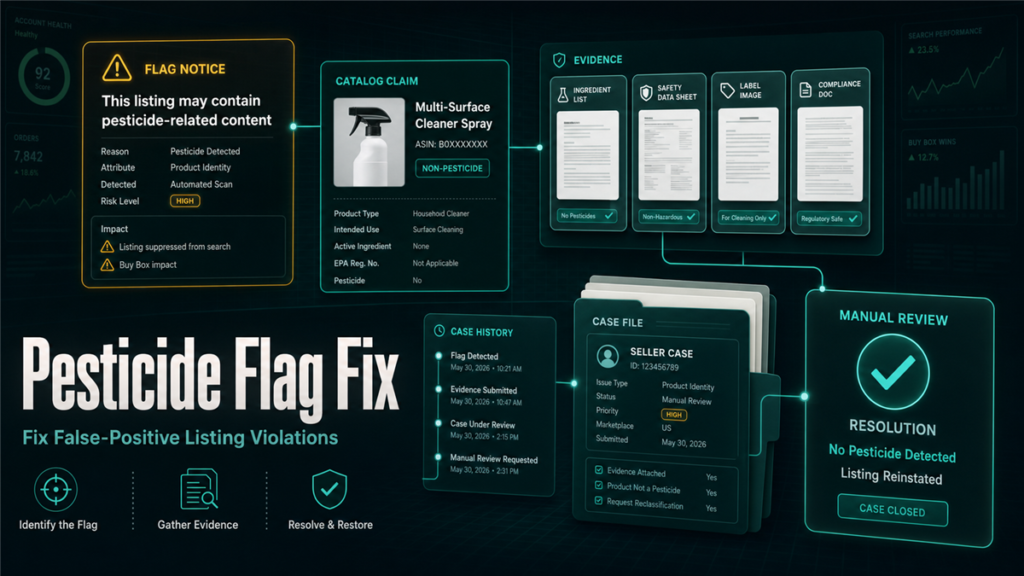
An Amazon pesticide violation does not always mean you sell pesticide. Sellers can get caught when a listing uses words that sound like pest control, disease prevention, antimicrobial action, repellency, disinfection, or similar claims. Amazon has a dedicated pesticide and pesticide-device policy, and it also has a pesticide marking attribute workflow for products that require compliance information [S1, S2]. That combination can create false positives when the catalog data says one thing, the product packaging says another, or old listing copy contains a trigger claim.
The mistake many sellers make is opening a case immediately with "this is not a pesticide." That may be true, but it is not enough. Before you edit or appeal, you need to isolate the trigger, preserve evidence, clean the catalog safely, and then escalate with a factual packet.
Key Takeaways
- A non-pesticide product can be flagged when listing content implies pest control, antimicrobial, disinfecting, repelling, or similar pesticidal function.
- Amazon's pesticide marking workflow asks for EPA-related information when a product is treated as a pesticide or pesticide device [S2].
- Do not guess-edit every field at once. Capture the original violation, identify the claim likely causing review, then make controlled changes.
- Save screenshots of the policy warning, Account Health notice, catalog fields, packaging, and product label before opening or reopening cases.
- Escalate only after the listing data and evidence tell the same story.
Why Non-Pesticide Products Get Flagged
Amazon's policy area covers pesticides, pesticide devices, and products that make pesticidal claims [S1]. A false positive often starts with language, not ingredients.
Common trigger areas include:
- Title or bullets using words such as "repels," "kills," "prevents," "disinfects," "antimicrobial," "antibacterial," "germ," "mold," or "insect."
- Backend search terms copied from competitor language.
- A+ Content or image text that makes a cleaning, sanitizing, or pest-control claim.
- Safety and compliance attributes that were filled inconsistently or left blank.
- Old contributions from another seller or earlier version of the listing.
- Packaging photos that show claims not repeated in the visible copy.
Seller Forum threads show the practical problem: sellers report industrial, household, or cleaning-adjacent products being classified as pesticides even when they believe the item is not a pesticide [S3, S4]. The lesson is not that every flag is wrong. The lesson is that Amazon's review system reads claims and attributes together, so your cleanup has to cover both.
Step 1: Preserve the Evidence Before Editing
Before changing anything, build a small evidence folder. You want the editor, account-health team, or Qubeq support specialist to see the original issue without relying on memory.
Save:
- The Account Health or compliance notice.
- The ASIN, SKU, marketplace, and date the issue appeared.
- Screenshots of the title, bullets, description, A+ Content, images, backend keywords if available, and Safety and Compliance fields.
- A photo or PDF of the product label and packaging.
- Manufacturer documentation that describes what the product is and does.
- Any case IDs already opened.
If the product truly is a pesticide or pesticide device, do not try to write around the policy. Confirm the required registration or certification path in Amazon's current help page [S1, S2]. If the product is not a pesticide, the evidence should make that clear without making unsupported legal claims.
Step 2: Find the Claim That Made Amazon Nervous
Run the listing like a compliance reviewer, not a copywriter. Search every visible and hidden content field for language that implies the product controls pests, germs, bacteria, fungus, odors caused by microbes, insects, rodents, mold, mildew, or disease.
Do not stop at the main bullets. Check:
- Product title and bullet points.
- Product description.
- Generic keyword and subject matter fields.
- A+ modules and comparison charts.
- Image text and infographic callouts.
- Variation parent content that may be inherited by child ASINs.
- Product type specific attributes.
- Safety and compliance attributes.
Then classify each suspect phrase into one of three buckets:
- Remove: the claim is not needed and creates risk.
- Replace: the claim can be rewritten as a neutral feature without pest, disease, or antimicrobial language.
- Support: the claim remains because the product is actually regulated and has the correct documentation.
Most false-positive cleanup should live in the first two buckets. If you need the third bucket, involve compliance counsel or the manufacturer before editing.
Step 3: Clean the Catalog in a Controlled Pass
Avoid panic-editing the entire listing. If Amazon later asks what changed, you need a clear change log.
Use this workflow:
- Export or document current catalog data.
- Remove obvious pesticidal or disease-prevention language from visible copy.
- Check backend terms for the same language.
- Review Safety and Compliance fields for pesticide marking status or missing data.
- Update images or A+ only if the same risky claim appears there.
- Wait for the contribution to process, then document what actually changed on the detail page.
If Amazon blocks edits because the listing is already restricted, gather screenshots showing that you cannot access the needed field. Forum examples show sellers running into missing or inaccessible pesticide marking fields while trying to resolve the flag [S4]. That becomes part of the case evidence, not a reason to submit a vague appeal.
Step 4: Open the Case With a Clean Evidence Packet
The case should be short, factual, and easy to verify. Avoid arguing with the automated classification. Instead, show the review path.
Include:
- ASIN and SKU.
- Marketplace.
- Date of notice.
- One sentence explaining the product's ordinary function.
- A list of fields reviewed and updated.
- Screenshots of the corrected listing fields.
- Packaging or manufacturer evidence showing the product does not make pesticidal claims.
- A request for manual review if the listing remains blocked after cleanup.
Do not claim "EPA exempt" unless you have source-backed documentation for the exact product and claim. Amazon's help pages distinguish between pesticide products, pesticide devices, EPA registration numbers, and related certification requirements [S1, S2]. Keep the case inside what you can prove.
Step 5: Know When to Escalate
Escalate when:
- The ASIN remains suppressed after risky language is removed.
- The compliance field needed to resolve the issue is missing or unavailable.
- Amazon asks for pesticide registration information for a product that makes no pesticidal claim.
- Multiple child ASINs are affected by parent-level content.
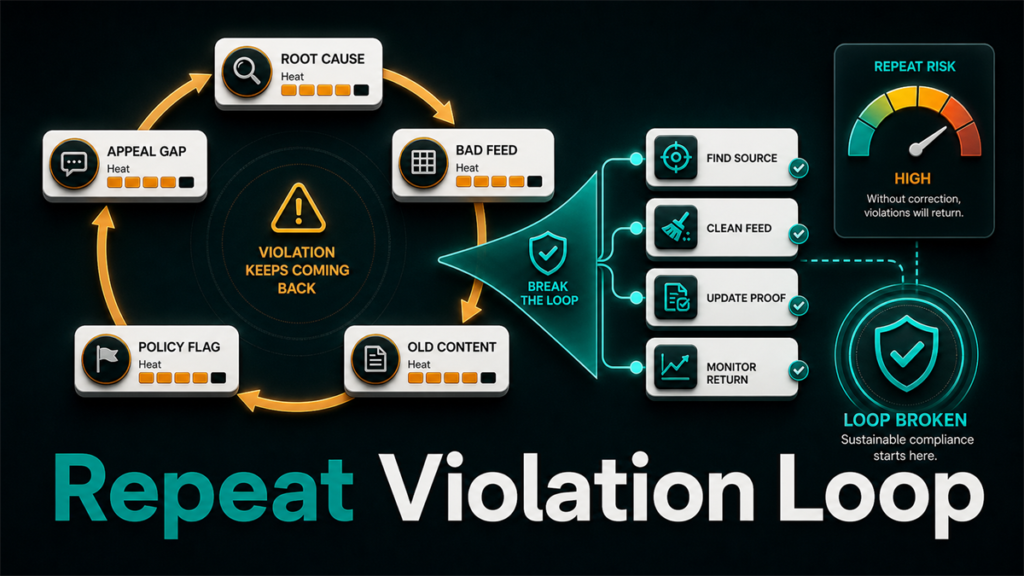
- The issue is damaging Account Health or creating repeat violations.
Qubeq's role in this kind of issue is not to "beat the policy." It is to audit the listing, remove risky catalog language, assemble the evidence, and manage the case path so the seller is not guessing field by field.
Mini Workflow: One ASIN, Three Passes
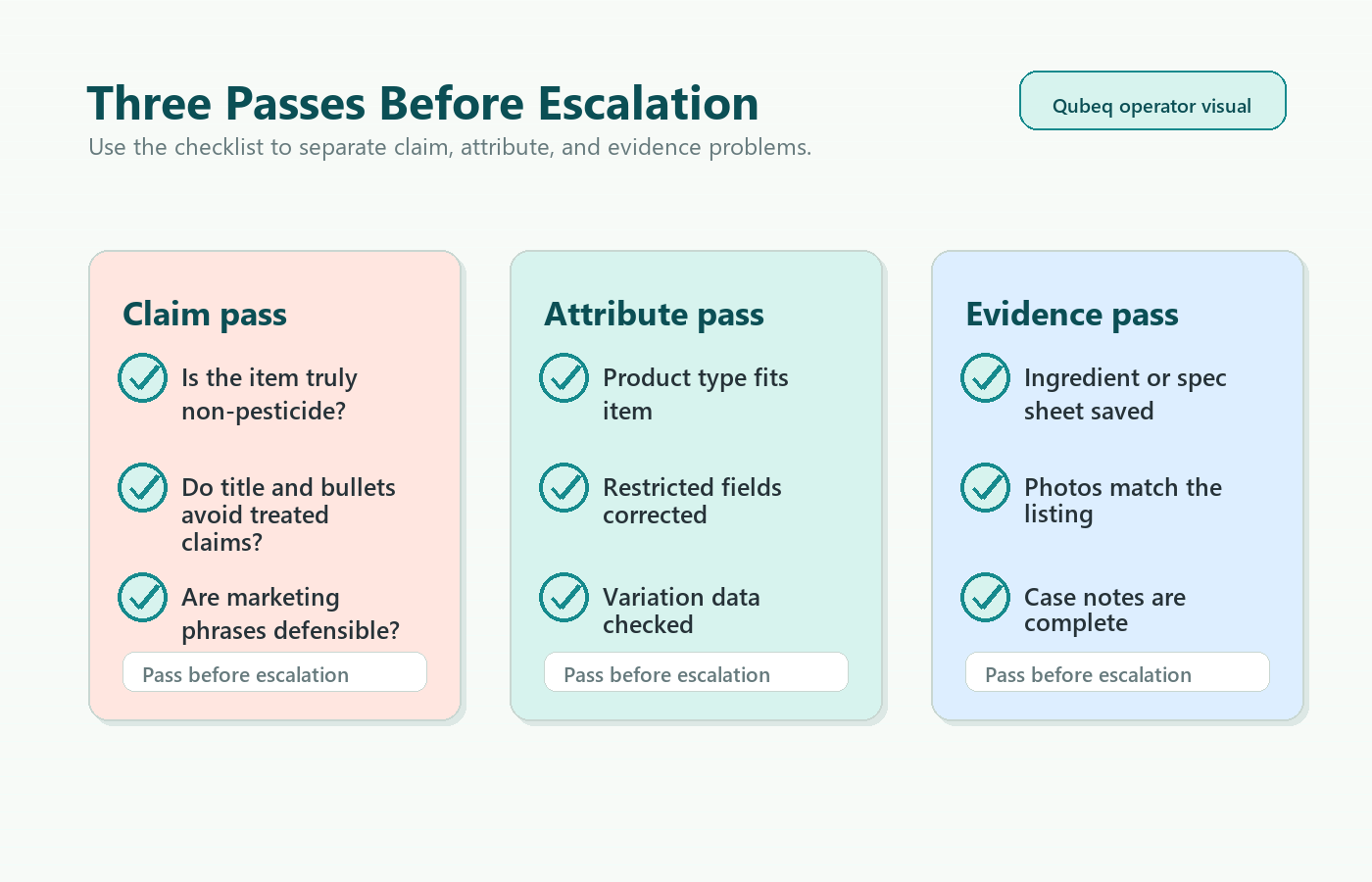
For one affected ASIN, run three passes:
- Claim pass: remove or rewrite risky claims in title, bullets, description, A+ and images.
- Attribute pass: verify compliance fields and product type attributes.
- Evidence pass: save before and after screenshots, product label, documentation, and case IDs.
Only after those passes should you escalate.
FAQ
Can Amazon flag a listing as pesticide even if the product is not pesticide?
Yes. Seller Forum examples show sellers reporting false-positive pesticide classifications [S3, S4]. The practical fix is to identify the claim or field that caused review and submit evidence, not simply state that the product is unrelated.
Should I remove every word related to cleaning?
No. Remove or rewrite words that imply pesticidal, antimicrobial, disinfecting, repellent, disease-prevention, or pest-control function unless the product is properly documented for that claim.
What if another seller contributed the risky content?
Document your own contribution, open a case with screenshots, and ask for the detail page to be reviewed. This may require brand owner evidence, manufacturer documentation, or contribution conflict cleanup.
Can Qubeq help with this?
Yes. This fits Qubeq's catalog cleanup and account-health work: diagnose the trigger, clean the listing safely, preserve evidence, and manage escalation.
Closing CTA
A pesticide false positive is usually a catalog problem before it is an appeal problem. If your team is stuck between blocked edits, compliance fields, and generic Seller Support responses, Qubeq can audit the ASIN, clean the listing data, and build the case packet for manual review.