Valid Tracking Rate Deactivation Triage for FBM Sellers
Amazon's Valid Tracking Rate is one of the seller-fulfilled metrics that can move from "annoying dashboard warning" to "listings at risk" quickly. Amazon's help documentation states that non-FBA sellers must maintain a Valid Tracking Rate equal to or greater than 95% at the product-category level [S1]. Amazon forum discussions also show sellers dealing with VTR errors, category-level risk, and confusion about reports [S2, S3].
For FBM sellers, the fix is rarely "upload tracking faster" alone. You need to check carrier validity, scan timing, Buy Shipping usage, category denominator, exemptions, and the exact orders counted against you.
Key Takeaways
- Amazon's VTR threshold is at least 95% for non-FBA sellers at the product-category level [S1].
- A low VTR can affect seller-fulfilled listings in the impacted category [S1].
- Valid tracking can fail even when you shipped if the carrier, tracking ID, scan, or upload timing does not match Amazon's requirements.
- Buy Shipping may reduce some tracking-validity risk, but sellers still need to review reports and exceptions.
- Appeal evidence should be order-specific, not a general statement that packages shipped.
What VTR Measures
Valid Tracking Rate measures the percentage of seller-fulfilled packages that include valid tracking information. Amazon's help page frames the requirement for non-FBA sellers at the product-category level and states that VTR below 95% in a category can result in consequences for seller-fulfilled listings [S1].
The category-level detail matters. A seller can have a healthy account-wide shipping habit and still fail a specific category if the denominator is small or one fulfillment workflow is broken.
Where Sellers Usually See the Issue
Check:
- Account Health.
- Performance notifications.
- Shipping Performance dashboard.
- Valid Tracking Rate report.
- Category-level metric details.
- Deactivated seller-fulfilled listings or warnings.
Forum discussions show sellers asking how to interpret VTR reports and what to do when tracking appears valid to them but not to Amazon [S2, S3]. That is why the first move is to download the report, not to guess.
Why Tracking Can Fail Even When You Shipped
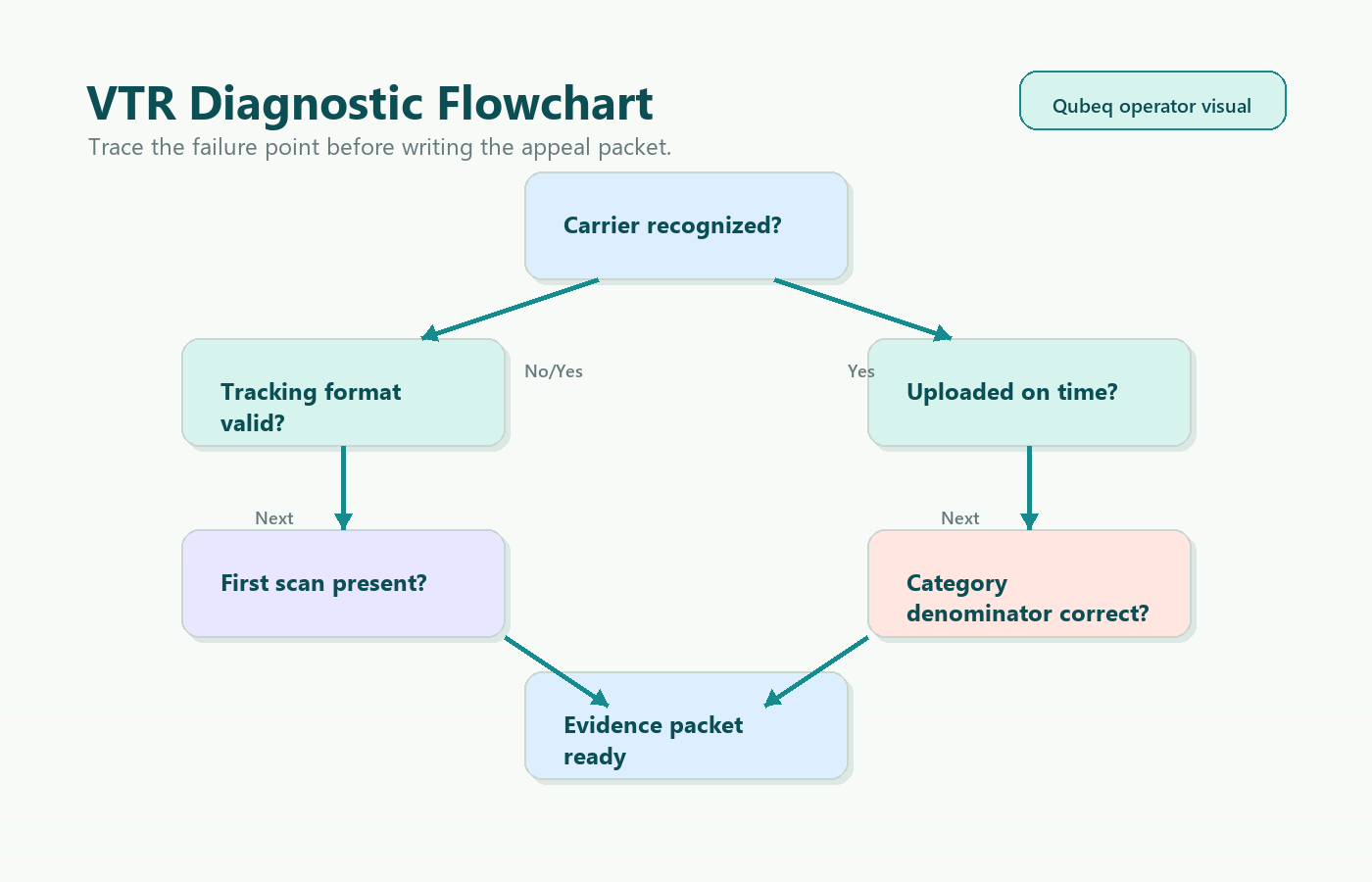
Common causes:
- Tracking number uploaded after the expected confirmation point.
- Carrier not integrated or not recognized for the shipment.
- Tracking number typo or duplicated tracking number.
- Carrier scan missing, delayed, or not available to Amazon.
- Package shipped through a method Amazon does not count as valid for that order.
- Marketplace or shipping region exception misunderstood.
- Manually confirmed shipment without carrier details.
- Category denominator is small, so a few defects move the metric sharply.
The seller's warehouse may have done the physical shipping correctly and still fail VTR if Amazon cannot validate the tracking event.
Carrier and Buy Shipping Checks
Start with the carrier:
- Is the carrier name exactly the one Amazon expects?
- Is the tracking ID formatted correctly?
- Does the carrier tracking page show an acceptance or first scan?
- Does the scan date align with the ship-confirm date?
- Are you using a regional carrier that Amazon may not validate consistently?
Then check Buy Shipping:
- Which orders used Buy Shipping?
- Which orders used external labels?
- Did any shipping software map the carrier name incorrectly?
- Are automation rules selecting non-valid services for certain SKUs?
- Are weekend or cutoff-time orders being confirmed before carrier scan?
Buy Shipping can simplify validation because Amazon has direct access to the label purchase path, but it does not replace report review. The point is to identify which workflow is producing invalid rows.
Review the Category-Level Denominator
Download the VTR report and sort by:
- Product category.
- Order date.
- Carrier.
- Shipping service.
- Warehouse or fulfillment location.
- SKU.
- Tracking status.
Then ask:
- Is the problem concentrated in one category?
- Is one carrier causing most invalid rows?
- Did a software integration change recently?
- Are low-volume categories being hit by a few orders?
- Are exempt shipments being counted unexpectedly?
This turns a scary metric into a fix list. If one carrier mapping is wrong, fix the mapping. If a warehouse is confirming too early, fix the workflow. If the report itself appears wrong, document the mismatch.
Evidence Packet for Appeal or Support
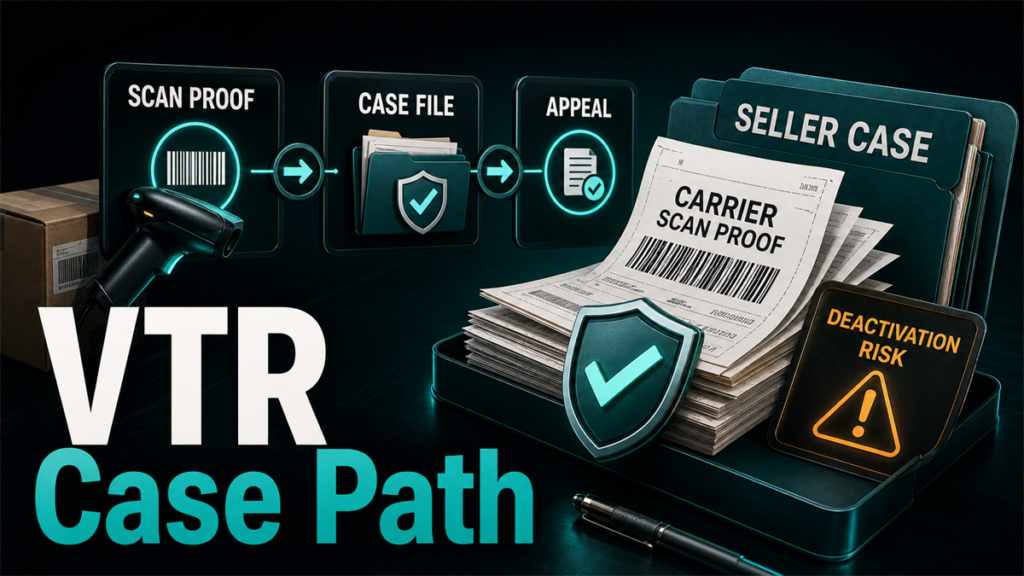
If listings are affected or Account Health is at risk, prepare evidence by order.
Include:
- VTR report row.
- Order ID.
- Carrier name and tracking number.
- Carrier tracking page screenshot.
- Ship-confirm timestamp.
- First scan and delivery scan, if available.
- Buy Shipping label record, if applicable.
- Explanation of root cause and corrective action.
- List of orders you believe were counted incorrectly.
A credible appeal says: "Here are the affected orders, here is what caused the issue, here is what we fixed, and here is evidence for rows that should be reviewed."
It does not say: "We always ship on time."
Corrective Actions That Actually Match the Metric
Depending on the root cause:
- Switch affected SKUs to Buy Shipping where practical.
- Correct carrier names in shipping software.
- Block unsupported services from automation rules.
- Delay ship confirmation until the package has a valid carrier handoff process.
- Train warehouse staff to avoid manual typos.
- Audit low-volume categories weekly.
- Create an exception log for carrier outages or scan delays.
- Move risky seller-fulfilled SKUs to FBA or another fulfillment path if the workflow cannot support VTR.
FAQ
What is Amazon's VTR threshold?
Amazon states that non-FBA sellers must maintain a Valid Tracking Rate equal to or greater than 95% at the product-category level [S1].
Can listings be affected if VTR drops below 95%?
Amazon's help page states that VTR below 95% in a product category can result in consequences for seller-fulfilled listings in that category [S1].
Why does Amazon say tracking is invalid when the carrier delivered the package?
Possible reasons include carrier integration, tracking format, upload timing, missing first scan, or mismatched carrier name. Download the VTR report and compare it to the carrier page.
Should I appeal immediately?
Download the report first. If you appeal without order-level evidence and corrective action, you are asking Amazon to investigate from scratch.
Can Qubeq help with VTR deactivation risk?
Yes. Qubeq can review the VTR report, isolate the carrier or workflow causing defects, prepare the evidence packet, and support account-health escalation.
Closing CTA
Valid Tracking Rate problems are solvable when you stop treating them as a dashboard mystery. Pull the report, isolate the category and carrier pattern, fix the shipping workflow, and appeal with order-level evidence. If your FBM listings are at risk or already affected, Qubeq can run the triage and help protect the account while the workflow gets corrected.