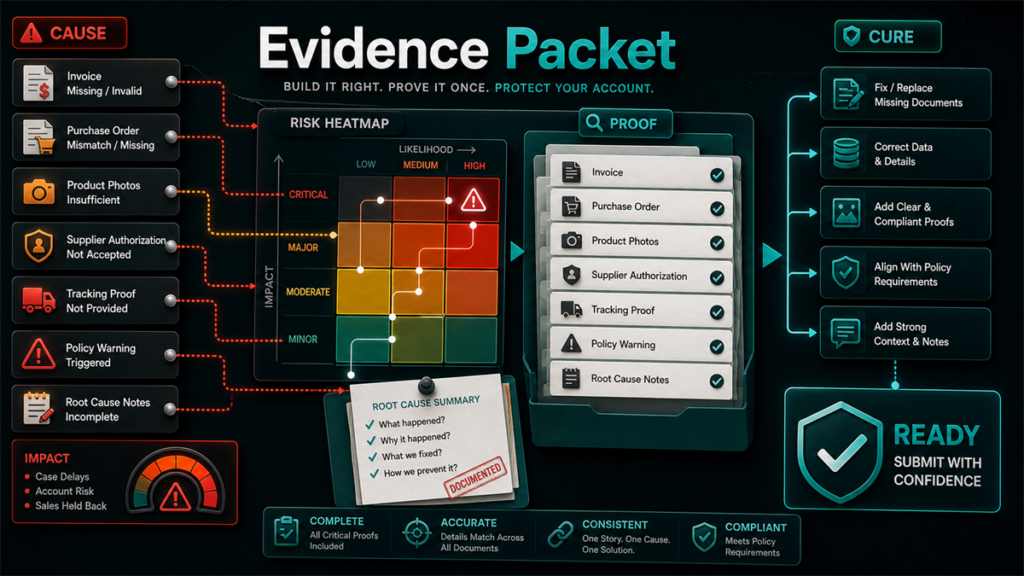
A Seller Central evidence packet is a pre-organized set of documents, exports, and identifiers assembled before you write a case, appeal, or document response. Most first submissions fail because evidence was gathered after the writing, attached in whatever state it was found, and left for the reviewer to interpret; a packet flips that order and makes the reviewer's job take minutes instead of days.
Key Takeaways
- Build the evidence packet before writing the case. The packet determines what you can credibly claim; writing first leads to claims the attachments do not support.
- Maintain a standing evidence library (business, supplier, product, and account documents) so 80% of any packet already exists before an issue appears.
- Every packet follows the same structure: claim statement, identifiers, timeline, labeled exhibits, requested action.
- Name and label attachments so a reviewer can match every claim to its proof without opening files blind.
- Run a 10-minute QA pass before submission; most rejections trace to a gap you can catch yourself.
Why First Submissions Fail
Reviewers process high volumes and verify rather than investigate. A submission fails when verification is hard: the narrative references documents that are not attached, attachments are unlabeled exports, identifiers in the message do not match identifiers in the files, or one case mixes three issues. None of these mean the seller was wrong; they mean the reviewer could not confirm the seller was right within the time available.
The evidence packet exists to make verification trivial: every claim in the narrative points to a labeled exhibit, and every exhibit contains exactly what the label says.
The Standing Evidence Library
Do not start from zero each time. Maintain a permanent, current library in four folders:
Business documents
Business registration, tax identifiers as relevant, utility or bank documents matching the legal entity name and address on the account. Identity-style verifications fail most often on mismatched names and addresses, so keep these aligned with Seller Central account details.
Supplier documents
Invoices, purchase orders, supplier contact records, and authorization or distribution letters where applicable. Keep invoices organized by supplier and date. When a document request arrives, the wording in Account Health or the case specifies what the invoice must show; check the current request wording rather than assuming last year's rules.
Product documents
Safety documentation, compliance certificates, test reports, labeling and packaging photos, and instruction materials per product line. These age quickly; review them when products or regulations change.
Account exports
Periodic exports of listing data, inventory reports, and order data. A monthly export habit means a dispute about "what the listing said in March" has an answer.
The Per-Issue Packet Structure
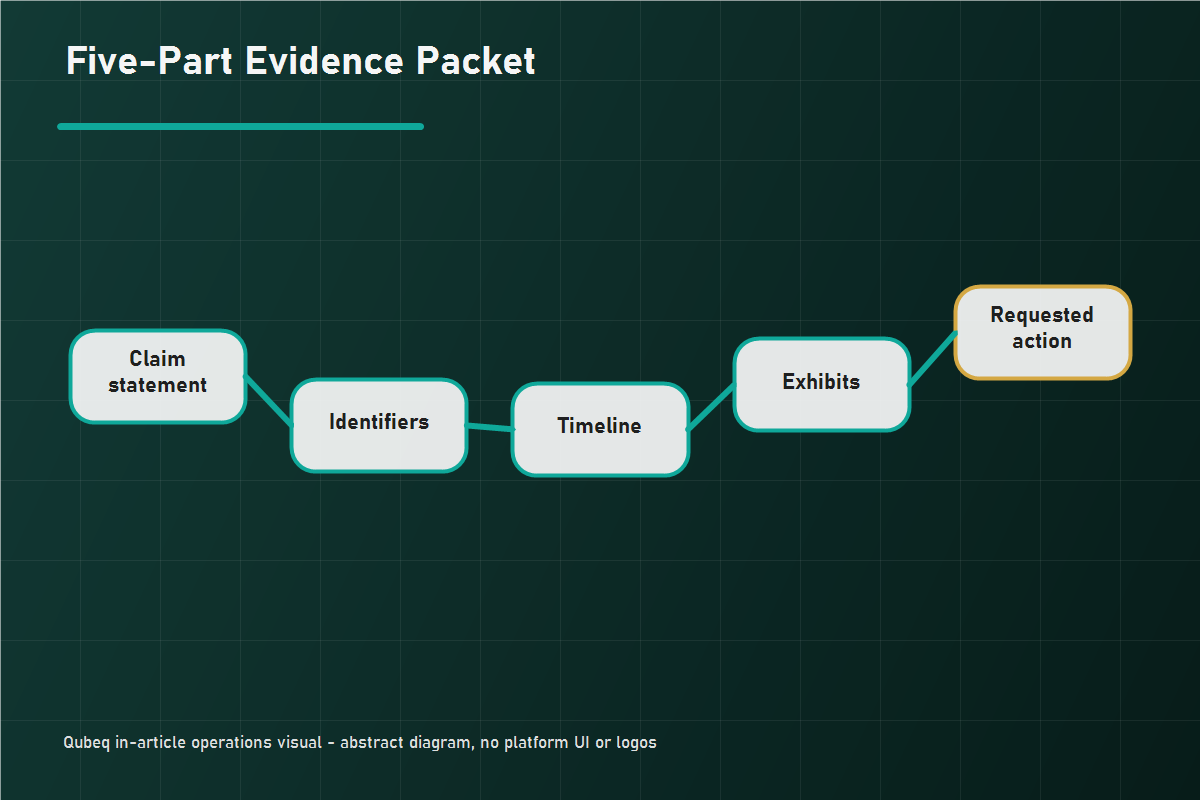
When an issue appears, build the packet in this order:
- Claim statement: two or three sentences stating what happened, what you are asking for, and the scope (which ASINs, orders, or shipments).
- Identifiers block: every ASIN, FNSKU, SKU, order ID, shipment ID, or case ID involved, listed once, consistently formatted.
- Timeline: dated sequence of events, one line each, from first symptom to current state, including prior case IDs and their outcomes.
- Exhibits: the documents and report extracts, each labeled (see below), each containing only what is relevant. Filter exports to the relevant rows.
- Requested action: the specific resolution you want, stated in the platform's own terms (reinstate the listing, reimburse N units, accept the documentation).
This structure works across case types: catalog repairs, reimbursement claims, document requests, and appeals all read better when the reviewer meets the claim, the IDs, the timeline, and the proof in that order.
Naming and Labeling Conventions
Reviewers should never have to open a file to learn what it is.
- Name files by content and scope: `Invoice_SupplierName_2026-03_SKU-ABC.pdf`, not `scan04.pdf`.
- Number exhibits in the order the narrative references them, and reference them by number in the text: "see Exhibit 2."
- One document per file where possible. Merged 40-page PDFs hide the page that matters.
- Keep the original file formats for exports where the platform allows; converted screenshots of spreadsheets lose verifiability.
- Match every name, address, and identifier across all documents. Mismatches between an invoice and account details are a leading rejection cause.
The 10-Minute Packet QA Pass
Before submitting, check:
- Does every claim in the narrative have a labeled exhibit supporting it?
- Does every exhibit get referenced in the narrative? Unreferenced attachments add review time without adding proof.
- Do all identifiers match across narrative, identifiers block, and exhibits?
- Is the quantity math stated and consistent everywhere it appears?
- Is exactly one issue in this packet? If two issues emerged, split them into two cases.
- Is the requested action specific and achievable by the team reading it?
- Would a stranger reading only this packet reach your conclusion? If a teammate is available, a two-minute cold read catches what you cannot see.
Mini-Scenario: The Document Dump That Became a Packet
A seller responding to a brand-authorization document request attached eleven files in one reply: invoices from three suppliers, an old authorization letter, and several photos, with a paragraph explaining the business relationship. The response was rejected with a generic documentation notice.
On the second attempt, the seller built a packet: a three-sentence claim statement, an identifiers block listing the two affected ASINs, a five-line timeline of the sourcing relationship, and three labeled exhibits (the current authorization letter, one invoice from the authorized distributor covering the exact ASINs, and the distributor's contact information matching the letterhead). Eight files from the first attempt were left out entirely. The response was accepted on that submission. Less evidence, organized, beat more evidence, dumped.
FAQ
What should a Seller Central evidence packet include?
Five parts: a short claim statement, an identifiers block, a dated timeline, labeled exhibits, and a specific requested action. The exhibits vary by issue type; the structure does not.
How many documents should I attach to a Seller Central case?
As few as fully prove the claim. Every attachment should be referenced in the narrative; if it is not referenced, it usually should not be attached.
Why does Amazon keep rejecting my invoices?
Common causes include mismatches between the invoice details and the account's registered details, invoices that do not cover the requested products or period, and documents that do not meet the current request's stated requirements. Read the exact wording of the live document request; requirements change.
Should I reuse the same packet for an appeal and a case?
Reuse the library and the structure, not the packet. Each submission should be scoped to its own issue, with exhibits selected for that reviewer's question.
What if I do not have a document the request asks for?
State that plainly and provide the nearest verifiable alternative rather than substituting something unrelated. Unexplained substitutions read as evasion and lengthen the process.
Build the Library Before You Need It
The best time to assemble an evidence packet is before the account has a problem. If your team is fighting repeated document rejections, stuck cases, or appeals that go in circles, Qubeq can audit the account's evidence readiness, build the standing library, and structure the open cases so each one is decided on facts you can prove.