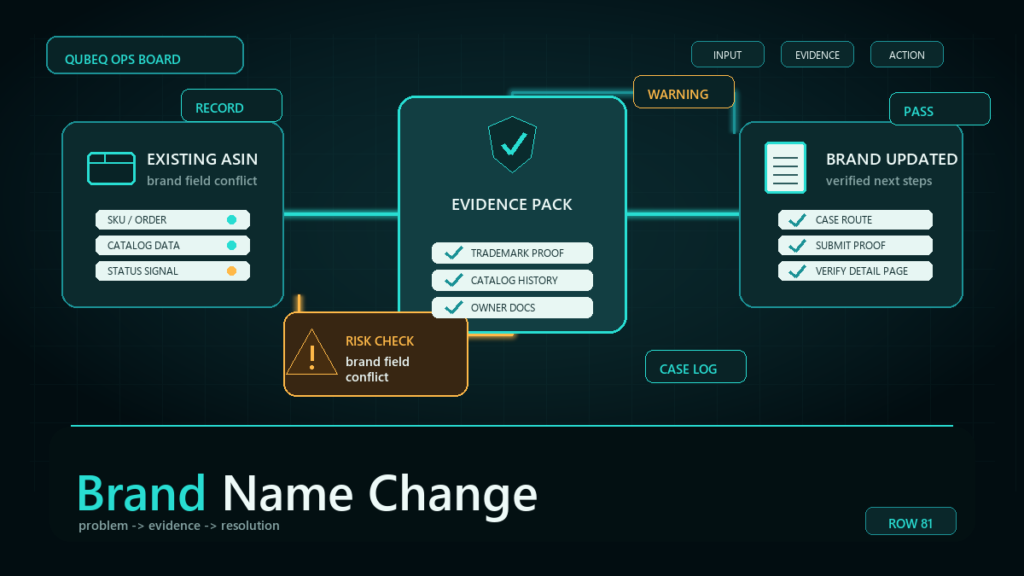
An Amazon brand name change on an existing ASIN almost never works through a normal listing edit, because Amazon treats the brand name as a protected attribute once the ASIN is established. The working paths are a Brand Registry brand-name update for registered brands, or a case-based attribute correction backed by evidence that the requested name is what actually appears on the product. Both paths are evidence-driven, and the evidence standard is what most rejected requests miss.
Key Takeaways
- The brand name field locks on most established ASINs; editing the listing and watching the value snap back is expected behavior, not a glitch.
- Two correction paths exist: a Brand Registry update for registered brands, and a Seller Central case with photo and documentation evidence for everyone else.
- The strongest evidence shows the requested brand name physically on the product and packaging, matching the brand website and any trademark record.
- Most rejections trace to one mismatch: the name on the evidence does not exactly match the name requested in the case.
- Delete-and-relist is not a fix. The brand name usually follows the identifiers back, and the relist costs reviews, rank, and catalog history.
Why Brand Name Errors End Up on ASINs
Wrong brand names usually enter the catalog at creation time, not later. The common sources we see across client catalogs:
- Initial listing mistakes: a typo, an all-caps version, a placeholder like the company's legal name instead of the consumer-facing brand.
- Rebrands: the product line changed names, but the ASINs still carry the old brand.
- Distributor-created ASINs: a reseller listed the product first and entered their own company name, a misspelling, or "Generic" as the brand.
- Merged or imported catalog data: bulk feeds, marketplace migrations, and catalog merges that carried a wrong value into the brand field.
Each source matters for the fix, because Amazon evaluates a correction request partly on whether the requested name is provably the real brand, and the paper trail differs in each case.
Why Amazon Locks the Brand Name Field
Amazon protects the brand name attribute because it anchors counterfeit enforcement, Brand Registry protections, and buyer trust on the detail page. If any contributor could rewrite the brand field, listing hijackers could re-brand ASINs at will. So once an ASIN has sales history, multiple contributors, or a Brand Registry association, edits to the brand value from a normal listing edit or flat file are typically ignored or reverted. The exact lock behavior depends on the ASIN's contribution history and registry status, so verify the current behavior on your specific ASIN, but the practical rule holds: plan for an evidence-based request, not a quick edit.
The Two Correction Paths
The right path depends on whether the brand is enrolled in Brand Registry and what kind of change you need.
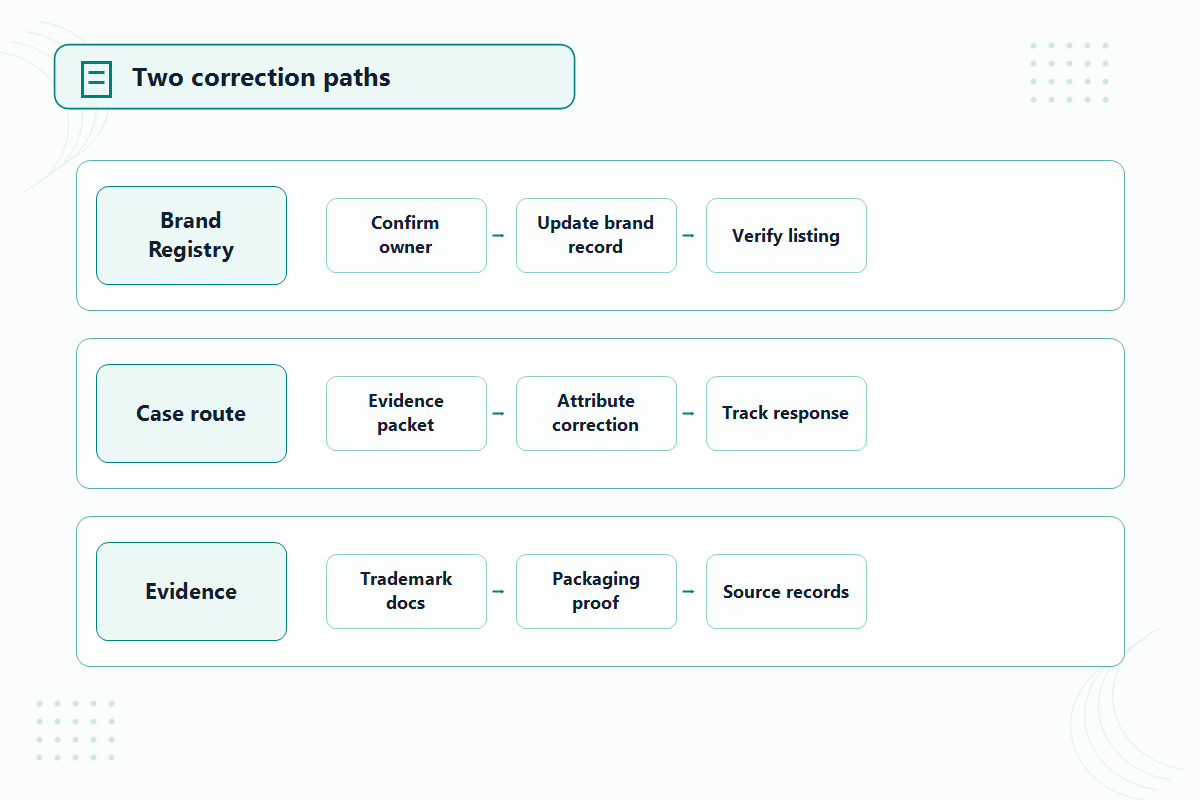
Path 1: Brand Registry brand-name update
If the brand is registered and the change reflects a real rebrand or a trademark update, the request runs through Brand Registry support rather than a generic catalog case. Amazon may ask for the updated trademark record and proof that the products now carry the new name. This path also keeps the registry record and the catalog value aligned, which matters because a registered brand name that no longer matches the catalog brand field weakens enforcement tools and can trip listing errors on new ASINs. Verify the current Brand Registry request path before filing, since the form names and entry points change.
Path 2: Case-based attribute correction with evidence
For unregistered brands, distributor-created ASINs, or simple data errors, the route is a Seller Central case requesting a brand name attribute correction. Verify the current case path in Seller Central, then prepare the evidence before opening the case:
- Photograph the physical product showing the brand name on the item itself, clear and unedited.
- Photograph the packaging showing the same brand name, ideally alongside the UPC/EAN that matches the ASIN.
- Capture the brand website showing the product under that brand name, with a visible URL.
- Pull the trademark record if one exists, and confirm the registered wording matches the name you are requesting character for character.
- File the case stating the ASIN, the current incorrect value, the exact requested value, and attach everything above.
One case per clearly documented request beats a vague case covering a mixed batch of ASINs and issues.
Why Brand Name Correction Cases Get Rejected
Most rejections come from evidence mismatch, not policy. The recurring failure modes:
- The product photos show a logo or stylized mark, but not the brand name as text, so the reviewer cannot match it to the requested value.
- The requested name differs from the evidence in spelling, spacing, or capitalization. "AcmeHome" on the case and "Acme Home" on the packaging reads as a mismatch.
- The brand website shows a different product line or no products at all.
- The trademark record covers a different wording or owner than the requested name.
- The ASIN has competing contributions from other sellers, which can push the request into catalog contribution dispute handling instead of a simple correction. If your edits keep getting overridden more broadly, the same mechanics are covered in our guide to catalog contribution rejections.
Fix the mismatch, then refile with a clean, single-ASIN evidence package. Arguing inside a rejected case rarely moves it.
What Not to Do: Delete and Relist
Deleting the ASIN and relisting under the correct brand looks faster and almost always costs more than the case path. The product identifiers usually pull the old catalog data, including the wrong brand, right back onto the new listing. And even when the relist takes, the listing restarts without its reviews, sales history, and rank. We cover the full failure pattern in the delete-and-relist risk guide; for brand name problems specifically, treat relisting as the last resort after both correction paths are exhausted, not the first move.
Mini-Scenario: The Distributor's Typo
A kitchenware brand took over direct Amazon sales and found its best seller listed under "Kichenline" instead of "Kitchenline." A distributor had created the ASIN years earlier with the typo. Normal edits reverted within hours. The fix was unglamorous: photos of the product and box showing the correct name next to the barcode, the brand site, and the trademark record, filed in a single correction case for that ASIN. The first case was rejected because the request used "KitchenLine" with a capital L while the packaging printed "Kitchenline." The refile matched the packaging exactly and was approved. The listing kept its reviews and rank, which a relist would have erased.
FAQ
Why can't I just edit the brand name in Seller Central?
Because the brand name is a protected attribute on most established ASINs. Edits from the listing editor or a flat file are typically ignored or reverted, and the fix runs through Brand Registry or a correction case instead.
What evidence does Amazon want for a brand name change?
Expect to show the brand name physically on the product and packaging, on the brand website, and in trademark records where one exists. The exact list varies by case, so include all of it and make every source match the requested name exactly.
Can I change the brand name without Brand Registry?
Usually yes, through a case-based attribute correction with evidence. Brand Registry strengthens the request and is the right path for registered-brand rebrands, but unregistered brands with solid product evidence get corrections approved too.
What if Amazon rejects the brand name correction case?
Find the mismatch first: spelling, spacing, capitalization, or evidence that doesn't show the name as text. Then refile with a corrected, single-ASIN evidence package rather than appealing inside the rejected case.
Should I delete the listing and relist with the right brand?
No. The wrong brand data tends to follow the identifiers back, and the relist forfeits reviews, rank, and history. Exhaust both correction paths first.
Get the Brand Field Fixed Without Losing the Listing
A wrong brand name is fixable without sacrificing the ASIN, but the case has to be built right the first time. If your catalog carries misspelled brands, distributor-created ASINs, or post-rebrand mismatches across many listings, Qubeq can audit the affected ASINs, build the evidence packages, and run the correction cases through to approval as part of our catalog and listing management work.