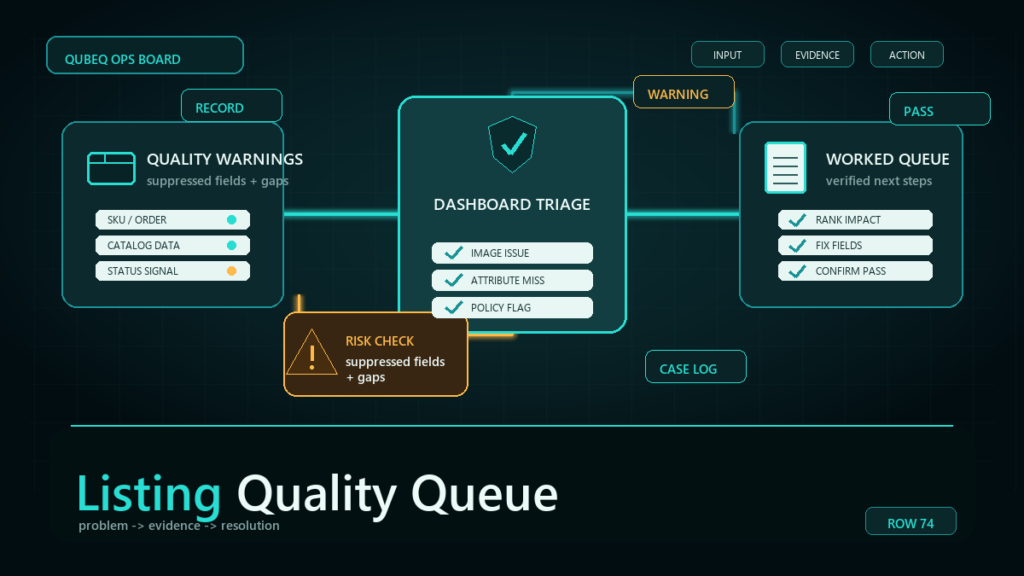
The Amazon listing quality dashboard in Seller Central lists attribute defects, missing information, and suppression risks across the catalog, but it presents account-threatening flags and cosmetic suggestions in the same queue. Working it well means triaging by severity first: clear the suppression-risk and required-attribute defects, schedule the enrichment suggestions, and fix recurring defect patterns through flat files instead of one listing at a time.
Key Takeaways
- The dashboard is a triage list, not a to-do list. Suppression-risk and required-attribute flags carry consequences; many other recommendations are optional enrichment.
- Severity beats recency. Sort by what can deactivate or hide a listing, then weight by which ASINs actually get traffic.
- Single defects go through Edit Listing. Repeating defects across many SKUs go through a flat file partial update, once, for the whole pattern.
- The dashboard is a leading indicator for suppression, not full coverage. Some suppression causes never appear there, so it supplements a suppression check rather than replacing one.
- A short weekly pass plus a monthly pattern review keeps the queue near zero. Letting it pile up is how a recommendation becomes a deactivation.
What the Listing Quality Dashboard Actually Surfaces
The Listing Quality Dashboard is Amazon's in-console view of catalog data problems, surfaced per ASIN with a suggested fix. The exact name and menu location have shifted over time, so verify the current path in Seller Central, but the substance is stable: it flags attribute defects (values that are missing, invalid, or inconsistent with the product type), missing information that buyers and search depend on, and items Amazon considers at risk of suppression if the defect is not resolved.
Three things it is not. It is not a complete suppression list: pricing issues, compliance holds, and image violations can suppress a listing without ever appearing in the quality queue. It is not a ranking score you optimize for its own sake. And it is not always current; recently fixed items can take time to clear, so a flag you already resolved may linger.
Which Flags Matter and Which Are Cosmetic
Flags tied to suppression risk and required attributes matter; most of the rest is enrichment you can schedule. The dashboard's own severity labeling is the working signal here (verify the current labels, since category names in the dashboard change), and in practice the queue splits into three working buckets:
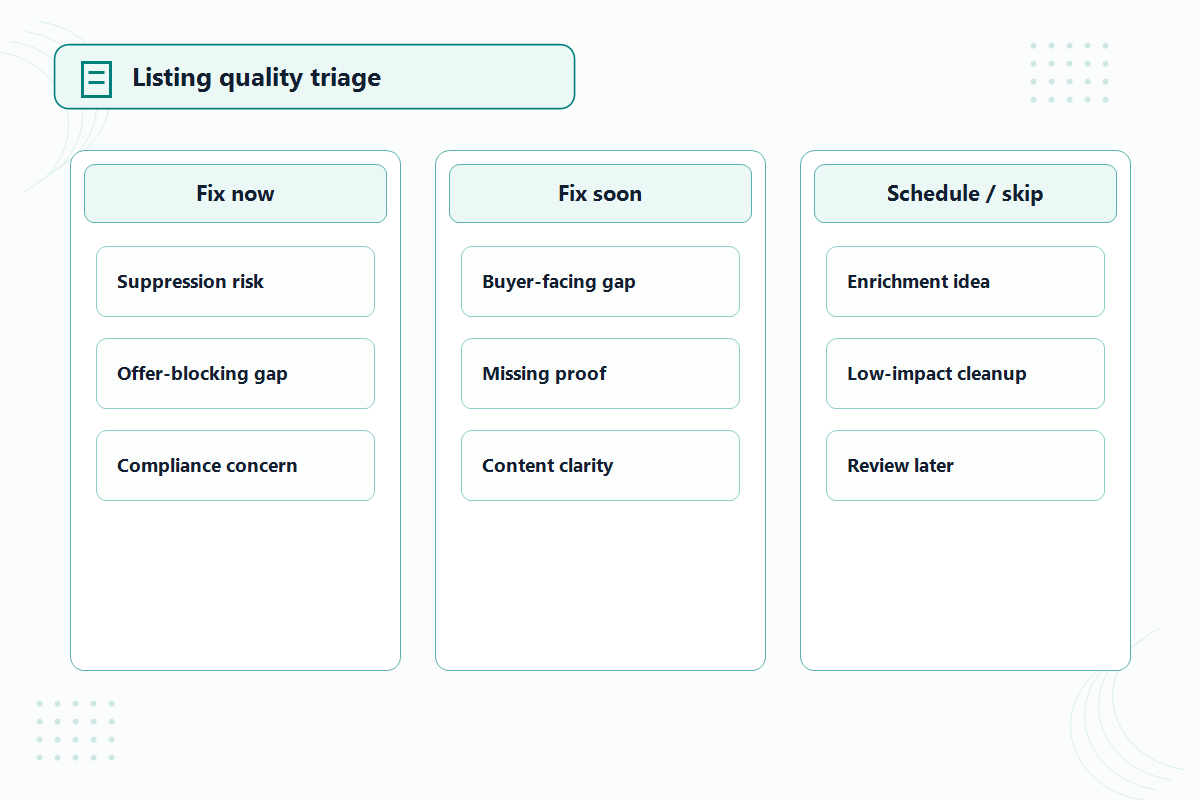
Fix now: suppression risk and required attributes
Anything the dashboard marks as a suppression risk, plus missing or invalid values for attributes the product type requires. These are the flags that turn into a search-suppressed or inactive listing if ignored. A missing required value is also the kind of defect that blocks future edits from going through cleanly, so it compounds.
Fix soon: buyer-facing data gaps
Missing values that shape how the listing converts or filters: size and color standardization, key product facts, units and counts. No suppression threat, but real money on high-traffic ASINs. Weight these by traffic: a data gap on your top seller outranks a suppression-adjacent flag on an ASIN that gets three sessions a month.
Schedule or skip: enrichment suggestions
Recommended (not required) attributes, additional content nudges, and generic completeness prompts. Worth batching during slow weeks. The mistake we see most often is teams burning their catalog hours here because these items are easy, while the small set of risk flags sits untouched.
How to Work the Queue: A Repeatable Routine
Work the queue in severity order, fix patterns in bulk, and verify before you trust the count. The routine:
- Pull the full list. Use the dashboard's download or export option if your account shows one (verify availability), or work from the on-screen list sorted by severity.
- Split into the three buckets: suppression risk and required attributes, buyer-facing gaps, enrichment.
- Within the first bucket, sort by traffic and sales so the ASINs that matter get fixed first.
- Fix one-off defects through Edit Listing. A single ASIN with one missing value rarely justifies a file.
- Fix repeating defects through a flat file partial update. If forty SKUs share the same missing attribute, that is one column in one file, not forty edit sessions.
- After processing, confirm the values actually saved. Check the live detail page or a fresh report, not just the absence of an error, because a value can be accepted and then lose out to another data source on the listing.
- Log anything that will not clear: a value you submit correctly that keeps reverting usually means a contribution conflict or a category data rule, which is case territory, not another resubmission.
How the Dashboard Fits Suppression Prevention
Treat the dashboard as an early-warning layer, not as your whole suppression defense. Cleared at-risk flags are suppressions that never happened, which is cheaper than recovery in every way: no lost sales days, no case, no rebuilding rank. But because some suppression causes bypass the quality queue entirely, a separate check of suppressed and inactive listing views still belongs in your weekly routine. The dashboard tells you what might break; the suppression views tell you what already did.
A workable cadence: a short weekly pass to clear new items in the first bucket, and a monthly review that looks for patterns, the same defect recurring across new listings usually means the creation template or feed is producing it, and fixing the source beats fixing the output forever.
Mini-Scenario: Six Hundred Flags, Eleven That Mattered
A kitchenware brand came to us with a listing quality queue of just over six hundred items that the team had been "working through alphabetically" for two months. Triage took one afternoon: eleven items carried suppression-risk flags, around eighty were missing required attribute values concentrated in two product types, and the rest were enrichment suggestions.
The eleven got same-day fixes through Edit Listing. The eighty turned out to be one pattern, a required value the team's creation template never populated, and a single flat file partial update cleared the live defects while a template fix stopped new ones. The enrichment backlog went on a monthly batch schedule. The queue that had consumed two months of alphabetical effort was operationally clear in a week, and the team's weekly pass now takes under thirty minutes.
FAQ
Where is the Listing Quality Dashboard in Seller Central?
It has lived under the catalog and inventory areas of Seller Central, but the name and menu placement have changed over time. Search the in-console help for the current path rather than relying on an old screenshot.
Do listing quality flags mean my listing is suppressed?
No. Most flags are recommendations. The subset marked as suppression risk indicates the listing could be suppressed or hidden if the defect stays unresolved, and those are the ones to clear first.
Should I fix listing quality issues one by one or with a flat file?
Both, by pattern. One-off defects are faster through Edit Listing. The same defect across many SKUs is faster and safer as one flat file partial update, and it points to a template or feed problem worth fixing at the source.
Why does a fixed item still show in the dashboard?
The dashboard can lag behind accepted changes, and sometimes the submitted value loses to another data contribution on the listing. Verify on the live detail page; if your correct value keeps reverting, escalate through a case instead of resubmitting.
Does clearing the dashboard prevent all suppressions?
No. Pricing issues, compliance holds, and image problems can suppress listings without appearing in the quality queue. Keep a separate suppressed and inactive listing check in your weekly routine.
Keep the Queue Short and the Catalog Live
A listing quality queue only stays useful if someone triages it the same way every week. If your team's queue has grown past the point of triage, or the same defects keep regenerating from your creation process, Qubeq can audit the catalog, clear the risk flags, and fix the templates that keep producing them. We've created and optimized 20,000+ listings, and most oversized queues trace back to a handful of repeatable patterns.