An Amazon SKU cleanup removes the dead weight a catalog accumulates, old tests, retired products, duplicates, and broken fragments, without the two classic self-inflicted wounds: stranding live FBA stock and snapping variation families. The safety comes from sequence: classify first, check each SKU's attachments, close before deleting, and never let a bulk file make retirement decisions for you.
Key Takeaways
- SKU bloat costs operationally: every dead SKU is noise in reports, a row in every export, a candidate for accidental edits, and surface area for upload errors.
- Classify before touching anything: active, dormant with stock, dormant empty, duplicate, and orphaned test SKUs each get different handling.
- Five checks gate every retirement: inventory, variation membership, open orders and returns, pending claims, and history worth keeping.
- Close first, observe, delete later. Closing is reversible; deletion is the end-of-life step, taken only after the closed SKU proves nothing depended on it.
- Keep a retirement log and never reuse SKU codes; recycled codes corrupt your own reporting history.
Why SKU Lists Bloat and Why It Matters
Mature accounts accumulate SKUs the way garages accumulate boxes: launch tests, supplier changes, bundle experiments, duplicate creations during migrations, and relaunches that left the old SKU behind. None of it looks urgent.
The cost is operational. Every export carries the dead rows, every bulk file can accidentally touch them, every audit wastes time re-discovering that SKU-2019-TEST-B is nothing, and dormant SKUs with forgotten stock quietly accrue storage fees. Cleanup is not cosmetic; it shrinks the error surface that every other catalog process runs across.
Step 1: Pull the Census
Export the full listings report (the report covering all SKUs regardless of status; current report names live in the inventory reports section). Join it with current FBA inventory by SKU so every row shows: status, fulfillment channel, units on hand (sellable and unsellable), variation role, and last activity you can attribute.
The census is the worksheet; the cleanup happens against it, not against memory.
Step 2: Classify Every SKU
- Active: selling or intentionally seasonal. Out of scope.
- Dormant with stock: no sales, units still in FBA. These are inventory decisions before they are catalog decisions.
- Dormant and empty: no sales, no stock. The main cleanup population.
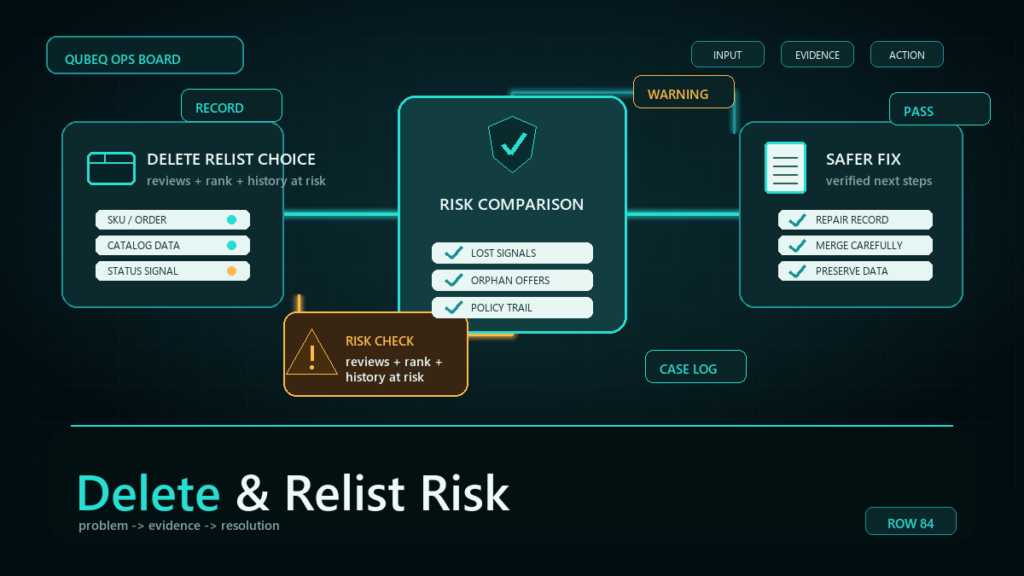
- Duplicates: two of your SKUs on the same ASIN or the same product. These follow the duplicate-merge process, not simple deletion.
- Orphaned fragments: test SKUs, half-created listings, children whose families are gone. Usually the safest deletions, after checks.
Step 3: The Five Pre-Touch Checks
Run all five on every SKU before closing or deleting it:
- Inventory: zero units, sellable and unsellable, across all dispositions? A SKU deleted with FBA stock strands the units immediately.
- Variation membership: is it a child in an active family, or a parent with living children? Retiring family members is structure surgery; plan it as such.
- Open orders and recent returns: pending orders or units inside the return window need the SKU intact to process cleanly.
- Open claims and cases: reimbursement claims, A-to-z claims, or cases referencing the SKU should close before the SKU does.
- History worth keeping: archive the listing content, images list, and sales history before retirement. Five minutes of export beats rebuilding a listing from memory at relaunch.
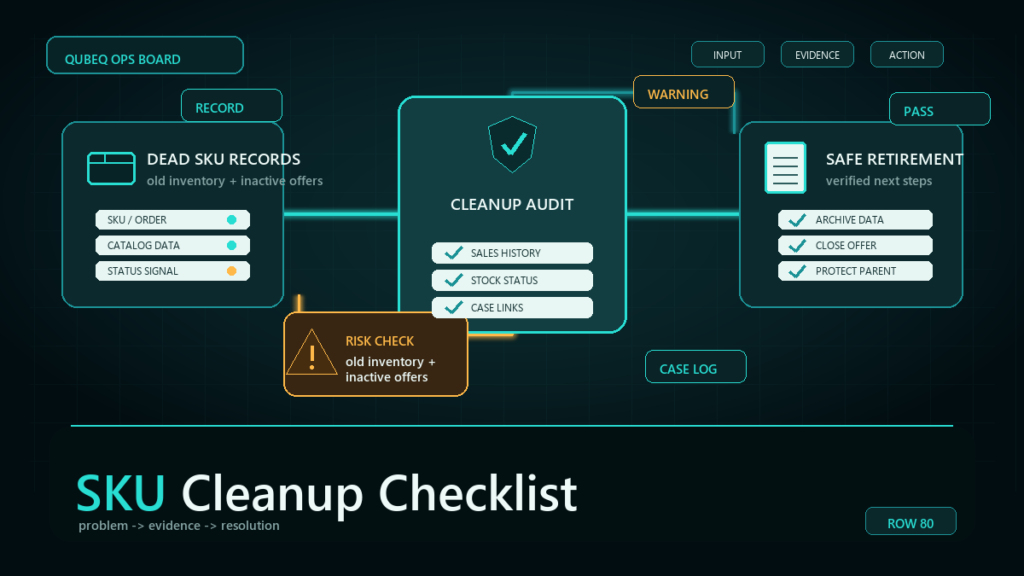
Step 4: The Retirement Sequence
- Dormant with stock: decide the inventory exit first: sell down, removal order, or (deliberately) disposal. The SKU stays alive until the stock is gone.
- Close the listing rather than deleting. Closing deactivates the offer while preserving the record, and it is reversible.
- Observe for a cycle: two to four weeks catches straggler orders, returns, and the occasional process that quietly depended on the SKU.
- Delete as the final step, in small reviewed batches, never via a bulk file with a delete column nobody triple-checked.
- Log each retirement: SKU, ASIN, date, reason, where the archive lives. The log is also your never-reuse register; retired codes stay retired.
What Never Gets Deleted in a Cleanup
- Any SKU with units anywhere in the network, including unsellable.
- Parents of families with active children, and children of structures you may relaunch.
- SKUs referenced by open claims, cases, or recent returns.
- The canonical SKU of a duplicate pair before the merge decision is executed.
- Anything you cannot answer the five checks for. Unknown means not yet.
Mini-Scenario: The Cleanup That Stranded a Child
A toy brand's catalog cleanup targeted 180 dormant SKUs from a spreadsheet of "no sales in 12 months." The list was mostly right. One row was a slow seasonal child variation holding 60 units for the holiday set, and the bulk delete file took it out with the rest. The units stranded, the variation family dropped a size, and the relaunch six weeks later required recreating the SKU, re-mapping the FNSKU, and repairing the family.
The post-mortem rule was the five checks: the SKU had stock and family membership, and either check would have pulled it from the list. The next cleanup ran classify-check-close-observe-delete and retired 200 SKUs without an incident.
FAQ
Should I close or delete old Amazon listings?
Close first. Closing deactivates the offer reversibly while the record persists; deletion is permanent end-of-life. Delete only after a closed observation period proves nothing depended on the SKU.
Does deleting old SKUs improve account performance?
Not directly; there is no ranking reward. The gains are operational: cleaner reports, fewer accidental-edit targets, smaller bulk files, and no forgotten stock accruing fees.
Can I delete a SKU that still has FBA inventory?
You can, and the units strand immediately, becoming unsellable while storage charges may continue. Resolve the inventory exit first, always.
Can I reuse a SKU code after deleting it?
Reuse shortly after deletion can conflict while changes propagate, and reuse for a different product later corrupts your reporting history. Treat SKU codes as permanent: retire, never recycle.
How often should I run a SKU cleanup?
A full census annually, with a light quarterly pass that classifies anything new into the same buckets. Mature catalogs that skip it for years are the ones that find stranded stock in the census.
Clean the Catalog Without Breaking It
SKU cleanup is one of those projects that is trivial until the one row that was not. If your catalog carries years of accumulation, or a past cleanup left stranded units and broken families behind, Qubeq can run the census, execute the retirement sequence safely, and hand back a catalog where every SKU is there on purpose.