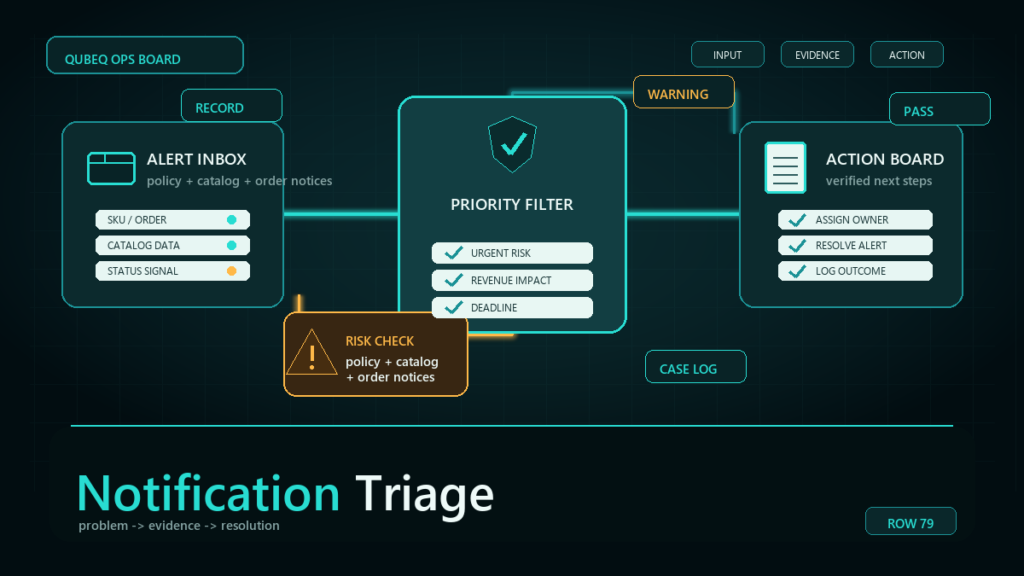
Seller Central notifications mix account-threatening notices with promotional noise in the same channels, and the dangerous ones, document requests, policy violations, requirement changes, often carry short response windows. Notification triage is a small system: inventory the channels, sort everything into four severity tiers, route each tier to an owner, and stop letting any notice live only in a personal inbox.
Key Takeaways
- The risk is not missing email; it is real deadlines drowning in a channel that is 90% noise.
- Four tiers cover everything: enforcement and deadlines, money events, dated future changes, and ignorable noise.
- Every notice gets one of three outcomes within a day: act (task with owner and date), monitor (dated note), or archive.
- Critical notices must land in shared, owned channels; a document request in a vacationing employee's personal inbox is an account incident waiting to happen.
- The notice's own wording governs deadlines and required actions; triage exists to make sure someone reads it in time.
Where Notices Actually Arrive
Most accounts receive overlapping streams: the Performance Notifications page inside Seller Central (the closest thing to an official record for performance and policy notices), the Account Health page for enforcement-related items, notification emails driven by the account's notification preferences, and in-console banners and cards. Channel names and settings locations follow the current Seller Central layout, so verify yours, but the inventory step is universal: list every place a notice can arrive, including which email addresses are subscribed to what.
Most teams discover during this step that critical categories route to an address nobody owns: a founder's personal inbox, a departed employee, or a shared mailbox nobody checks.
The Four Severity Tiers
Tier 1: Enforcement and deadlines
Policy violations, listing deactivations, document and information requests, plan-of-action demands, anything from Account Health. These carry response windows defined in the notice itself. Same-day acknowledgment, task created immediately, owner assigned.
Tier 2: Money events
Reimbursement decisions, fee disputes, chargebacks and claims, payout irregularities. Rarely same-hour urgent, but each has a finite window to dispute or respond.
Tier 3: Dated future changes
Fee schedule updates, requirement changes, program policy revisions with an effective date. The trap tier: nothing is due today, so they get archived, and the effective date arrives as a surprise. These go on a dated monitor list with an owner.
Tier 4: Noise
Promotions, program marketing, recommendations, newsletters. Archive without guilt. The point of naming this tier is to make the other three visible.
The Act / Monitor / Archive Method
Every notice gets exactly one outcome, within one business day:
- Act: becomes a task with an owner and a due date pulled from the notice's own wording. Tier 1 and most Tier 2 land here.
- Monitor: logged on a dated list with what changes and when, reviewed weekly. Tier 3 lives here until its effective date converts it to a task or an archive.
- Archive: gone. Tier 4, and Tier 3 items that genuinely do not touch your catalog.
The discipline is the single outcome: a notice that is "kept in the inbox to deal with later" has received no outcome, and inboxes are where deadlines go to die.
Routing and Settings Hygiene
- Subscribe critical categories to a shared, monitored address (a distribution list or shared mailbox with a named owner), never only to individuals.
- Review notification preferences quarterly: categories drift, employees leave, and Amazon adds new notification types.
- Make the Performance Notifications and Account Health pages part of the weekly operations sweep regardless of email, because email delivery is not guaranteed and the in-console record is authoritative.
- For teams, define tier ownership once: who owns Tier 1 response, who owns Tier 2 disputes, who maintains the Tier 3 monitor list. Triage without owners is sorting for its own sake.
Mini-Scenario: The Document Request That Almost Expired
A home-textiles brand's compliance document request went to the account's original registration email, the founder's personal inbox, while the founder was on leave. The operations team worked in Seller Central daily but had no routine for the Performance Notifications page. The request surfaced on day eight of its window, during an unrelated Account Health check, leaving two days to gather supplier documentation that needed five.
The listing came down for a week. The fixes were triage fixes, not heroics: critical categories re-routed to a shared operations address, the Performance Notifications page added to the weekly sweep, and Tier 1 ownership assigned with a backup. The next document request was acknowledged within four hours.
FAQ
Where do I see official Amazon performance notifications?
On the Performance Notifications page in Seller Central, with enforcement-related items also surfacing through Account Health. Treat the in-console record as authoritative and email as a convenience copy.
How quickly do I need to respond to Amazon notices?
The notice itself states the window, and windows vary by notice type. Triage exists to guarantee the notice is read and tasked the day it arrives, not to replace its wording.
Which Amazon notifications can I safely ignore?
Promotional and recommendation content (Tier 4). Everything carrying a deadline, a money decision, or a dated future change needs an act or monitor outcome first.
How do I stop missing Amazon emails?
Route critical categories to a shared monitored address, check the in-console notification pages weekly regardless of email, and give every notice one outcome (act, monitor, archive) within a day.
Who on the team should own notifications?
Assign by tier: enforcement response, money disputes, and the future-changes list can be different owners, but each tier needs exactly one, plus a backup for Tier 1.
Stop Letting Deadlines Hide in the Noise
Every enforcement story that starts with "we never saw the notice" is a routing story underneath. If your team's notices scatter across personal inboxes, or the Performance Notifications page is nobody's job, Qubeq can set up the triage system, take a tier of ownership directly, and make sure the next dated notice becomes a task instead of an incident.