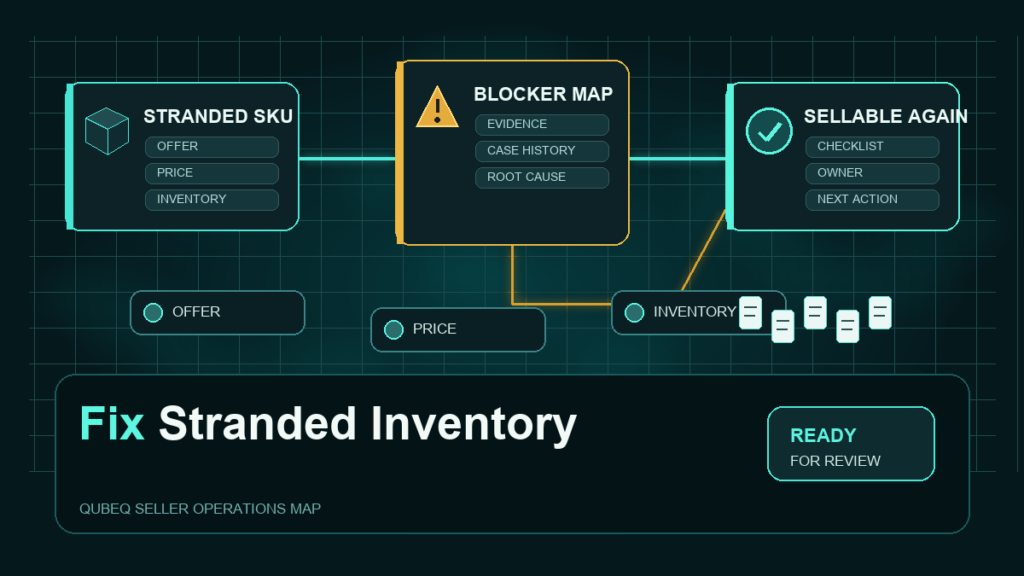
Stranded inventory is FBA stock sitting in Amazon's fulfillment centers with no active listing attached to it, which means the units cannot sell and may continue to accrue storage charges under the current fee policy. The fix always starts in the same place: the stranded reason Amazon assigns to each SKU, because that reason determines whether you need a simple relist or a deeper catalog, pricing, or compliance repair.
This guide covers the stranded state specifically. A suppressed listing or a deleted listing is a different state with a different repair path; both are covered in their own guides and linked below.
Key Takeaways
- Stranded inventory means sellable units exist in FBA but no active offer exists, so the stock earns nothing while storage charges may continue to apply.
- The stranded reason shown in Seller Central is the diagnosis. Fixing the listing without reading the reason often strands the SKU again within days.
- Common repair paths include relisting a closed or deleted offer, fixing a pricing error, resolving a restricted-product block, and repairing a broken variation relationship.
- Depending on the account's automated removal settings and current policy, Amazon may remove or dispose of long-stranded units, so stranded SKUs are time-sensitive.
- Recurring stranding is usually an upstream process problem: bulk file edits, SKU deletions, or unreviewed compliance changes.
What Does FBA Stranded Inventory Mean?
Stranded inventory is FBA stock that has no active offer on the marketplace. The units are physically in a fulfillment center and usually in sellable condition, but buyers cannot purchase them because the listing connection is broken.
Stranded is a different state from two conditions sellers often confuse it with:
- A suppressed listing has an active offer, but Amazon hides the detail page from search because of a listing-quality defect like a missing main image. The fix lives in the listing content, covered in our suppressed-listing guide.
- An inactive listing has a detail page, but the offer is switched off, out of stock, or blocked at the offer level.
Stranded inventory is specifically the combination of FBA stock plus no purchasable offer. That is why the repair always involves restoring or recreating the offer, not just editing content. If your listing was deleted outright, start with the deleted-listing recovery guide instead, then return here if units remain stranded.
Where to Find Stranded Inventory in Seller Central
Seller Central provides a dedicated Fix Stranded Inventory page in the inventory area, and stranded SKUs are also flagged inside the inventory views. The page name and menu location can change, so search "stranded inventory" in Seller Central help if it is not where you expect. The page lists each stranded SKU with three pieces of information that drive the repair:
- The stranded reason, which is Amazon's classification of why no offer exists.
- The stranded date, which tells you how long the stock has been earning nothing.
- The suggested action, which is Amazon's default fix and is sometimes, but not always, the right one.
Check the stranded date first. Depending on the account's automated unfulfillable or stranded inventory settings and current policy, inventory that has been stranded for an extended period may be scheduled for automated removal, and storage charges may have continued for the entire stranded period.
How to Diagnose the Stranded Reason
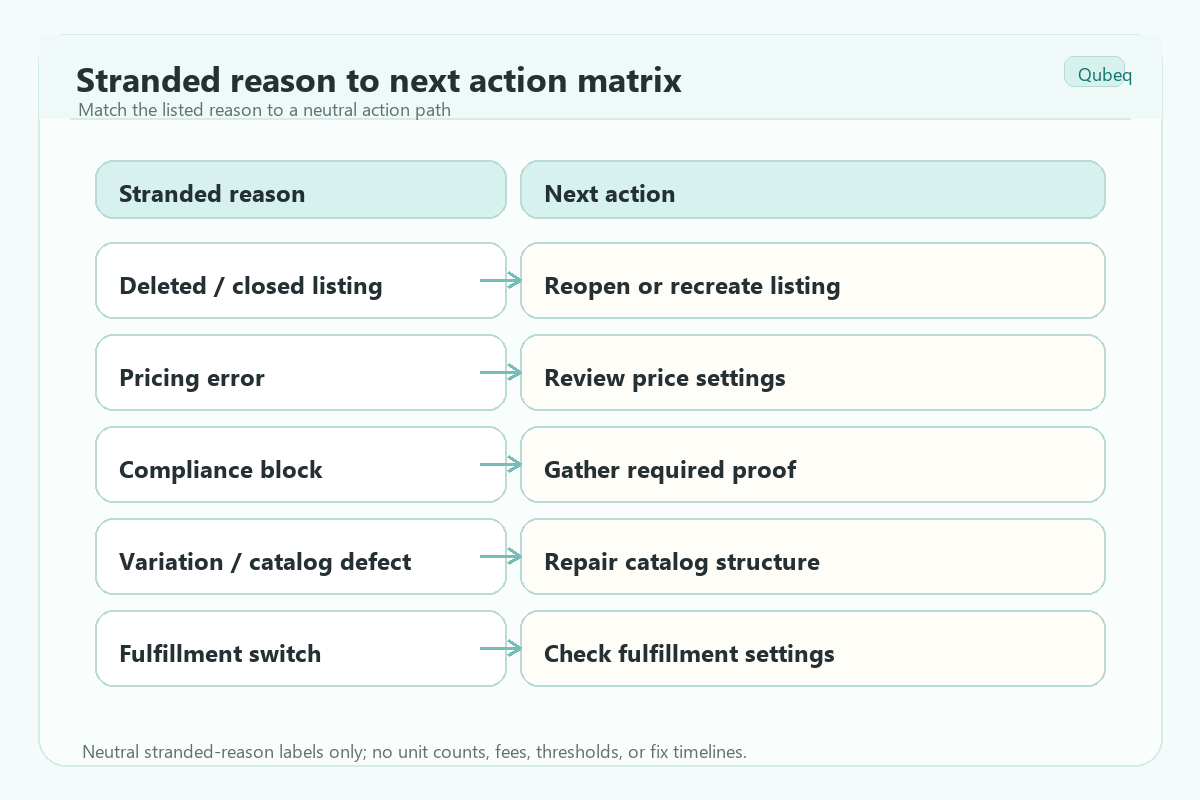
Start with the stranded reason, because each reason family has a different owner and repair path. The labels below describe reason families; read the exact label and suggested action in the current Seller Central view, since wording changes.
Listing deleted or closed
If the offer was deleted from your inventory, the catalog record may still exist while your offer does not. Relisting against the same ASIN often restores the connection. If the SKU itself was deleted, you may need to recreate the SKU with the same FNSKU mapping so the warehouse stock reconnects. Deleting and recreating listings carries its own risks, so treat relisting as a controlled step, not a reflex.
Pricing error
If your price falls outside the configured minimum and maximum price bounds, or a pricing rule produces an invalid price, Amazon may deactivate the offer. The repair is correcting the price or the price bounds, then confirming the offer reactivates.
Restricted or compliance block
If the product now requires approval, documentation, or fails a compliance check, the offer is blocked until the requirement is resolved. Relisting does nothing here. The repair runs through the approval request or the required documentation, and in some cases through Account Health.
Variation or catalog defect
If a child ASIN lost its parent, the variation family was edited incorrectly, or a contribution conflict removed your offer's connection, the repair is a catalog fix: rebuilding the relationship or correcting the conflicting attribute, often by flat file.
Conversion or fulfillment switch
If the SKU was switched from FBA to FBM, or a conversion was left incomplete, the FBA stock no longer maps to an active FBA offer. The repair is completing or reversing the fulfillment channel change.
Step-by-Step: Fixing Stranded Inventory
- Open the Fix Stranded Inventory page (search Seller Central help for the current location if needed) and export the list if more than a handful of SKUs are affected.
- Sort by stranded date, oldest first, and by units or value so high-impact SKUs get fixed first.
- Group the SKUs by stranded reason family: relist, pricing, compliance, catalog, fulfillment switch.
- Work the relist group first. Where the current page offers a direct relist action, these are quick fixes that restore revenue fastest; confirm each offer actually reactivates after processing.
- Fix pricing errors next by correcting the price or the min and max bounds, then confirm each offer goes active.
- Open approval or documentation workflows for the compliance group, and track each one as a case or task because these take days, not minutes.
- Repair catalog and variation defects with targeted edits or a partial-update flat file, and recheck the offer state after processing.
- Recheck the stranded list 24 to 48 hours after each fix wave. A SKU that re-strands has an upstream cause you have not found yet.
When Relisting Is the Wrong Fix
Relisting clears the symptom, but some stranded reasons signal a deeper problem that relisting will not survive.
- If the ASIN was removed for a policy or compliance reason, a relisted offer can strand again or create an Account Health issue. Resolve the policy block first.
- If the variation family is broken, relisting a child against a damaged parent recreates the defect. Repair the family structure first.
- If a contribution conflict keeps overwriting your offer data, the fix is the contribution dispute, not repeated relisting.
- If the same SKUs strand after every bulk upload, audit the file process. A wrong operation mode or deleted rows in a flat file can quietly delete offers at scale.
A useful rule: if the same SKU strands twice in 30 days, stop relisting and run a root-cause check.
How to Prevent Stranded Inventory
- Add an offer-state check to your post-upload QA. After any bulk file processes, compare active offer counts before and after.
- Never delete a SKU that still has FBA stock without a removal or relist plan for the units.
- Review the account's automated removal settings so long-stranded stock is not removed or disposed of automatically without your team's awareness. Setting names and defaults follow the current Seller Central configuration.
- Keep min and max price bounds realistic so repricing activity cannot deactivate offers.
- Watch compliance and approval emails. Category and documentation requirements changing mid-lifecycle is a common silent stranding cause.
- Put the stranded inventory page on a weekly operations checklist so stranding is caught in days, not at the monthly storage-fee review.
Mini-Scenario: 400 Units Stranded After a Bulk Edit
A home-goods brand ran a bulk flat-file update to refresh titles and bullets across its catalog. The file used a full update operation with several blank columns, and a handful of rows carried a delete value left over from an old template. Two days later, 11 SKUs and roughly 400 units appeared on the stranded list with a listing-removed reason.
The team relisted the deleted offers against the existing ASINs, which restored availability within a day. The durable fix came afterward: they switched routine content updates to a partial-update mode, removed the legacy delete rows from their template, and added a post-upload check comparing active offer counts. The stranded list stayed empty through the next three upload cycles.
FAQ
Does stranded inventory still incur storage fees?
Stranded units occupy fulfillment center space, so storage charges may continue to apply while the stock is unsellable, per the current FBA fee policy. Confirm the current fee treatment in Seller Central, and treat stranded time as a likely direct cost either way.
How long does Amazon allow inventory to stay stranded?
There is no single published limit. Depending on the account's automated removal settings and Amazon's current stranded-inventory policy, long-stranded units may be returned or disposed of without a manual order. Check those settings before assuming you have unlimited time.
Why does my inventory keep getting stranded after I fix it?
Repeat stranding almost always has an upstream cause: a bulk file with the wrong operation mode, a repricer pushing prices outside bounds, an unresolved compliance requirement, or a broken variation family. Fix the source, not just the offer.
Is stranded inventory the same as a suppressed listing?
No. A suppressed listing has an active offer but a hidden detail page due to listing-quality defects. Stranded inventory has FBA stock with no active offer at all. The repairs are different, which is why the stranded reason matters.
Can I just create a removal order for stranded inventory?
You can, and for discontinued products it is often the right call. But for active products, removal gives up the sale. Diagnose the stranded reason first; most stranded stock can be reconnected to a working offer.
Get Stranded Inventory Back to Selling
Stranded inventory is recoverable in most cases, but the repair has to match the stranded reason, and repeat stranding points to a process defect rather than a listing defect. If your team keeps finding stranded units after bulk updates, variation changes, or compliance reviews, Qubeq can audit the catalog and the upload process, reconnect the stranded stock, and fix the upstream cause so the same SKUs stop coming back.