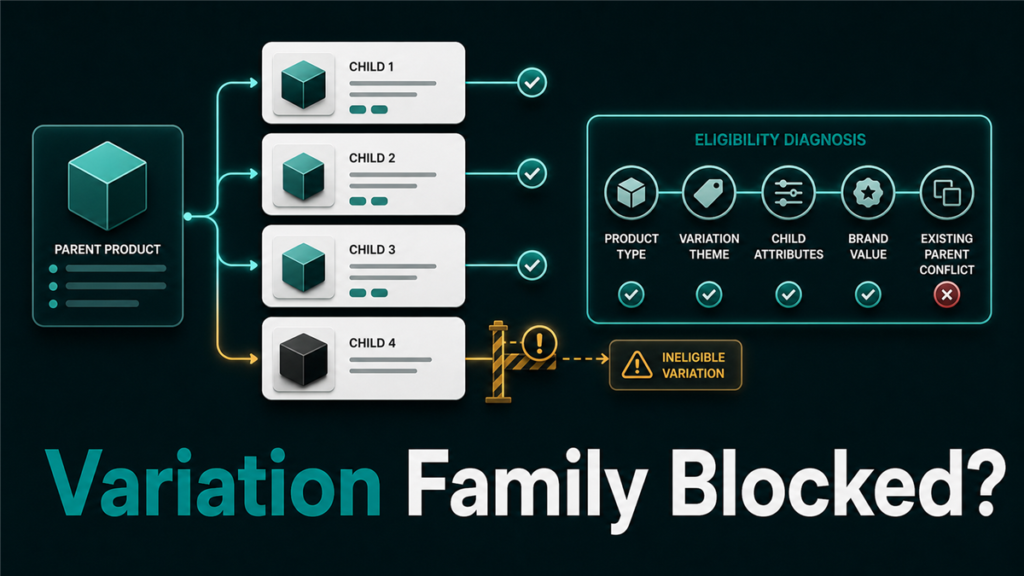
An amazon variation eligibility error usually means Amazon does not see the proposed child ASINs as valid members of the same variation family. The fix is not to keep forcing the same flat file. The fix is to identify whether the block comes from product type, variation theme, child attributes, brand control, or an existing catalog conflict.
Key Takeaways
- Amazon variations work only when the child products are meaningfully the same product with allowed differences, such as size, color, flavor, or another category-approved theme.
- A product type mismatch can block a variation even when the seller-facing product titles look similar.
- The correct variation theme depends on the category template, not on what seems logical to the seller.
- Brand Registry can help with evidence and contribution control, but it does not override invalid catalog structure.
- Sellers should diagnose the ASIN data first, then decide whether to update attributes, rebuild the family, split the family, or open a catalog case.
What Does an Amazon Variation Eligibility Error Mean?
An Amazon variation eligibility error means one or more products do not meet Amazon's rules for being grouped under the same parent listing. The error may appear during a flat file upload, Variation Wizard edit, catalog case, or attempted parent-child rebuild.
In practice, sellers usually see one of these patterns:
- The upload accepts the file but the family does not appear correctly.
- The upload returns an error saying the item is not eligible for variation.
- The parent ASIN appears, but one child ASIN is missing from the variation selector.
- Amazon breaks the family apart after an attempted update.
- Seller Support says the products cannot be variated without explaining the real blocker.
The hard part is that the visible error message is often not the full reason. A variation can fail because the product type is wrong, the variation theme is unavailable, the child ASINs do not share required attributes, or Amazon already has a stronger catalog relationship attached to one of the ASINs.
Why Amazon Rejects Parent-Child Variation Relationships
Amazon rejects parent-child variation relationships when the proposed family would confuse customers or violate category structure. A valid variation family should help the customer compare options for the same product, not combine different products for review sharing or search visibility.
Common rejection causes include:
| Cause | What the Seller Sees | What to Check |
| Product type mismatch | One child will not attach to the parent | Compare product type and category template values |
| Invalid variation theme | Flat file error or missing child | Check the valid values tab in the category template |
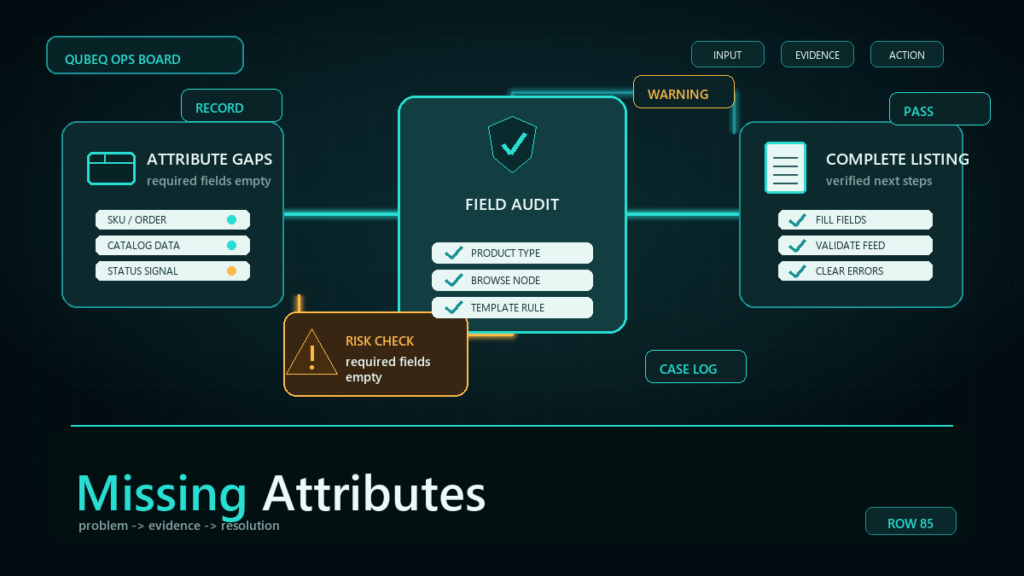
| Attribute mismatch | Family builds, then breaks | Confirm size, color, flavor, count, and style values match the theme |
| Brand mismatch | Contribution rejected or ignored | Verify brand spelling, brand ownership, and ASIN contribution history |
| Different product function | Seller Support rejects the request | Confirm the children serve the same customer purpose |
| Catalog conflict | Another parent controls one child | Check whether the ASIN is already attached to another family |
The most common mistake is assuming that similar products are automatically eligible. Two products can share a brand and still be invalid variations if they function differently, belong to different product types, or need different product detail pages.
How Product Type Affects Amazon Variation Eligibility
Product type controls what variation themes and required attributes Amazon expects for a listing. If two child ASINs are assigned to different product types, Amazon may reject the relationship even if the products look related.
For example, a brand may sell a travel bottle in three colors and a replacement lid in the same colors. The color theme looks similar, but the bottle and the lid do not perform the same function. Amazon may treat those products as separate product types and reject them as one variation family.
Before opening a case, check:
- The product type for every child ASIN.
- The category template currently used for that product type.
- The variation themes available in the template.
- The required attributes for the selected theme.
- Whether the proposed children can share one product title structure.
If the product type is wrong, the fix may be a product type correction before a variation rebuild. If the product type is correct but the theme is unavailable, the seller may need to list the products separately.
How Variation Theme Errors Break the Family
A variation theme error means the family is using a variation relationship Amazon does not allow for that product type or category. The theme must come from the category template, not from a guess.
For example, a seller may want to group products by "pack size and scent." If the category template supports only color, size, scent, or count as separate themes, the seller cannot invent a custom "pack size and scent" theme unless the template supports the exact value.
Use this operating check:
- Download the current category inventory file template.
- Open the valid values or data definitions tab.
- Confirm the allowed variation themes for the product type.
- Confirm the child attribute columns required for that theme.
- Make sure every child SKU has complete values for the same theme.
- Upload a small controlled file first if the catalog history is messy.
If the template does not offer a variation field for that product category, the product may not support variations in that category. Do not force a flat file into a structure Amazon does not allow.
How to Diagnose an Amazon Variation Eligibility Error
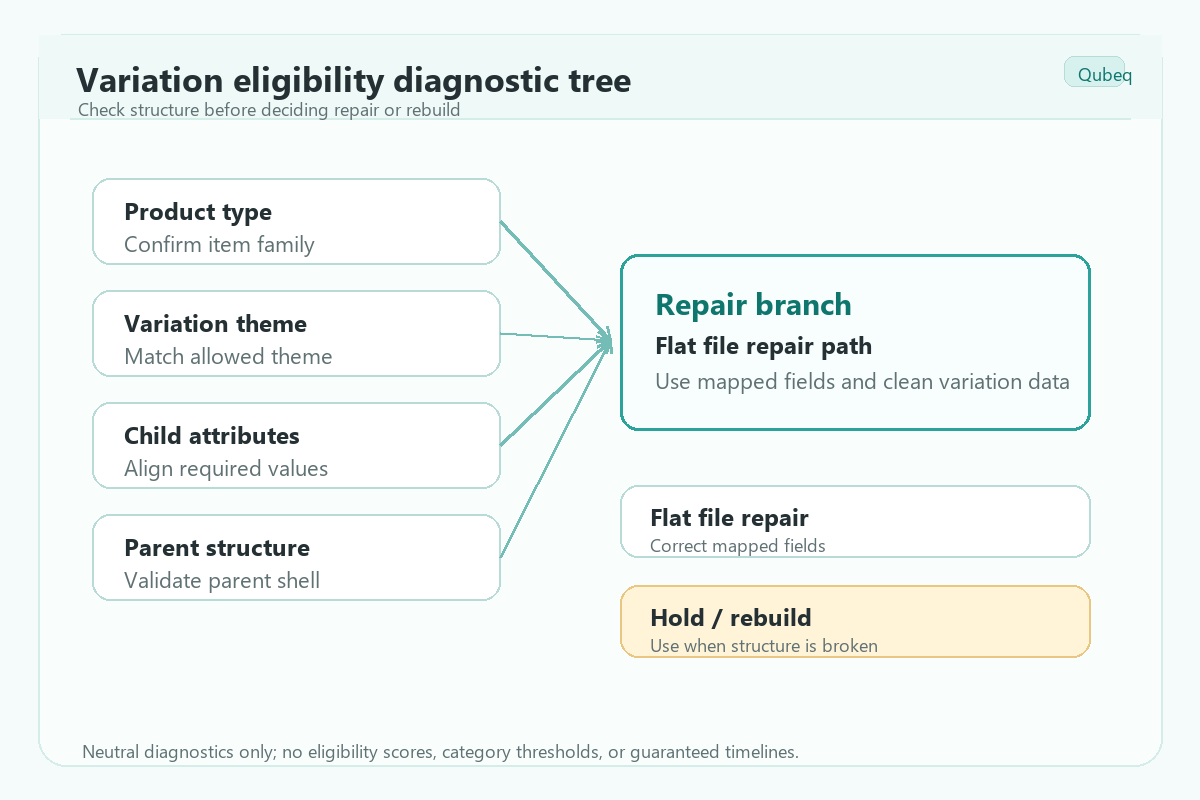
The right diagnosis starts with the ASIN data, not the support case. Sellers should create an evidence sheet before trying to rebuild the family.
Use this checklist:
- List every parent SKU, child SKU, ASIN, product type, brand value, title, and current variation theme.
- Confirm whether each child is buyable as a standalone product.
- Check whether the children differ only by the approved variation attribute.
- Check whether each child has the same brand spelling and compatible title structure.
- Download the relevant inventory template and confirm allowed theme values.
- Run a partial flat file update for one known-good child if needed.
- Review processing report errors before changing the whole family.
- Check whether any child is already attached to another parent ASIN.
- Decide whether the issue is a data cleanup, product type correction, split family, or catalog support case.
This sequence prevents the most expensive mistake: rebuilding the parent-child structure repeatedly without fixing the underlying catalog blocker.
When Should Sellers Use a Flat File?
A flat file is best when the seller understands the required product type, parentage fields, relationship type, parent SKU, child SKUs, variation theme, and child attributes. A flat file is risky when the seller is guessing at the theme or trying to override an unclear catalog rejection.
Use a flat file when:
- The category template supports the selected variation theme.
- The children are clean, buyable SKUs.
- The product type is confirmed.
- The family has no active policy warning.
- The seller has a backup of existing catalog values.
Avoid a blind flat file update when:
- The error message mentions eligibility but not the exact failed field.
- The ASIN has a retail, vendor, or older catalog contribution conflict.
- The product type recently changed.
- A child ASIN is already in another family.
- The proposed children are related accessories, bundles, replacements, or different product functions.
Mini-Scenario: The Family Looks Right, But One Child Will Not Attach
A brand sells four sizes of the same storage container. Three child ASINs attach to the parent, but the largest size returns an eligibility error. The titles and images look consistent, so the team keeps reuploading the same flat file.
The real issue is that the largest size was created months earlier under a different product type. Once the team compares product type and template values, the next step becomes clear: request a product type correction first, then rebuild the family using the allowed size theme. The solution is not a louder Seller Support case. It is cleaner evidence.
FAQ
Why does Amazon say an item is not eligible for variation?
Amazon may say an item is not eligible for variation when the child ASIN does not match the required product type, brand, variation theme, or attribute structure for the proposed family.
Can Brand Registry force Amazon to accept a variation family?
Brand Registry can help a brand provide ownership and catalog evidence, but it does not make an invalid variation relationship valid. The family still needs to follow Amazon's variation rules.
Should I delete the parent and rebuild the variation?
Only rebuild the variation after confirming the product type, theme, child attributes, and catalog conflicts. Deleting and rebuilding without diagnosis can make the catalog harder to fix.
Can different products be grouped if they have the same brand?
Not always. Products usually need to serve the same customer purpose and differ only by approved variation attributes. Related accessories or replacement parts may need separate listings.
What if the correct variation theme is missing?
If the category template does not support the theme, the seller may need to list the products separately or request a catalog correction if the product type is wrong.
How Qubeq Helps With Variation Eligibility Errors
Variation errors are rarely solved by one more upload. If your team is dealing with rejected parent-child updates, missing child ASINs, or repeated Seller Support loops, Qubeq can review the catalog data, identify the blocker, and prepare the cleanest path before more listings are affected.