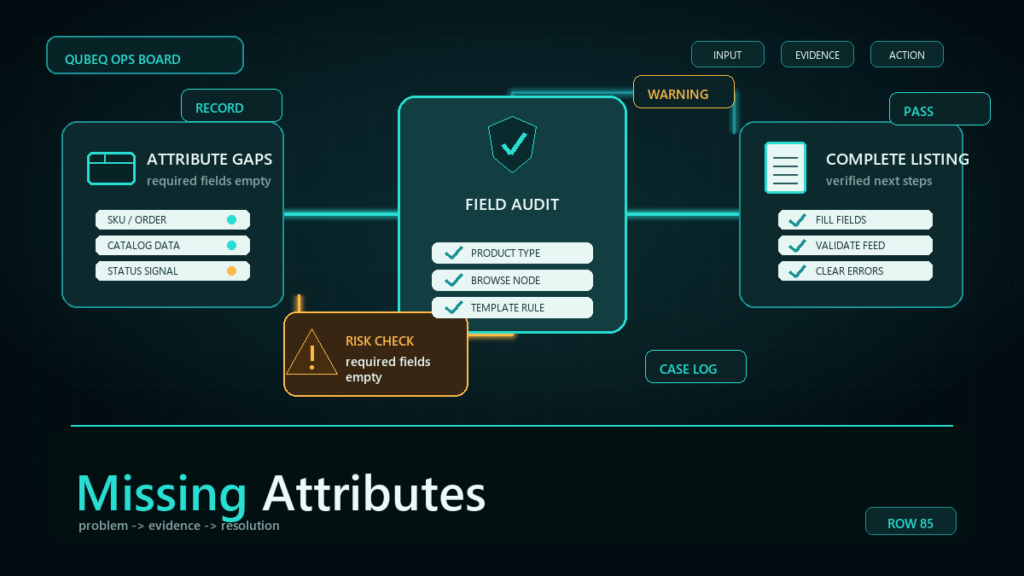
Missing required attributes are listing data gaps that Amazon flags per product type, and they can warn, hide your listing from filters, or suppress it entirely. The unsettling part is that the listing often did not change; the requirement did. Amazon updates product type definitions continuously, which means a compliant catalog can wake up defective.
Key Takeaways
- Required attributes are defined per product type, not per category label, and Amazon updates those definitions over time.
- The same missing attribute can be cosmetic on one product type and suppressing on another; triage by consequence before fixing alphabetically.
- Attribute defects surface in Seller Central's listing quality and fix-your-products views, in suppression notices, and as upload errors when you next touch the listing.
- Bulk repair runs through a partial-update flat file built from a current data export, not through hundreds of manual edits.
- A monthly defect-view review keeps requirement changes from becoming suppression waves.
Why Listings Become Defective Without Any Edit
Every listing belongs to a product type, and each product type carries a schema: which attributes are required, which are recommended, and what values are valid. Amazon refines these schemas continuously, adding requirements where buyers filter and compare (size systems, material, unit counts, age ranges, compliance fields).
When a requirement is added to your product type, existing listings that lack the attribute become defective on Amazon's schedule, not yours. Sometimes there is an announcement and a grace period; sometimes the first sign is a warning row in a listing quality view, and sometimes it is a suppressed listing.
Where Missing Attributes Surface
- Listing quality and fix-your-products views in Seller Central, which list defects per SKU with the attribute named.
- Suppression and search-suppression notices, when the gap crosses from cosmetic to blocking.
- Flat file and Listings API errors, when an edit to one field fails because a newly required field is empty. This is the trap: a price change suddenly demands a compliance attribute.
- Category-specific requirement emails, which are easy to lose in notification noise.
Check the defect views directly on a schedule rather than waiting for notices; the views are the earliest signal.
Triage Before You Fix
Not all defects deserve the same urgency. Sort the defect export three ways:
- By consequence: suppressed or search-suppressed first, at-risk warnings second, recommendations last.
- By revenue: defective SKUs with real sales velocity outrank dormant SKUs.
- By fix type: attributes you can source from existing product data (fast) versus attributes that need new information from the supplier or compliance documents (slow). Start the slow ones now even if you fix the fast ones first.
Fixing a Single Listing
For one or two SKUs, edit the listing in Seller Central, complete the named attribute, and confirm the defect clears from the quality view after processing. If the attribute will not accept your value, the product type may be wrong for the product, which is a different repair: fix the product type first, then the attributes that come with it.
Fixing at Scale
- Export current listing data for the affected SKUs so you are editing from reality, not memory.
- Pull the defect report and join it to the export by SKU, so each row shows what is missing.
- Build a partial-update flat file containing only the SKUs and the attribute columns you are filling. Partial update protects everything you are not touching.
- Validate values against the template's current data definitions, since requirement changes often arrive with new valid-value lists.
- Upload, read the processing report, and fix rejected rows in a small second pass.
- Confirm the defect counts drop in the quality view a day or two later, since defect views can lag the data fix.
Staying Ahead of Requirement Changes
- Put the listing quality view on a monthly operations calendar, with the export archived each month so you can see new defect types arrive.
- Treat requirement-change emails as catalog tasks with owners and dates, not FYIs.
- When launching products, fill recommended attributes where the data is cheap to gather; today's recommendation is regularly tomorrow's requirement.
- Keep supplier data sheets on file so slow attributes (materials, compliance values, country fields) do not require a sourcing scramble under deadline.
Mini-Scenario: The Requirement Change That Suppressed 40 Listings
An apparel seller found 40 listings search-suppressed on a Monday. Nothing had been edited; a size-system attribute had become required for their product type, and listings without it crossed from warned to suppressed over the weekend. The defect view had been showing the warning for six weeks, but nobody owned checking it.
The repair took one afternoon: export, join to the defect report, fill the size-system column from the existing size data, partial-update upload, defects cleared within two days. The process fix was the durable one: the listing quality view became a monthly checklist item with an owner, and the next requirement change was filled during its grace period instead of after suppression.
FAQ
What are required attributes on Amazon?
Attributes the product type schema marks as mandatory for a complete listing. Requirements vary by product type and change as Amazon updates type definitions.
Why is my listing suppressed for missing information when I never changed it?
The requirement changed, not your listing. New required attributes apply to existing listings, and gaps can escalate from warnings to suppression on Amazon's timeline.
How do I fix missing attributes in bulk?
Export current listing data, join it to the defect report, and submit a partial-update flat file filling only the missing columns. Validate values against the current template definitions first.
What is the difference between required and recommended attributes?
Required attributes block or degrade the listing when missing. Recommended attributes affect discoverability and filtering but do not suppress. Recommendations are also the pipeline for future requirements.
Where do I see which attributes my listings are missing?
In Seller Central's listing quality and fix-your-products style views, which name the missing attribute per SKU. Exact view names change; check the current inventory menus.
Keep the Catalog Ahead of the Schema
Attribute requirements only move in one direction: more. If your catalog is carrying hundreds of defects, or every requirement change turns into a suppression event, Qubeq can audit the defect backlog, run the bulk repairs safely, and set up the monthly review that keeps the catalog ahead of the schema instead of behind it.