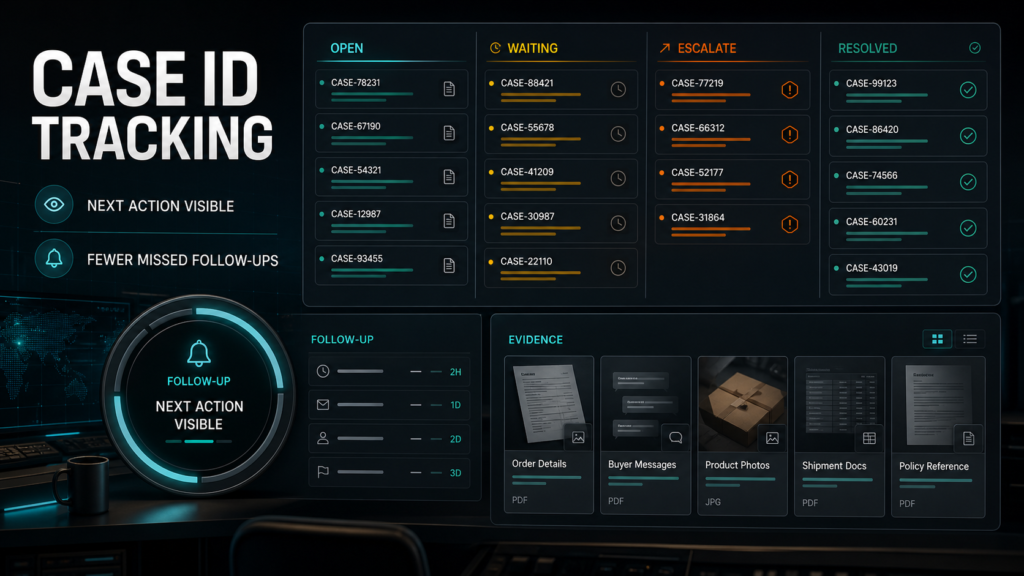
An Amazon case ID tracking system is a shared log, one row per Seller Central case, with nine fields and a weekly review routine. It exists because cases rarely die from a hard "no"; they die quietly, transferred, merged, auto-closed, or stranded in the memory of whoever opened them. The log is cheap insurance against that silence.
Key Takeaways
- Most lost cases are tracking failures, not support failures: nobody owned the follow-up.
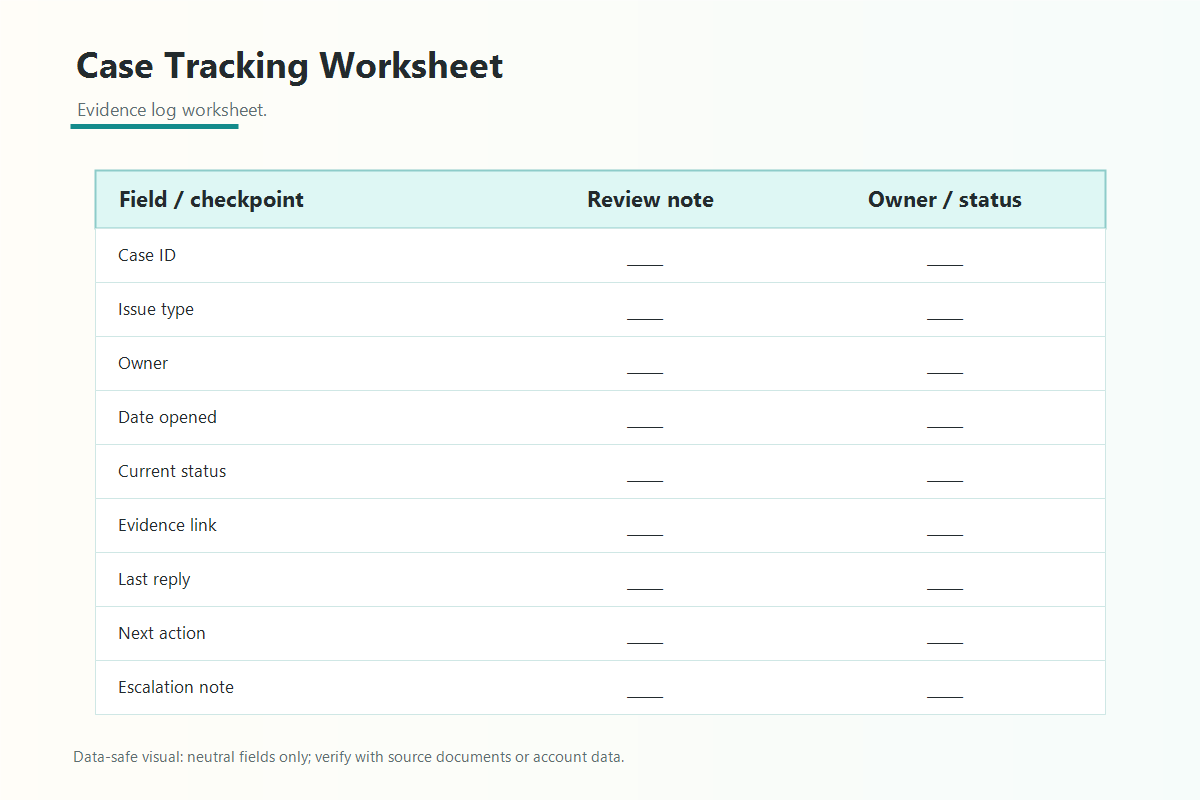
- Nine fields cover everything: case ID, ASIN/SKU affected, issue type, date opened, last action, current status, owner, next follow-up date, and resolution summary.
- The log lives in one shared place, never in personal notes, memory, or one person's inbox.
- Three moves: update on every touch, sweep open cases weekly, escalate on triggers the team defines in advance.
- A maintained case log doubles as the evidence trail behind strong escalations and appeals.
Why Teams Lose Track of Seller Central Cases
Teams lose cases because the Seller Central case log records conversations, not commitments, and nothing in the console assigns follow-up to a person on your side. Four failure patterns repeat across almost every account we audit:
- Multiple open cases. One catalog problem often spawns three cases: the original, the retry, and the related reimbursement claim. Past four or five, nobody holds the full picture.
- Transfers and merges. Cases move between Amazon support teams, and duplicates sometimes get merged or closed referencing another case ID; exact behavior varies, so verify in the current case log. Either way, the thread you were watching stops moving.
- Auto-closures. A case waiting on seller input can close on its own if nobody replies, and the closure rarely announces itself. A case the team believes is "with Amazon" may have been dead for weeks.
- No shared record. The most common pattern of all. The case lives in the head and inbox of whoever opened it; when that person is on leave or gone, the case is orphaned.
None of these are fixable from inside the console. They're fixed by a record you control.
The Nine Fields Every Case Log Needs
A working case log needs exactly nine fields, and resisting the urge to add more is part of the design. Each row is one case:
| Field | What it holds | Why it matters |
| Case ID | The Seller Central case number | The only key Amazon recognizes |
| ASIN/SKU affected | Listings or shipments involved | Connects the case to the catalog problem |
| Issue type | Short category (suppression, reimbursement, variation, shipment) | Makes patterns visible |
| Date opened | When the case was created | Drives age-based escalation triggers |
| Last action | Most recent touch, either side, with date | Shows whose court the ball is in |
| Current status | Open, waiting on Amazon, waiting on us, escalated, closed | The one-glance health check |
| Owner | The named person responsible for follow-up | A case without an owner is already lost |
| Next follow-up date | When someone checks again, no matter what | Defeats auto-closures and silence |
| Resolution summary | One or two lines on how it ended | Turns closed cases into reusable knowledge |
The two fields teams skip most often, owner and next follow-up date, do the real work. Status describes the case; those two keep it alive.
Where the Case Log Should Live
The case log belongs in one shared, visible place: a shared spreadsheet or the team's existing task system, never in personal notes. The tool matters far less than the properties:
- Everyone who touches Seller Central cases can read and edit it.
- It survives any single person leaving or changing roles.
- It's the single source of truth, which means it gets updated every time.
A spreadsheet wins on setup speed. A task system wins on reminders, since the next follow-up date can fire a notification instead of relying on someone to look. Either works; two half-maintained copies do not, so pick one.
The Working Routine in Four Steps
The routine is what separates a case log from a case graveyard. Four steps:
- Update on every touch. Any time anyone opens a case, replies, or reads an Amazon response, they update the row first: last action, status, and a new follow-up date. Thirty seconds, every time.
- Run a weekly open-case sweep. One owner walks every non-closed row: is the status still true in the console, has anything auto-closed or merged, is any follow-up date past due? The sweep catches the silent failures the console never pushes to you.
- Escalate on triggers, not frustration. Write the triggers at the top of the log in advance. Common ones: a case reopened twice without a substantive answer, a case aged past a threshold the team sets for its issue type, or a money case stalled near a dispute window. A tripped trigger means an escalation decision, not another routine reply.
- Write the resolution summary at closure. Two lines on what resolved the case. When the same suppression pattern returns six months later, this field is the difference between a one-day fix and starting from zero.
How a Case Log Strengthens Escalations and Appeals
A maintained case log converts a complaint into a documented service history, and that changes how escalations read. "We've been going back and forth for months" is an emotion. "Case 1234567890, opened March 3, four substantive replies from us, two transfers, closed without resolution April 18, reopened April 20" is a record, and records are what escalation reviewers and appeal paths can act on.
When a case needs to move up, the log hands you the chronology in minutes: every case ID, every date, every non-answer. That same chronology is the backbone of an evidence packet for a formal appeal. Teams without a log reconstruct it from inbox archaeology, usually incompletely; teams with a log paste it in.
Mini-Scenario: The Reimbursement Case That Survived a Handover
A kitchenware brand had a lost-inventory reimbursement case running for six weeks when the team member handling it left the company. In the old setup, that case would have died: the departing employee's notes were in a personal doc, and the case ID existed nowhere else on the team's side.
This time the row was in the shared log: case ID, affected SKUs, status, last action, and a follow-up date five days out. The new owner picked up the row and followed up on schedule. The case had quietly auto-closed during the transition; the follow-up date surfaced that within a week instead of never, and the team reopened with the full chronology attached. The claim paid out the following month. Nothing heroic happened; a nine-field row did its job.
FAQ
What is the best way to track Amazon seller support cases?
A shared log with one row per case and nine fields, from case ID and owner through next follow-up date and resolution summary. A spreadsheet or task system both work; personal notes do not.
Does Seller Central already track my cases for me?
The Seller Central case log records conversation history, but it doesn't assign owners, set follow-up dates, or warn you when a case goes silent on your side. The shared log adds that accountability layer.
How often should we review open Amazon cases?
Weekly, as a sweep of every open row, plus an update on every individual touch. The sweep catches auto-closed, merged, or transferred cases before weeks of silence pass.
When should a Seller Central case be escalated?
When it trips a trigger the team defined in advance: reopened twice without a substantive answer, aged past the team's threshold for that issue type, or a money case stalled near a dispute window. Triggers beat frustration as an escalation standard.
Can a case log help with appeals?
Yes. The log provides a dated chronology of every case, reply, and non-answer, which is exactly the evidence backbone an escalation or appeal needs.
Build the Log Before You Need the History
The best time to start a case tracking system is before the case that ends up mattering. If your team is juggling open Seller Central cases across inboxes and memory, or an important case just went silent, Qubeq can set up the tracking system, take over the follow-up routine, and run stalled cases to resolution as part of managing the account.