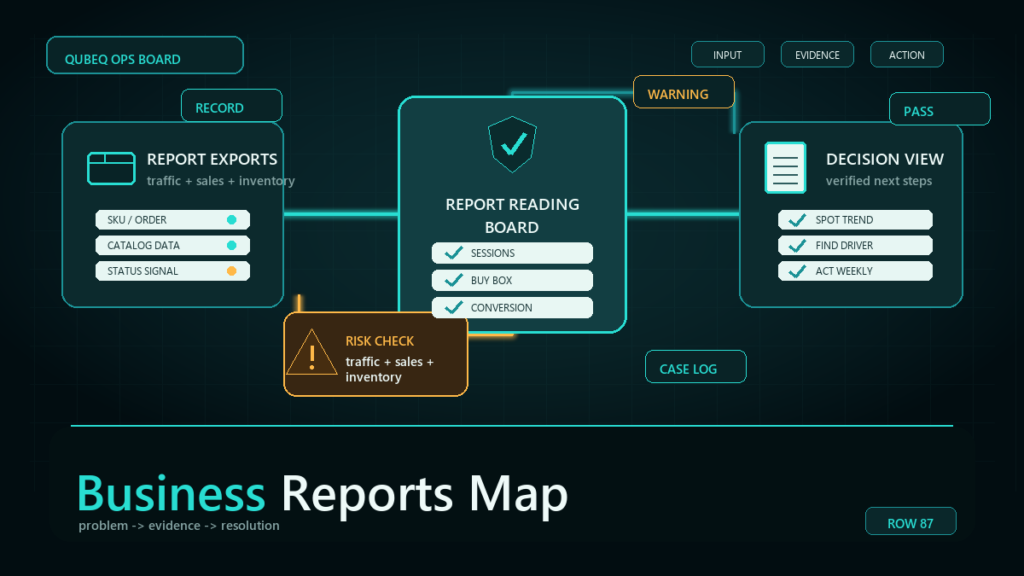
An Amazon catalog audit checklist helps sellers find listing errors before the errors turn into suppressed listings, broken variation families, or unresolved Seller Central cases. The audit should review listing status, required attributes, variation structure, image compliance, offer data, flat file readiness, and case history in one organized pass.
Key Takeaways
- A strong catalog audit checks both visible listing quality and hidden catalog data.
- Variation families need special review because one parent-child error can affect many child ASINs.
- Listing suppression, inactive status, and missing required attributes should be handled before cosmetic optimization.
- Flat file cleanup is often the fastest way to correct catalog issues across many SKUs.
- A catalog audit should end with a prioritized fix list, not just a list of problems.
What Is an Amazon Catalog Audit?
An Amazon catalog audit is a structured review of product listings, catalog attributes, variation relationships, offer data, images, and Seller Central error messages. The goal is to identify what is broken, what is risky, and what should be fixed first.
For a single listing, a catalog audit may take only a few minutes. For a brand with hundreds or thousands of SKUs, the audit should be handled in batches by product line, marketplace, or issue type. The audit should not depend only on what appears on the product detail page. Many catalog problems live inside Seller Central reports, processing reports, suppressed listing views, and flat file data.
Why Catalog Audits Matter for Amazon Sellers
Catalog audits matter because Amazon listings can look fine on the surface while hidden data errors quietly limit discoverability, conversion, or account stability. A seller may see a live ASIN and assume the listing is healthy, even though the listing has missing attributes, incorrect browse data, broken variation logic, or image issues waiting to surface.
Catalog problems often appear in clusters:
| Catalog Area | Common Failure | Business Impact |
| Listing status | Suppressed, inactive, stranded, or incomplete listing | Lost traffic or blocked sales |
| Required attributes | Missing or invalid product data | Upload errors or listing quality warnings |
| Variation family | Wrong parent, wrong theme, orphaned children | Confusing detail page and poor conversion |
| Images | Noncompliant main image or missing image slots | Suppression risk and weaker click-through |
| Offer data | Pricing, quantity, fulfillment, or SKU mismatch | Buy Box, inventory, or availability issues |
| Case history | Repeated unresolved catalog cases | Slow cleanup and repeated support loops |
The correct catalog audit does not treat every issue as equal. A suppressed listing needs faster action than a weak bullet point. A broken variation family should usually be fixed before rewriting image captions. A flat file upload error that affects 300 SKUs should take priority over one isolated typo.
Amazon Catalog Audit Checklist
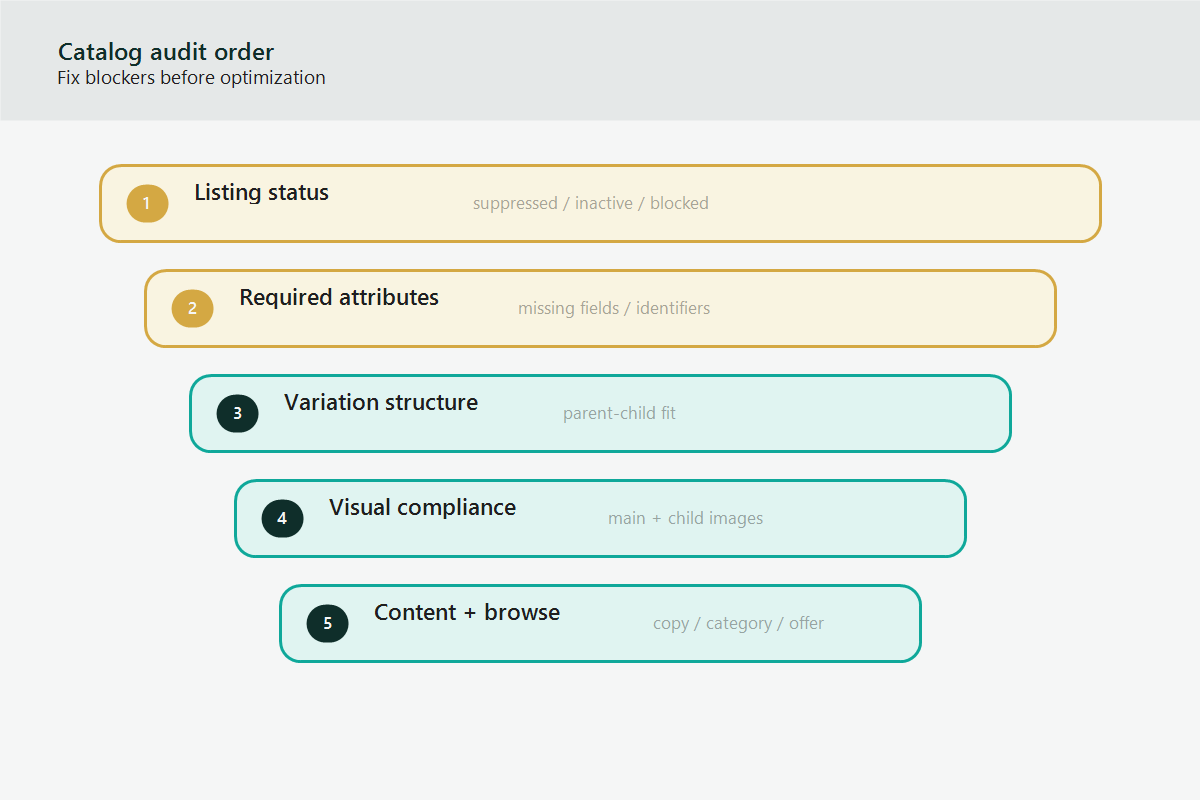
The Amazon catalog audit checklist should move from high-risk blockers to lower-risk optimization opportunities. Use this order when reviewing a catalog.
1. Check Listing Status First
Listing status is the first checkpoint because a listing cannot perform if the listing is suppressed, inactive, stranded, or blocked from sale. Start with the listings that Amazon has already flagged.
Review:
- Suppressed listings
- Inactive listings
- Stranded FBA inventory
- Detail pages not available
- Pricing error alerts
- Search suppressed listings
- Listings with compliance or documentation requests
Document the affected SKU, ASIN, marketplace, visible status, Seller Central message, and the next action Amazon requests. Do not rewrite the listing before resolving the status blocker.
2. Review Required Catalog Attributes
Required attributes are the next audit layer because missing or invalid fields can block uploads, trigger warnings, or prevent catalog changes from applying. The required fields depend on the product type and marketplace.
Review fields such as:
- Brand name
- Product title
- Product type
- Item type keyword or browse classification
- Product identifier or GTIN exemption status
- Color, size, material, unit count, item dimensions, or product-specific attributes
- Bullet points and product description
- Compliance fields where applicable
If the catalog has many SKUs, export listing data where possible and compare the data against the latest category template. A spreadsheet-based review is usually faster than opening every listing manually.
3. Audit Parent-Child Variation Families
Variation families need careful review because variation errors affect both customer experience and catalog operations. A broken parent-child structure can cause missing children, duplicated parents, incorrect variation labels, or child listings that do not appear together.
Check:
- The parent SKU is non-buyable and used only for grouping.
- Each child SKU belongs to the correct parent.
- The variation theme is allowed for the product type.
- Child attributes match the selected variation theme.
- Each child has distinct values for the variation attribute.
- The parent title, child titles, and browse data are consistent.
- No discontinued or unrelated ASINs remain inside the family.
If the variation structure is badly damaged, a flat file rebuild is often cleaner than manual edits. The rebuild should be tested on a small subset before pushing a large update.
4. Check Images and Visual Compliance
Image issues can hurt both search performance and conversion. The main image has the highest risk because Amazon has strict expectations for product representation, background, and prohibited elements.
Review:
- Main image compliance
- Image count and completeness
- Image order
- Product scale and clarity
- Missing lifestyle or infographic support where appropriate
- Mismatch between image and variation child
- Old packaging or discontinued product visuals
Do not use fake screenshots or marketplace logos in blog visuals or brand assets. For Amazon listing images, verify the current category and marketplace image requirements before replacing a main image.
5. Review Titles, Bullets, and Descriptions
Content quality matters after the listing is technically healthy. The title, bullets, and description should explain the product clearly without keyword stuffing or unsupported claims.
Review:
- Title clarity and category fit
- Primary keyword placement
- Bullet point readability
- Duplicate claims across unrelated products
- Unsupported medical, safety, environmental, or performance claims
- Missing dimensions, compatibility details, or use cases
- Brand voice consistency across the product line
The goal is not to make every listing longer. The goal is to make each listing accurate, complete, and useful for the buyer.
6. Check Browse Node and Product Type Fit
Browse classification can affect discoverability, required attributes, and valid variation themes. A listing in the wrong product type may reject valid data or require irrelevant fields.
Check whether the product appears in the correct product family, category, and browse path. Compare the listing against similar products, but do not copy competitor data. If the product type is wrong, prepare evidence before opening a Seller Central case.
7. Review Offer and Fulfillment Data
Catalog data and offer data are related but not identical. A listing can have healthy catalog content and still fail operationally because the offer is unavailable, mispriced, or tied to the wrong fulfillment setup.
Review:
- Price and sale price
- Quantity
- Fulfillment method
- FBA inventory status
- SKU mapping
- Condition
- Handling time for seller-fulfilled offers
- Pricing alerts and minimum/maximum pricing rules
For FBA items, confirm that inventory status and offer status match what the operations team expects.
8. Review Flat File Readiness
Flat files are useful when a catalog needs structured cleanup across many listings. Before uploading, audit the file itself.
Check:
- Correct product type template
- Required fields completed
- Valid values used exactly as expected
- Parent-child relationship columns aligned
- Update/delete action correct for each row
- SKU and ASIN mapping verified
- File saved in the correct format
- Small test upload completed before full upload
The processing report is part of the audit. Save the processing report and group errors by type so the team can fix the root cause instead of chasing one row at a time.
Prioritize Catalog Fixes by Risk
Catalog cleanup should be prioritized by risk and commercial impact. Fixing everything alphabetically wastes time.
Use this order:
- Listings blocked from sale
- Suppression, compliance, and policy warnings
- Broken variation families
- Missing required attributes
- Offer, pricing, and inventory mismatch
- Image compliance and main image quality
- Title, bullets, and description improvements
- Lower-risk keyword and formatting cleanup
If a catalog issue affects many SKUs, treat the issue as a system problem. Build one clean fix process, test it, then apply the fix in batches.
Mini-Scenario: The Hidden Variation Problem
A brand reviews a product line after several child ASINs stop appearing on the parent detail page. The listings are technically live, but the variation family is split across two parents and one child is attached to an old discontinued parent.
The team first sees the issue as a conversion problem. After the catalog audit, the real issue is variation structure. The fix is not rewriting bullets. The fix is rebuilding the parent-child relationship through a controlled flat file update, then verifying that each child appears under the correct parent.
The audit prevents the team from spending time on the wrong work.
FAQ
How often should Amazon sellers run a catalog audit?
Established sellers should review high-value listings at least monthly and run a broader catalog audit each quarter. Large catalogs may need weekly checks for suppressed listings, variation breaks, and flat file errors.
What is the first thing to check in an Amazon catalog audit?
Start with listing status. Suppressed, inactive, stranded, or blocked listings should be reviewed before lower-risk optimization work.
Should sellers use flat files for catalog cleanup?
Flat files are useful when the same issue affects many SKUs or when variation structures need repair. Manual edits are usually safer for isolated one-listing changes.
What is the biggest catalog audit mistake?
The biggest mistake is treating visible listing copy as the whole catalog. Hidden attributes, variation logic, offer data, and processing reports often reveal the real problem.
Can Qubeq help with Amazon catalog cleanup?
Yes. If your team is dealing with repeated listing errors, broken variation families, or unresolved Seller Central catalog cases, Qubeq can review the account and identify the operational bottleneck before more listings are affected.
Build a Catalog Audit System, Not a One-Time Cleanup
An Amazon catalog audit checklist works best when the same process is repeated each month. The goal is to catch listing blockers early, document what changed, and build a clean operating rhythm for catalog work.
If your catalog has recurring suppression, flat file, variation, or case escalation problems, Qubeq can help audit the structure and create a practical cleanup plan for your operations team.