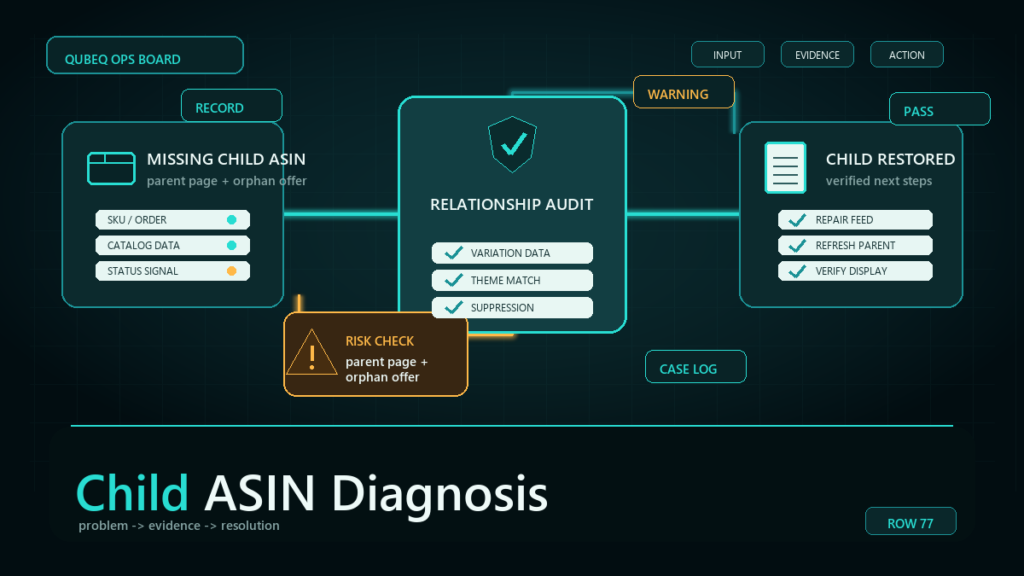
A child ASIN not showing on the parent's detail page almost always traces to one of six causes: a broken parentage relationship, a variation theme mismatch, a suppressed or inactive child, missing variation attribute values, a contribution conflict, or stock-related display behavior. The fastest route to the fix is checking those causes in order, from the thirty-second status check to the flat file relationship repair.
Key Takeaways
- Start with the child's own status. A suppressed, inactive, or stranded child cannot appear in the twister no matter how correct the relationship data is.
- The relationship itself breaks more often than sellers expect, usually when a feed, repricer, or partial flat file overwrites parentage fields.
- Every child must carry a value for every attribute in the parent's variation theme. One missing value drops that child from the selector.
- Whether an out-of-stock child still displays depends on current display behavior, so confirm stock before treating absence as a catalog defect.
- Fix single-value gaps in Edit Listing, repair relationships with a flat file partial update, and open a case only when your data is correct but the display is not.
How the Missing Child ASIN Shows Up
The symptom is a disagreement between two views: Manage Inventory shows the child ASIN exists, but the live parent page does not offer it in the variation selector. Buyers cannot find the size or color, sessions on that child fall toward zero, and if the child still gets direct traffic from ads or old links, it lands on a standalone page stripped of the family's reviews.
The disagreement is the diagnostic clue. The child record exists; something between the record and the display is broken. The six causes below cover that gap, ordered roughly by how often we see each one across the 10,000+ variation structures we've built and repaired.
The Six Root Causes
Broken parentage relationship
The child is no longer attached to the parent. This happens silently: a listing tool or repricer submits a partial update without relationship fields, a flat file upload overwrites parentage with blanks, or a parent gets deleted and recreated with the children never reattached. The child looks normal in isolation, it just belongs to no family.
Variation theme mismatch
The parent's variation theme defines which attributes differentiate the children, such as size, color, or size-color. A child created under a different theme, or a family whose theme changed mid-life, leaves children the twister cannot place. The theme must match across the parent and every child.
Suppressed or inactive child
A child that is search suppressed, inactive, or blocked by a compliance or pricing issue is removed from buyer-facing display, including the parent's selector. The relationship is fine; the child itself is dark.
Missing variation attribute values
Each child must carry a value for every attribute in the theme. A size-color family where one child has a size but no color value gives the selector nothing to render for that child. This is common after bulk edits that cleared a column.
Contribution conflicts
Multiple data sources can contribute to the same listing, and Amazon resolves conflicts by its current data-source precedence, which does not always favor your submission. Your file says the child belongs to the parent; a conflicting contribution says otherwise, and the conflicting one is winning. The tell is data that keeps reverting after you correct it.
Out of stock or stranded inventory
A child with zero sellable inventory may drop from the selector depending on current display behavior, and stranded FBA inventory means the child has stock that no active listing can sell. Neither is a relationship defect, but both produce the same missing-child symptom.
The Diagnosis Path: Quickest Check First
Run these checks in order and stop at the first failure, because each step rules out everything cheaper than the next one.
- Check the child's status in Manage Inventory. If the child is inactive, suppressed, or showing a listing error, fix that first; verify where suppressed and stranded views currently live in Seller Central. An invisible child is expected behavior here.
- Check sellable stock. If the child has zero available units or stranded inventory, restore availability before touching relationship data. Absence may be display behavior, not damage.
- Confirm the parentage. Pull a category listing report or open the family view and verify the child's parent reference points at the correct parent SKU. A blank or wrong reference means the relationship is broken: go to the flat file fix.
- Compare variation themes. Parent theme and child theme must match exactly. A mismatch means the family needs to be rebuilt under one theme.
- Audit the child's variation attribute values. Every attribute in the theme needs a populated, valid value on the child. Fill gaps through Edit Listing if it is one child, or by file if the gap repeats.
- Test for a contribution conflict. If everything above is correct and your corrections keep reverting or never display, you are likely losing to another contribution. That is case territory.
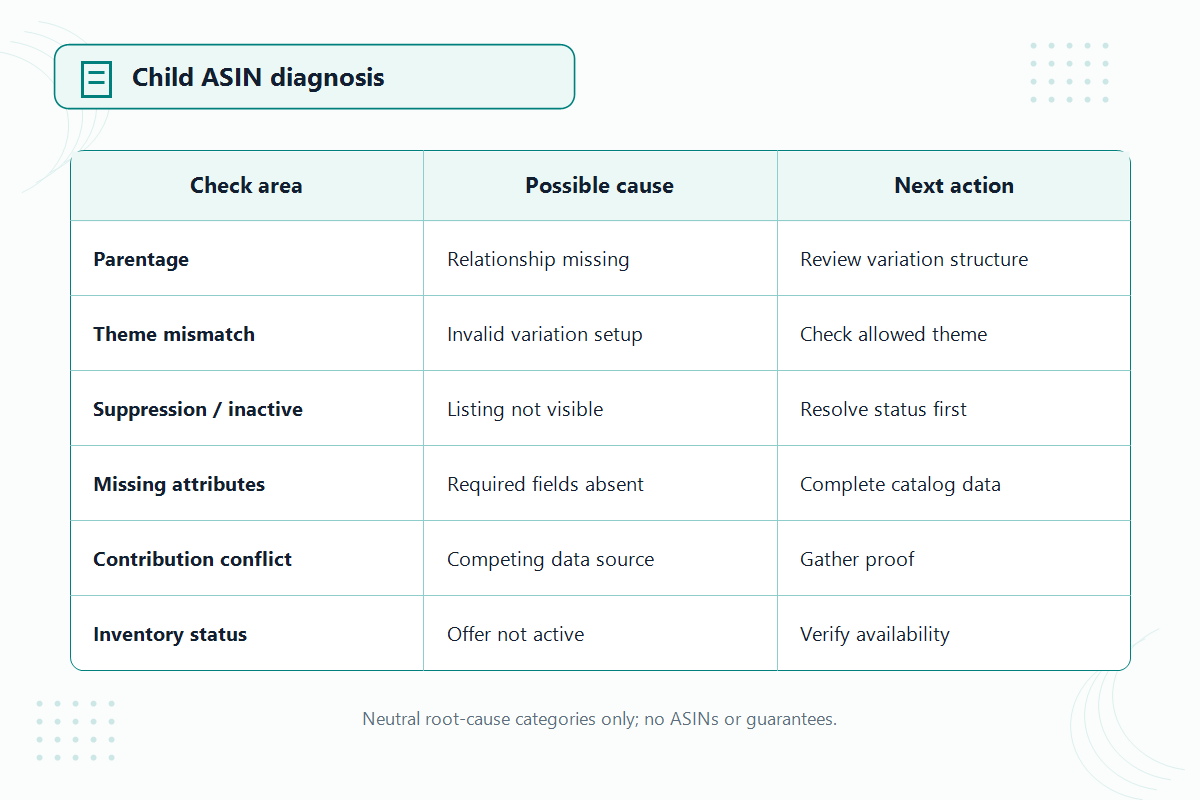
Fix Paths: Edit, Flat File, or Case
Match the fix to the cause: single-value gaps go through Edit Listing, relationship repairs go through a flat file, and contribution conflicts go through a case.
Edit Listing handles one child with one missing attribute value or a suppression-causing data error. It is the fastest path when the count is small.
A flat file partial update is the right tool for reattaching children, correcting themes, or filling the same gap across many SKUs. Submit the relationship records, parent SKU, child SKUs with parentage and relationship fields, and the theme, using the current category template, since field names vary by product type. After processing, verify on the live page, not just in the processing report.
A Seller Central case is for the situation your data cannot fix: correct submissions that revert, conflicts you cannot out-contribute, or a family that needs backend intervention. Attach the evidence trail, the processed file, the report confirming acceptance, and the live page still showing the defect, because that contrast is what gets a catalog case actioned instead of templated.
Mini-Scenario: The Size That Vanished After a Repricer Update
An apparel seller noticed one mid-range size missing from a strong parent listing. The child existed in Manage Inventory, active, in stock, fully attributed. Sessions on that size had been bleeding for three weeks before anyone connected it to the symptom.
The diagnosis path stopped at step three: the child's parentage reference was blank. The seller's repricing tool had pushed a partial update that included relationship columns it should have left out, and the blank overwrote the parentage. One flat file with the relationship records restored the family the next day, and the longer-term fix was scoping the tool's feed so it could never touch relationship fields again. The lesson wasn't the repair; it was that nobody owned post-update verification of the family view.
How to Prevent the Next Missing Child
- Lock one variation theme per family before creation and never mix themes across children.
- Populate every theme attribute on every child at creation, not after the first symptom.
- Scope third-party tools and feeds so partial updates exclude relationship fields.
- After any flat file touching a family, verify the live parent page, not just the processing report.
- Add a weekly family spot-check for top parents: count the options in the selector against the child list.
FAQ
Why is my child ASIN not showing on the parent page?
One of six causes: broken parentage, a variation theme mismatch, a suppressed or inactive child, missing variation attribute values, a contribution conflict, or stock-related display behavior. Check the child's status and stock first, since those are the quickest to rule out.
Does an out-of-stock child disappear from the variation selector?
It can, depending on current display behavior for the category and fulfillment status. Confirm sellable stock before treating the absence as a relationship defect, and verify the current behavior rather than assuming.
How do I reattach a child ASIN to its parent?
Submit a flat file partial update containing the relationship records: parent SKU, child SKU, parentage and relationship fields, and the matching variation theme, using the current category template. Then verify on the live parent page.
Why does my variation data keep reverting after I fix it?
That pattern usually indicates a contribution conflict, where another data source's value wins under Amazon's current precedence rules. Open a Seller Central case with your processed file, the acceptance report, and the live page showing the defect.
Will Amazon support fix a broken variation family for me?
Sometimes, when the defect is on the backend rather than in your data. Cases work best when you can show correct submissions that the display does not reflect. If your own data is wrong, fix the data first; a case cannot override a missing attribute value.
Get the Family Back in One Piece
A missing child is rarely the last symptom; the same feed or template that broke one relationship tends to break more. If your variation families keep losing children, or a repair keeps reverting, Qubeq can audit the family data, run the relationship repair, and scope the tools that caused it. We've built and repaired 10,000+ variation structures, and most missing-child cases close within the first pass of the diagnosis path above.